What you’ll achieve
By the end of this guide the app is counting your absences against a rule you wrote yourself: how many days, measured how, over what period.
The presets cover the permits most people hold. Track a residence permit is the guide for those, and it is the faster route when one of them matches. This one is for the rule that is not on the list, or the number your own authority gave you in writing.
The example is a permit that allows up to a year away in any five years, which no preset covers.
Step 1: Take the custom route
Open Settings, tap Residence, then Track a residence permit. Scroll past the presets to the end of the list.
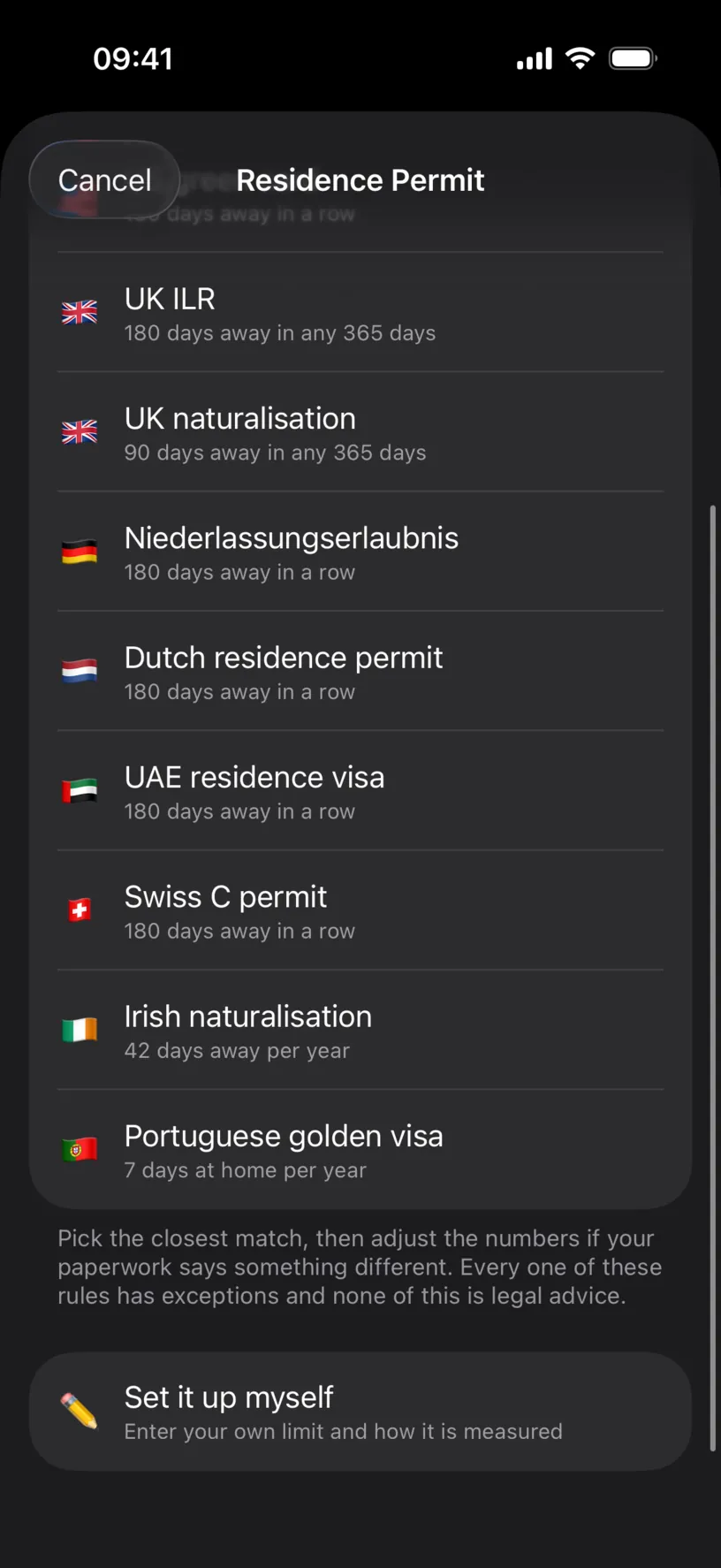
Read the presets on the way past. Each one names the rule it implies underneath, and if yours is written the same way as one of them, take it and adjust the number instead. That is fewer decisions and the same result.
Tap Set it up myself.
Step 2: Say which way the rule is written
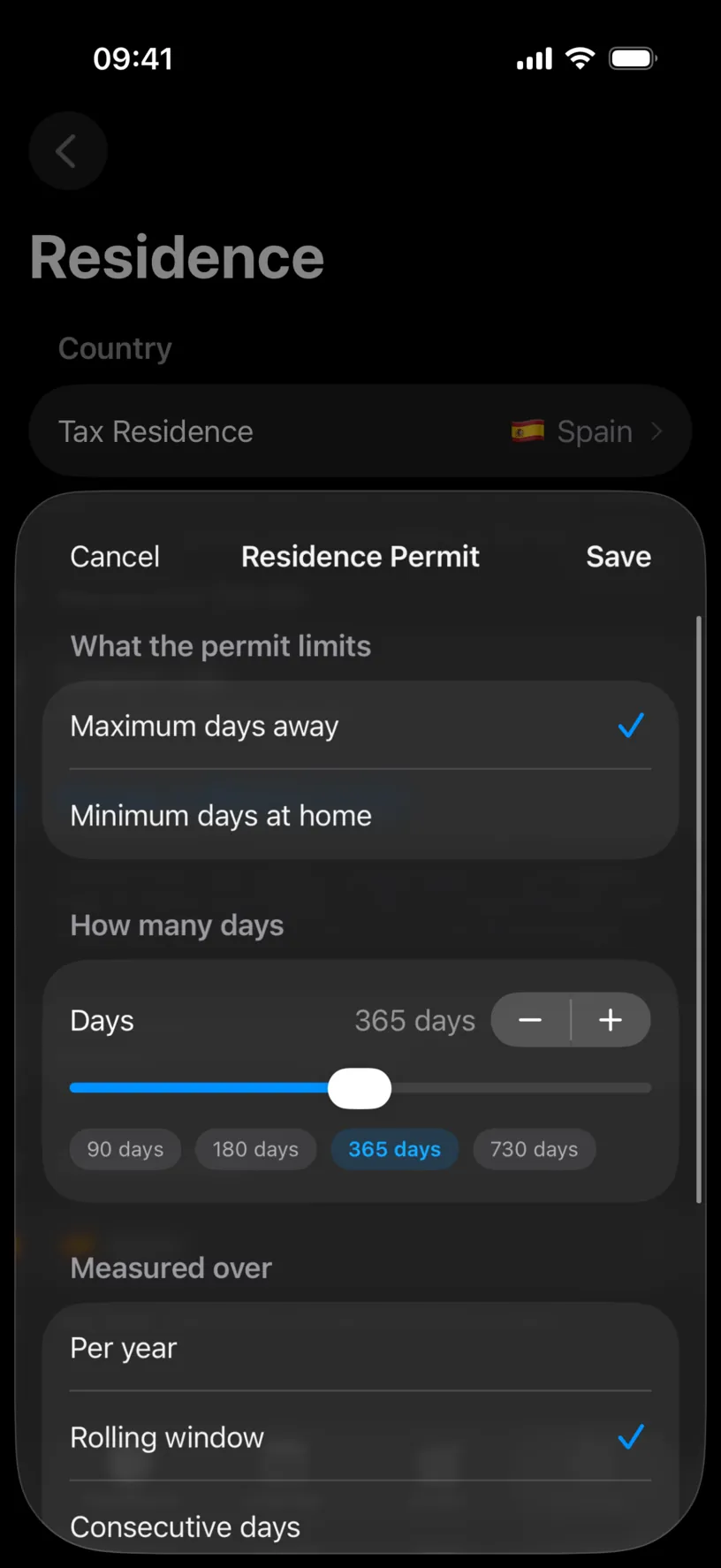
What the permit limits is the first decision, and it is the one people get backwards.
Maximum days away is the common form: your permit says you may be absent for no more than so many days. Minimum days at home is the same idea written from the other end: your permit says you must be present for at least so many days.
Pick the one your paperwork uses. Converting the number yourself invites an arithmetic mistake in a count you are keeping precisely to avoid one.
Step 3: Set the number
How many days takes the figure from your permit. Drag the slider, use the minus and plus for a single day at a time, or tap one of the chips.
The chips change with the measure you pick in the next step, offering the numbers that make sense for it. Here they read 90 days, 180 days, 365 days and 730 days, and 365 days is the one this permit needs.
Step 4: Choose how the period is measured
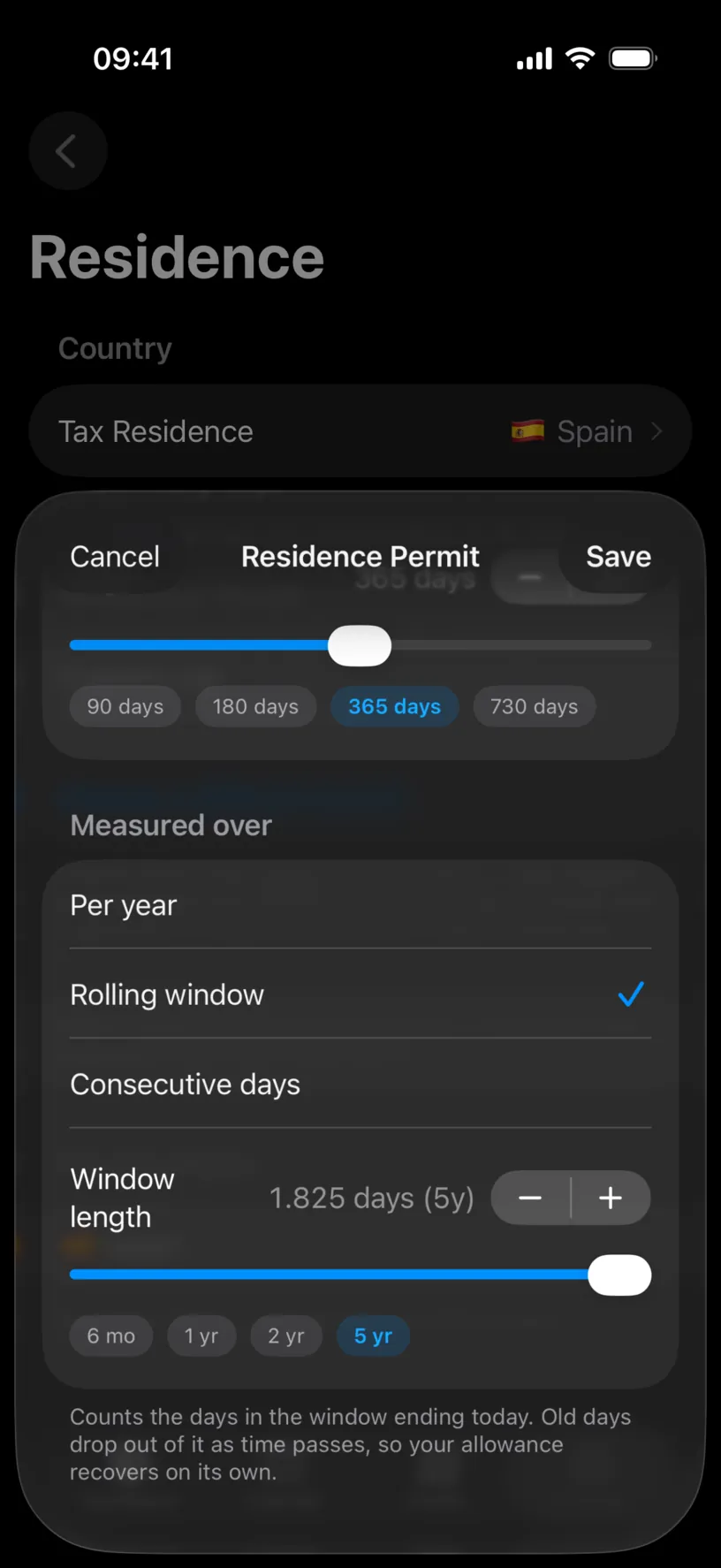
Three measures, and they behave very differently.
Per year counts inside the fiscal year of your tax residence and resets when that year does. Use it for a permit written as a yearly allowance.
Rolling window counts the days in the window ending today. Old days drop out as time passes, so the allowance recovers on its own, which the footer states in the app’s own words.
Consecutive days counts your current unbroken stretch away, and a single day logged at home resets it to zero. Use it for a permit written as a maximum single absence.
Window length appears only for Rolling window, because it is the only measure that needs it. The chips jump to 6 mo, 1 yr, 2 yr and 5 yr, the field shows the window in days with its length in years beside it, and the minus and plus move it a day at a time for a period that is none of the four.
This permit is five years, so 5 yr with 365 days above it.
Tap Save.
Check your result
The Residence screen restates what you built.
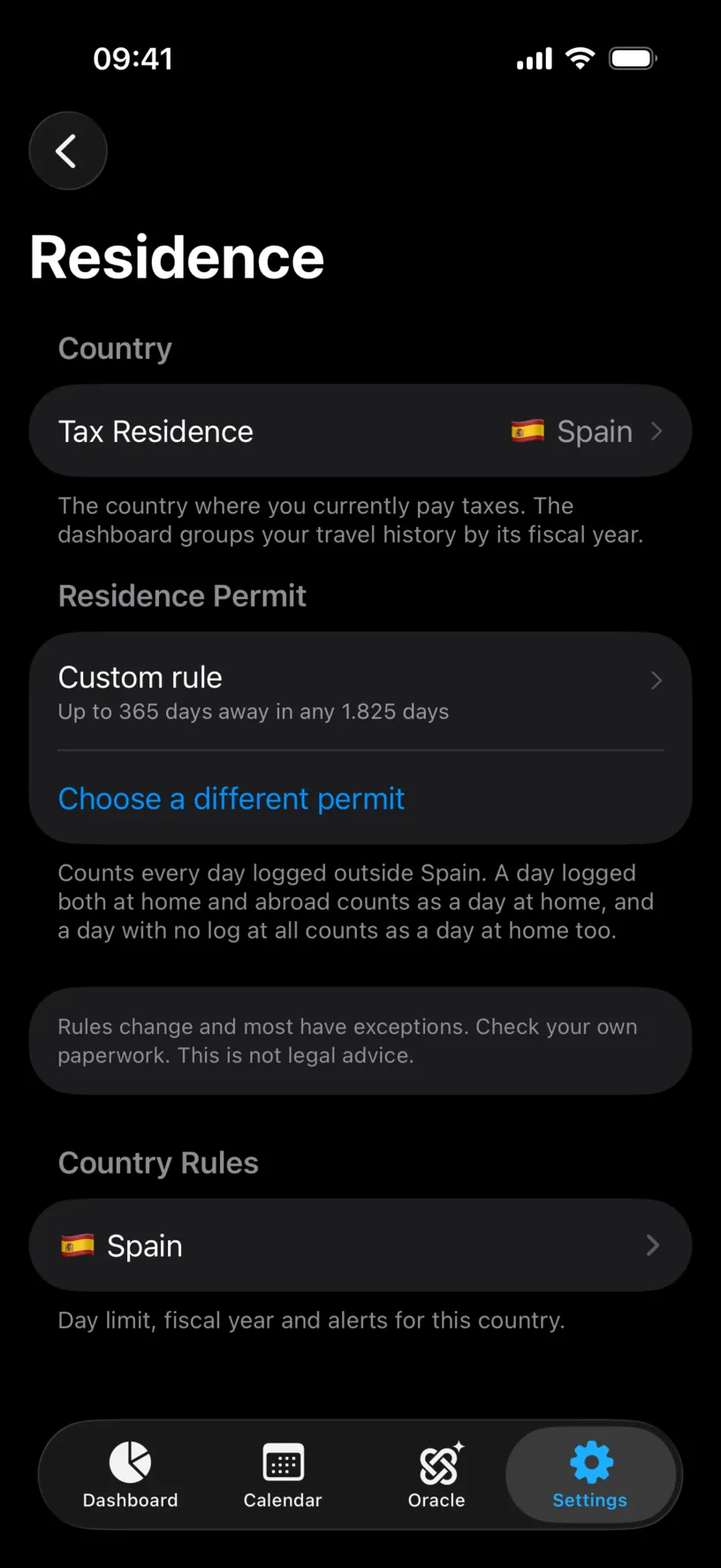
The row reads Custom rule with your rule in one line underneath: up to 365 days away in any window of 1,825 days, which is the five years you set expressed the way the counter holds it.
Read the first footer once, properly, because it decides what the number means. Every day logged outside your residence country is a day away. A day logged both at home and abroad counts as a day at home. And a day with no log at all counts as a day at home too.
That last one is the trap. Gaps in your history count in your favour here, so a custom rule you built carefully still reports a flattering number if the months behind it are empty.
To see the count itself, add the Days away from home tile to your dashboard, which Track a residence permit covers in step 4.
If something looks different
There is no Window length control. You picked Per year or Consecutive days. Neither has a window: one resets with the fiscal year, the other resets on any day at home.
Per year does not reset in January. It follows the fiscal year of your tax residence, so a non-calendar fiscal year moves the reset with it. Set a non-calendar fiscal year is where that lives.
The count is lower than you expected. Unlogged days count as days at home. Close the gaps and the number rises to the truth, which Find and fill missing days covers.
The count is higher than you expected. Trips logged a day long at each end. Arrival and departure days both count as days away, so two extra days per trip add up quickly.
Your rule is a minimum stay at home and the number looks inverted. Check What the permit limits. A rule entered as Maximum days away when the paperwork says Minimum days at home counts the right days against the wrong target.
Your permit has a rule the three measures cannot express. Pick the measure that fails safely rather than the one that is closest. A shorter window or a smaller allowance warns you early; the reverse tells you everything is fine until it is not.
You changed your tax residence. The permit belongs to the residence, so set the new country first and build the rule again. Set your tax residence covers the move.
You want to start over. Swipe the permit row left in Residence and tap Delete, then set it up again. Your travel history is untouched either way.
Next steps
Track a residence permit covers the counter, the dashboard tile and the absence list your custom rule now feeds.
Set your tax residence is the setting the whole permit hangs off.
Find and fill missing days matters more for this counter than for any other, because here a gap makes the number look better.