What you’ll achieve
By the end of this guide the app counts the days you spend away from your residence country, and tells you how many you have left before the permit that lets you live there is at risk.
Most day counting works one way round: how long you may stay somewhere. A residence permit works the other way. It asks how long you may be gone, and the answer is usually the number nobody tracks until a renewal goes wrong.
The app tracks days against the rule you set. The rule in your paperwork is the one that counts, and none of this is legal advice.
Step 1: Open the permit setting
Open the Settings tab and tap Residence.
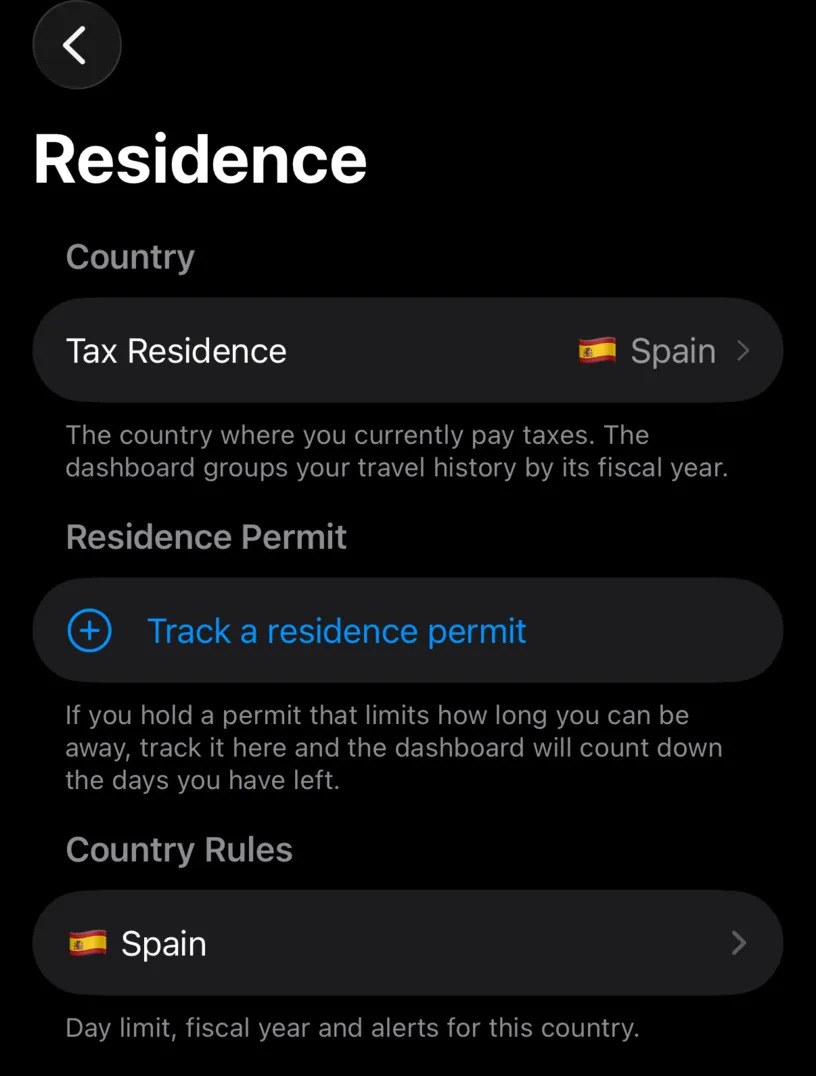
Residence Permit is the second section, under the country. The footer says what it does: track the permit and the dashboard counts down the days you have left.
Tap Track a residence permit.
Step 2: Pick the closest preset
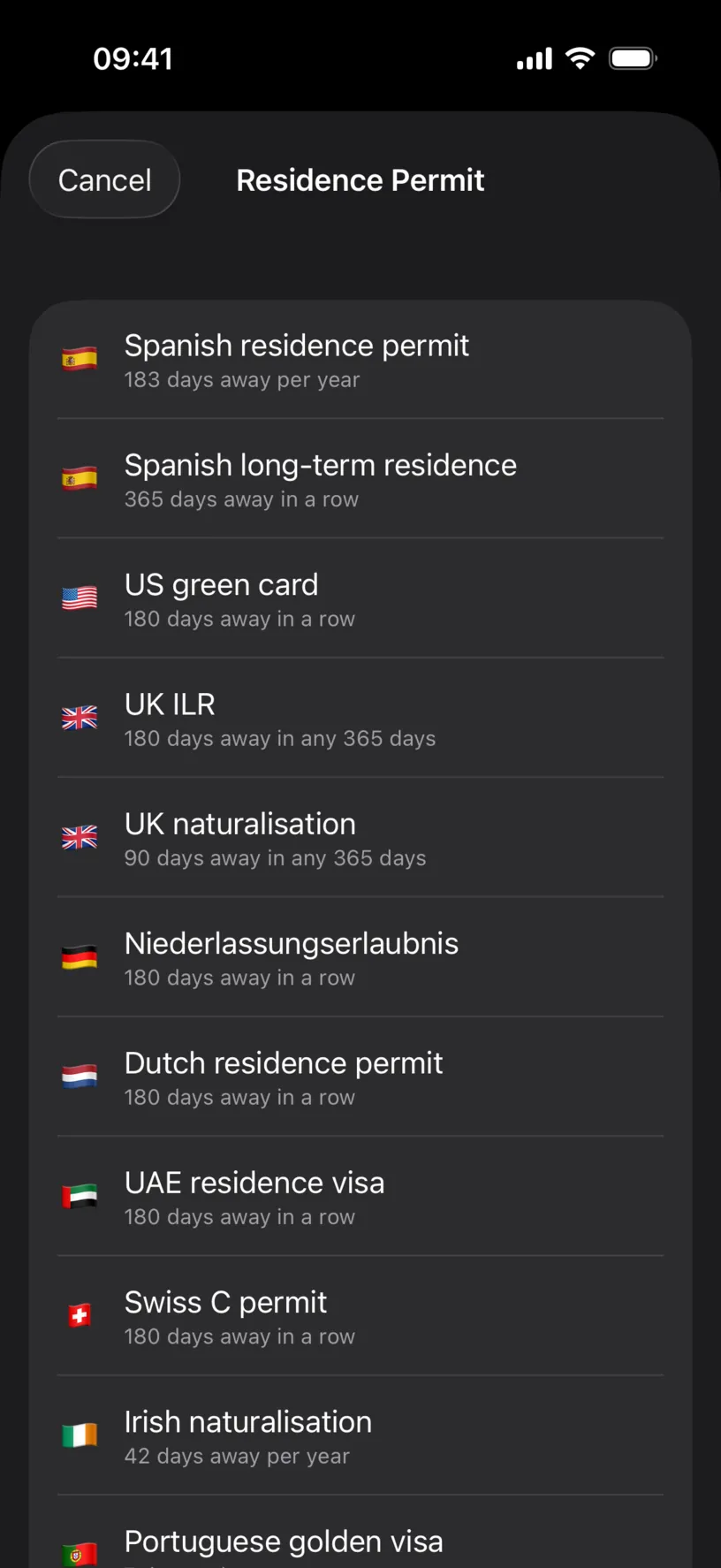
The list holds the permits people actually hold, with the rule each one implies underneath: 183 days away per year, 180 days away in a row, 90 days away in any 365 days. Presets for your residence country come first.
Scroll to the end and the screen says what it is and is not.
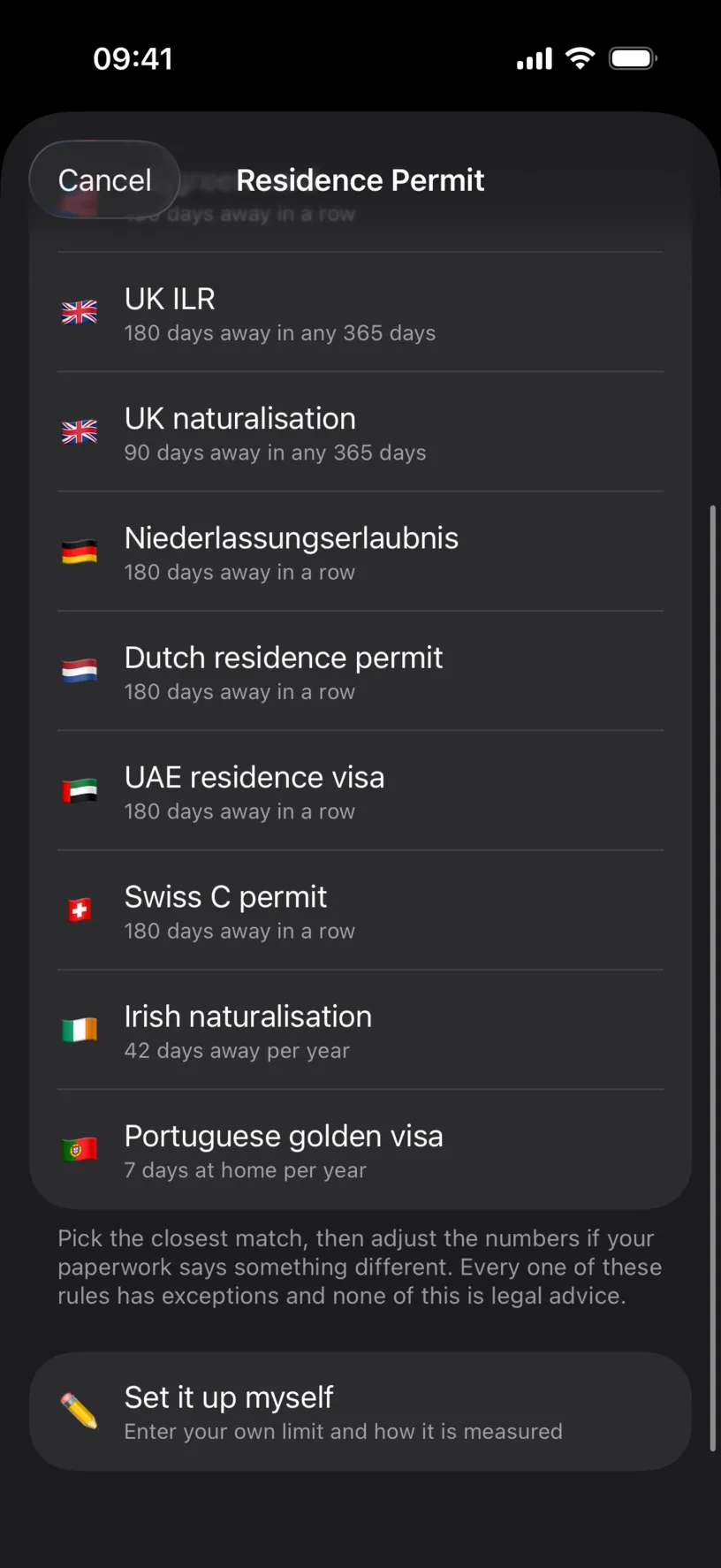
Set it up myself is there for a permit that is not on the list, or a rule you were given in writing that matches nothing here.
Tap the preset closest to yours.
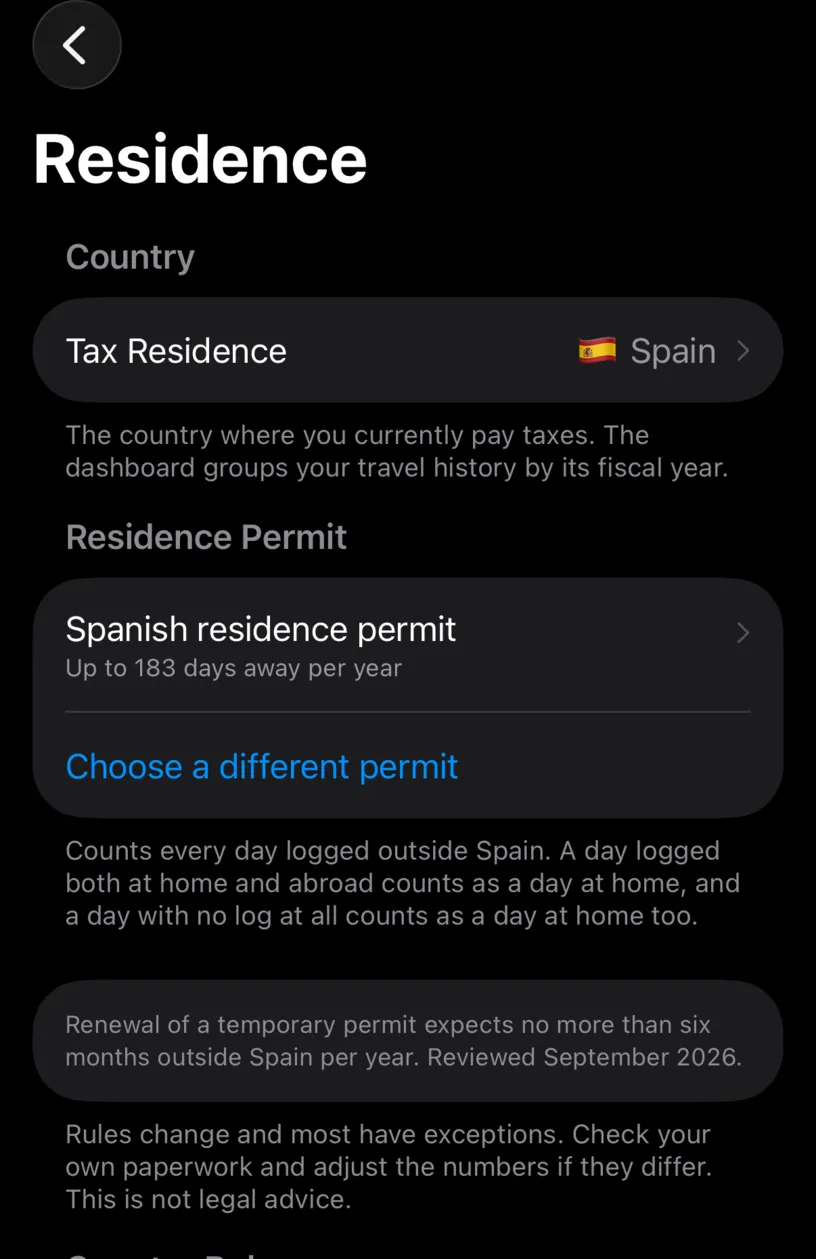
The row now states your rule in one line, and three footers explain it.
The first is the counting rule, and it is the one to read twice: every day logged outside your residence country counts as a day away, a day logged both at home and abroad counts as a day at home, and a day with no log at all counts as a day at home too. Gaps count in your favour, which is a good reason not to leave them.
The second is where the preset came from, with the month it was checked. The third is the disclaimer, which is short and means it.
Step 3: Adjust the numbers if your paperwork differs
Tap the permit row.
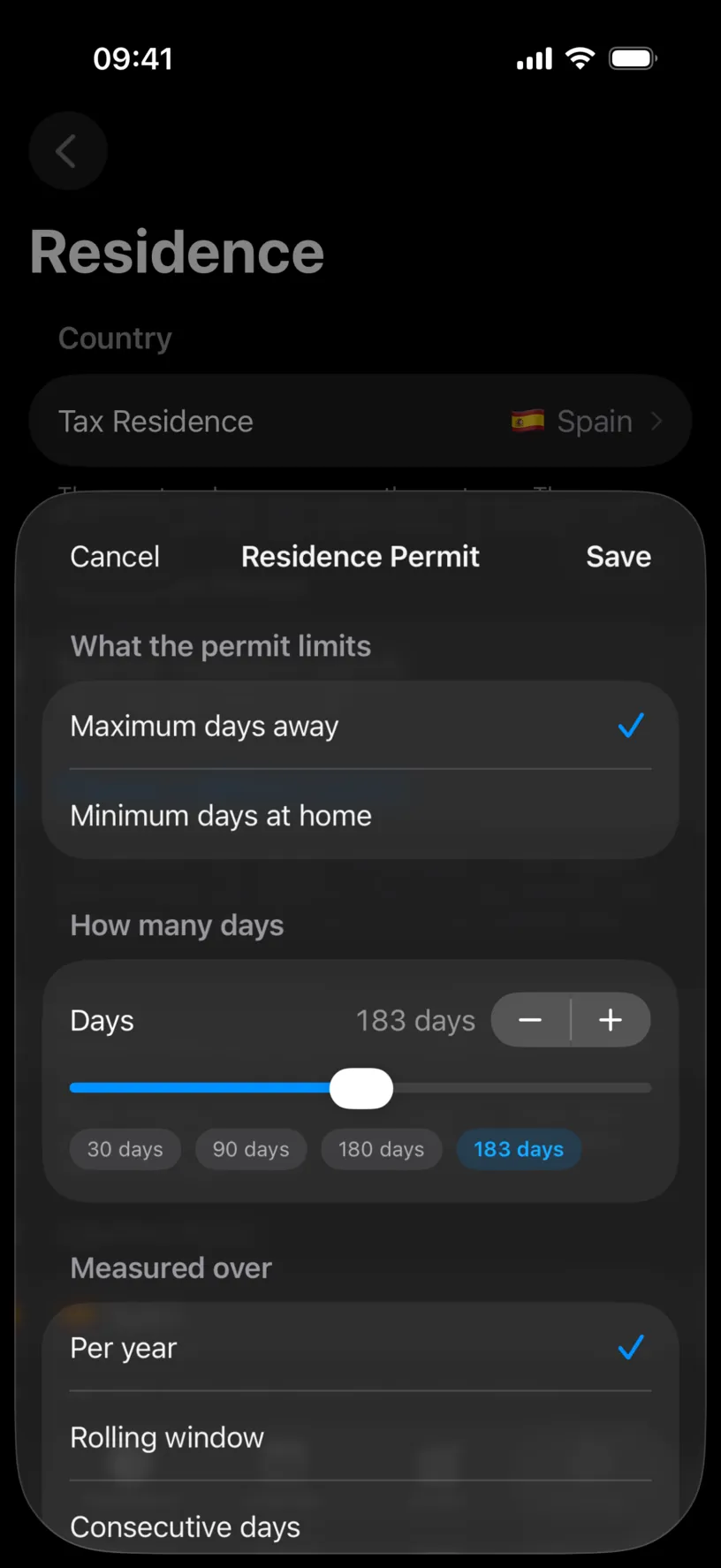
Three settings, and between them they cover most permits.
What the permit limits flips the question. Maximum days away is the common form. Minimum days at home is the same rule stated from the other side, and some permits are written that way.
How many days is the number, on a slider with the usual values as shortcuts.
Measured over is the part worth getting right. Per year counts inside the fiscal year of your tax residence and resets when that year does. Rolling window counts the days in the window ending today, so your allowance recovers on its own as old days drop out. Consecutive days counts your current unbroken stretch away, and a single day logged at home resets it to zero.
Tap Save.
Step 4: Put the count on your dashboard
The permit is being tracked, but nothing on the dashboard says so yet. Add the tile.
Open the Dashboard tab, scroll the widget strip to its end, and tap Add a widget. If it says Edit widgets, the strip already holds three: swipe left on one in the list to remove it first.
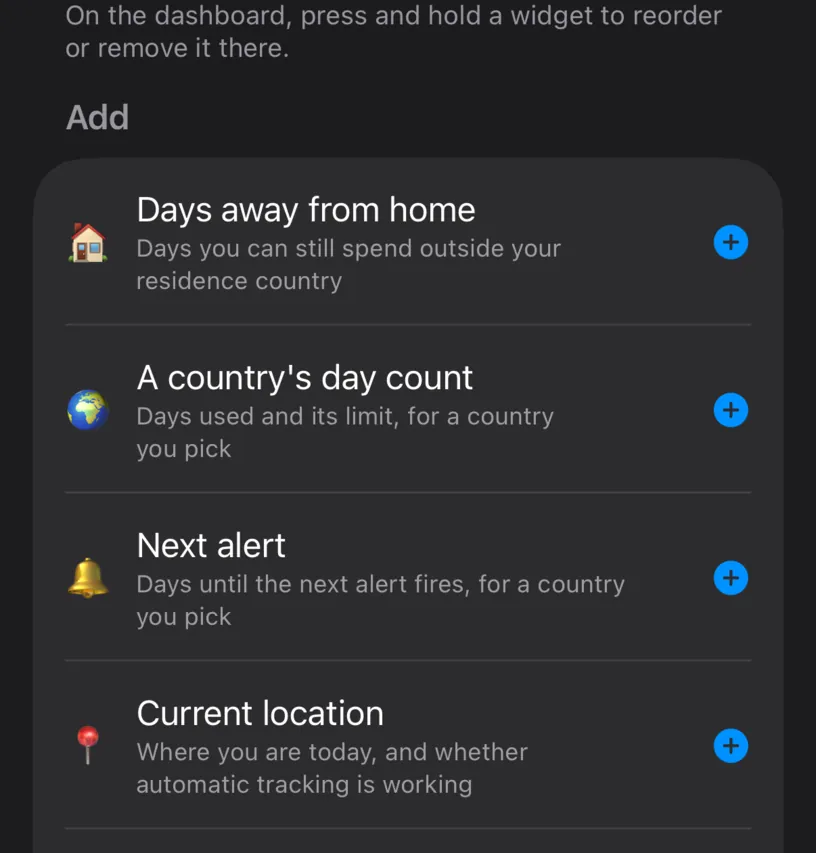
Choose Days away from home, then tap Done.
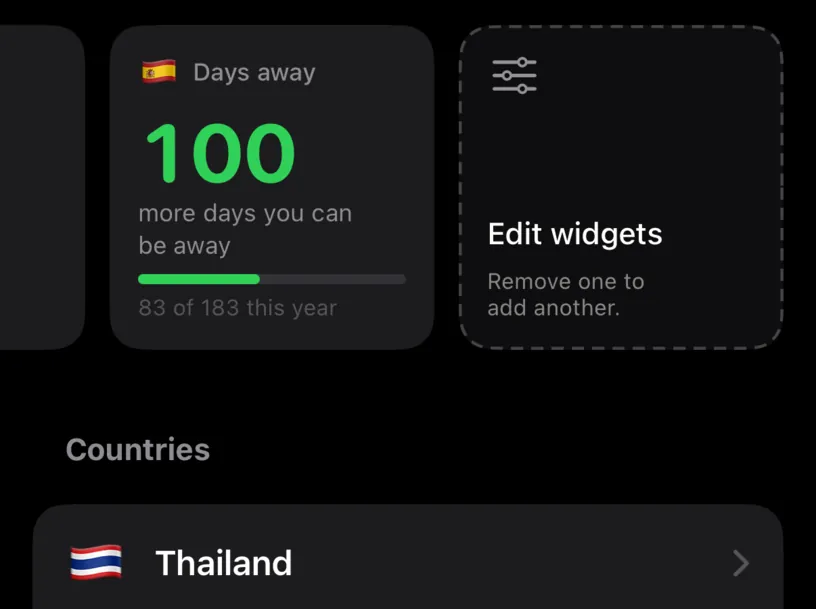
Check your result
Tap the tile.
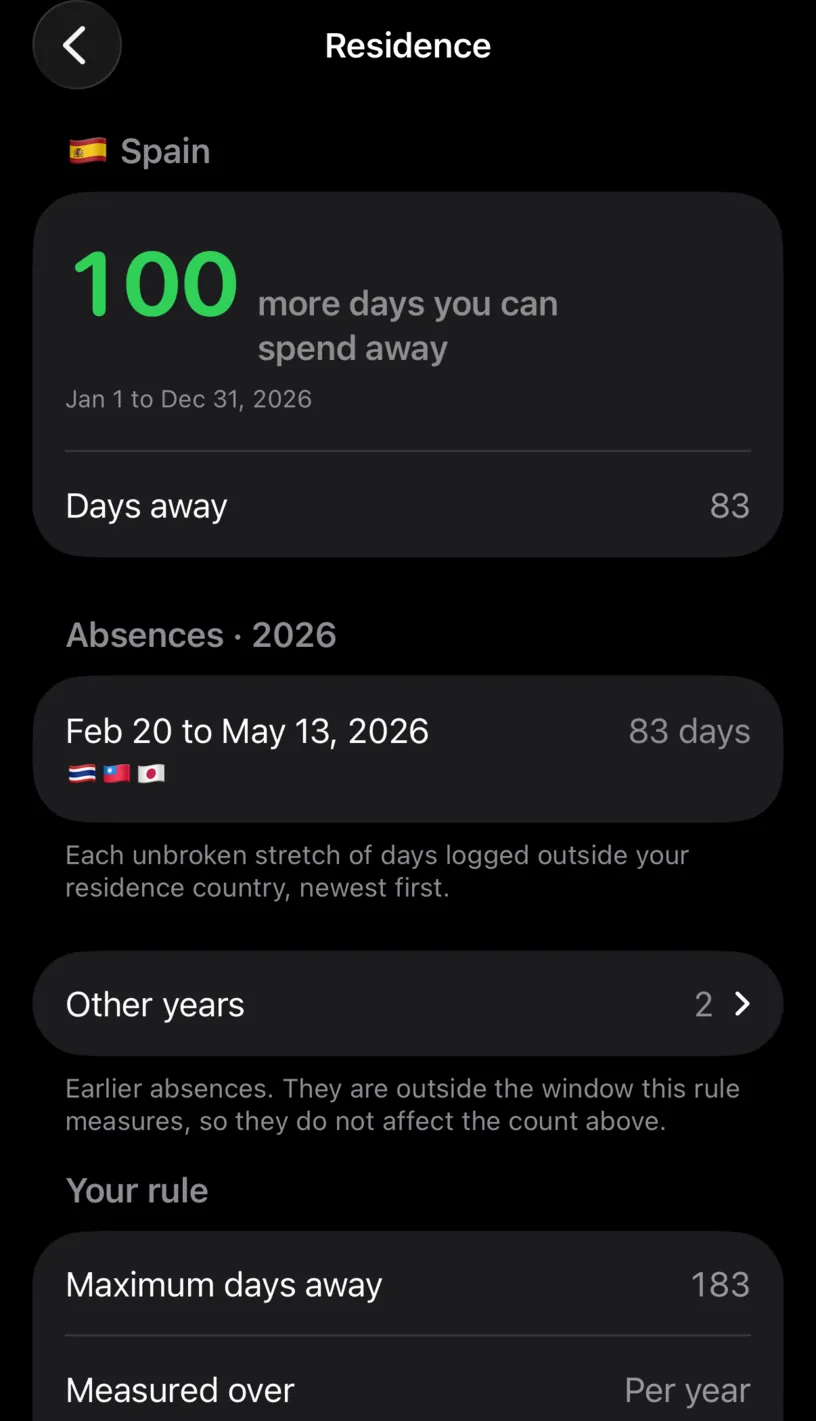
The big number is your remaining allowance, and the line under it is the window it is measured over. Days away is what you have spent.
Absences is the audit. Each row is one unbroken stretch of days logged outside your residence country, newest first, with the countries it covered. This is where you check the count instead of trusting it: if a stretch looks too long, the days behind it are in your calendar and you can fix them.
Other years holds earlier absences. They sit outside the window this rule measures, so they do not affect the number above, and the screen says so rather than hiding them.
Your rule repeats what you configured, and Change this rule goes back to the sheet.
If something looks different
The tile says Set up your permit. The tile is on the dashboard but no permit is configured. Follow step 1.
Days away from home is greyed out in the widget list. Same cause, stated the other way: it reads “Needs a residence permit set up in Settings”.
The count is higher than you expected. Look at Absences. The usual cause is a trip logged a day longer at each end than it really was, which the arrival and departure days quietly add up to.
The count is lower than you expected. Unlogged days count as days at home. A month with no entries is a month this counter thinks you spent in your residence country. Find and fill missing days closes them.
Your permit renewed and the clock should restart. Set Measured over to match how your authority measures it. Per year resets with the fiscal year; Consecutive days resets on any day at home.
You changed residence country. The permit belongs to the residence, so set the new country first and then the permit. Set your tax residence covers the move.
You want to stop tracking it. Swipe the permit row left in Residence and tap Delete. Your travel history is untouched.
Next steps
Set your tax residence is the setting this whole counter hangs off.
Find and fill missing days matters here, because a gap counts as a day at home and flatters the number.
Read your dashboard at a glance covers the rest of the widget strip the tile just joined.