What you’ll achieve
By the end of this guide one country counts your days twice: once against its tax threshold, and once against the visa limit you are actually travelling on.
Those two numbers move differently. A tax year resets on a fixed date; a visa allowance can reset on every entry, or roll across a moving window, and it can run out while the tax counter still looks comfortable.
The example sets Japan to 90 days per entry. Your country and your limit come from your own passport and visa, not from this page.
Step 1: Open the country
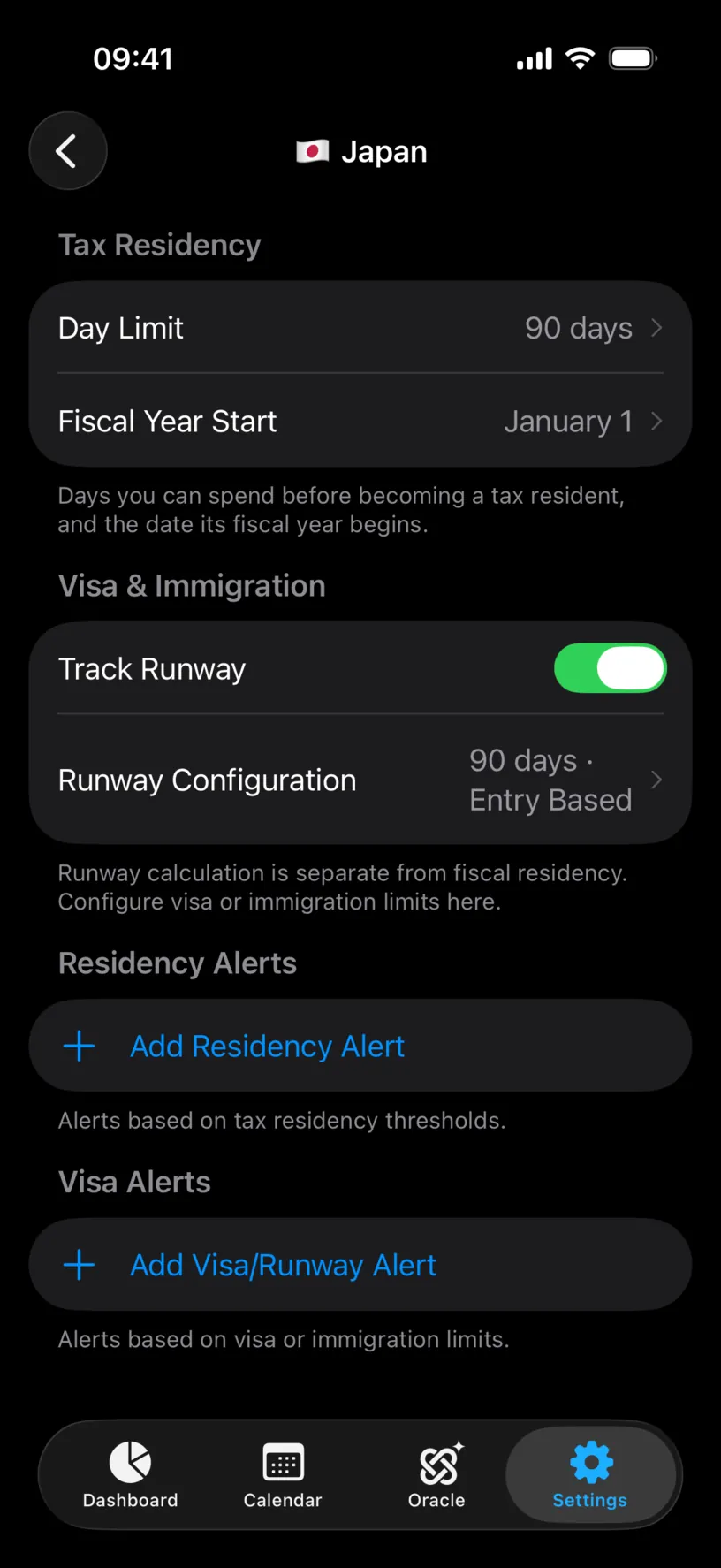
Open the Settings tab, tap Countries & Regions, and tap the country.
Under Tax Residency sit Day Limit and Fiscal Year Start. Under Visa & Immigration sits a single switch, Track Runway, off by default.
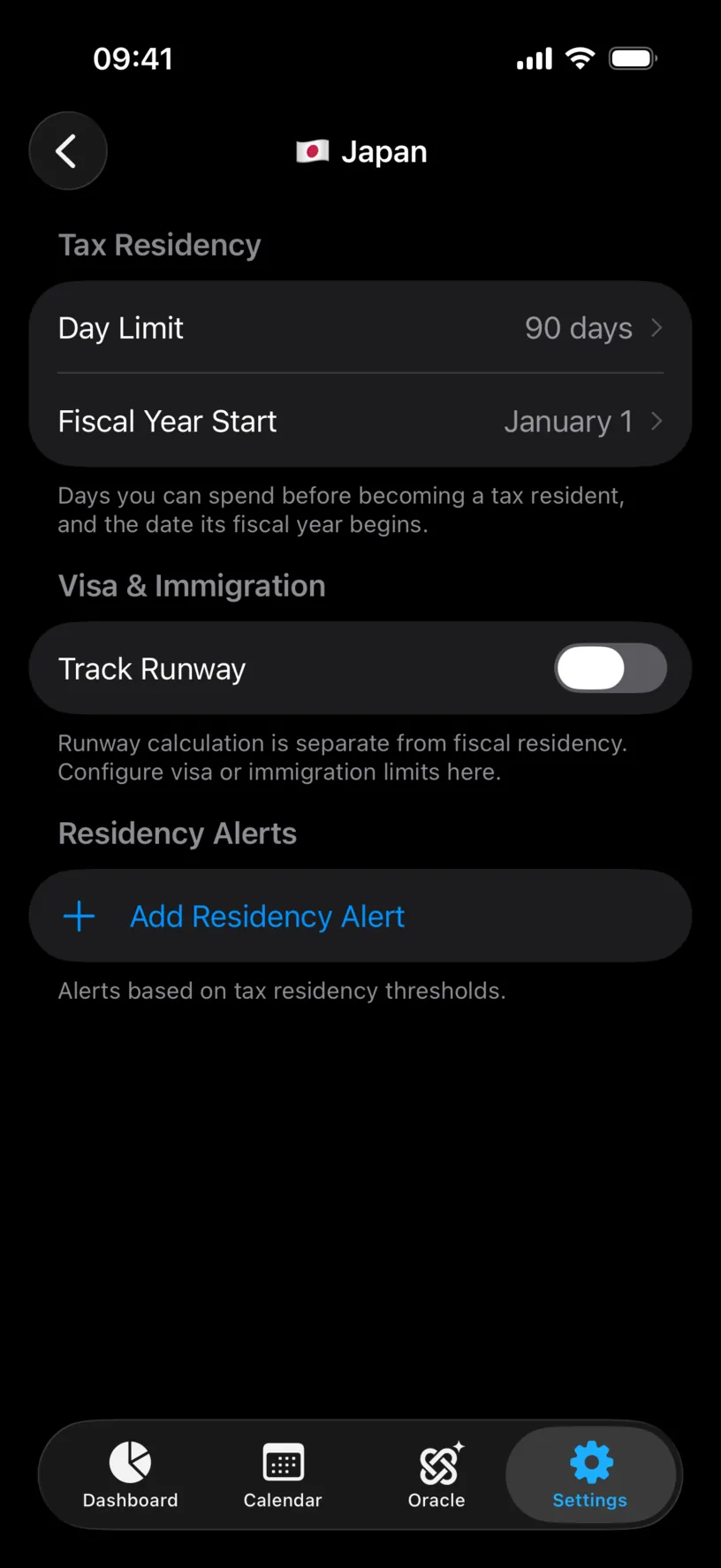
The footer says it plainly: runway calculation is separate from fiscal residency. Configuring one does nothing to the other.
Step 2: Turn on Track Runway
Flip Track Runway on. A Runway Configuration row appears under it, pre-filled with 60 days · Fiscal Year.
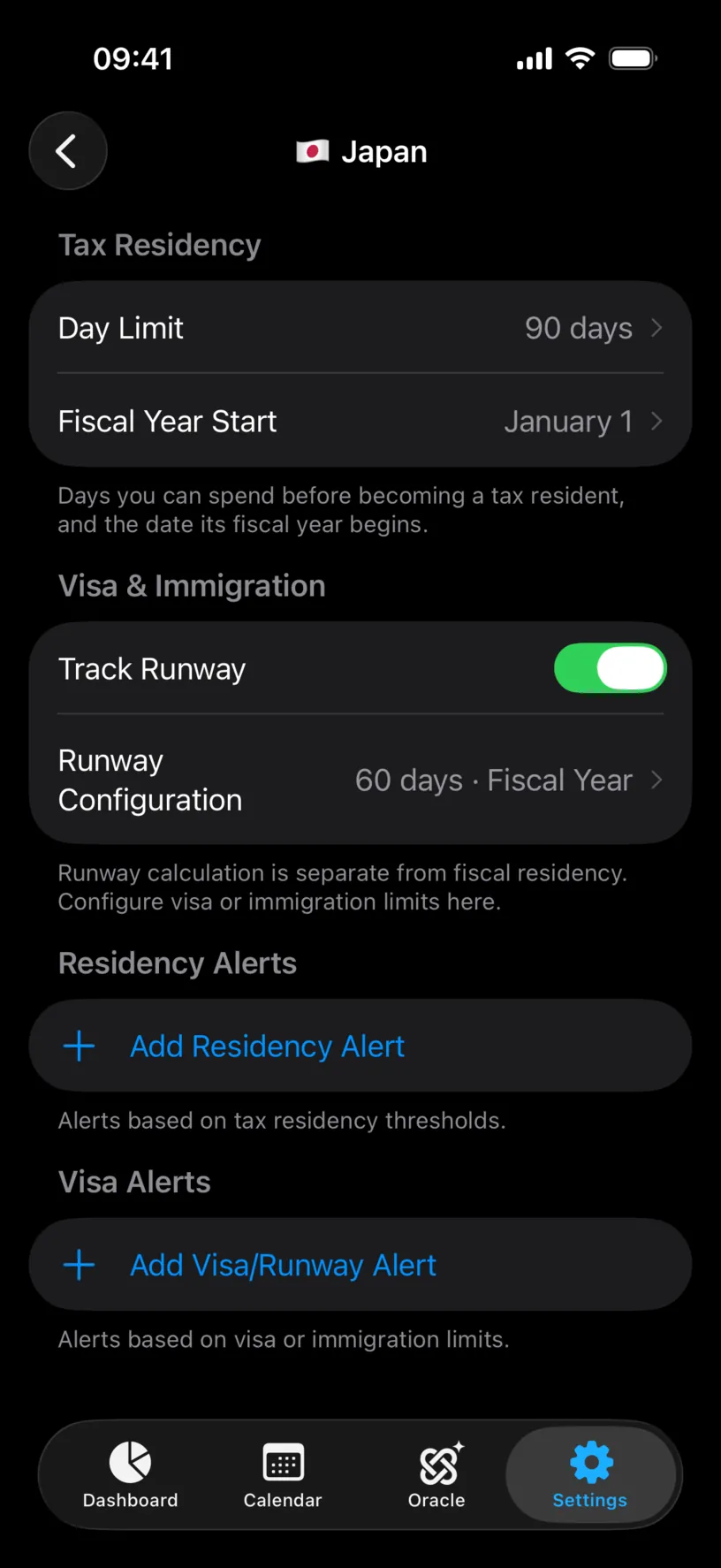
That default is a placeholder, not a rule anyone gave you. Open it.
Step 3: Choose how the limit is counted
The sheet has two parts. Algorithm decides how days are counted, Limits decides how many.
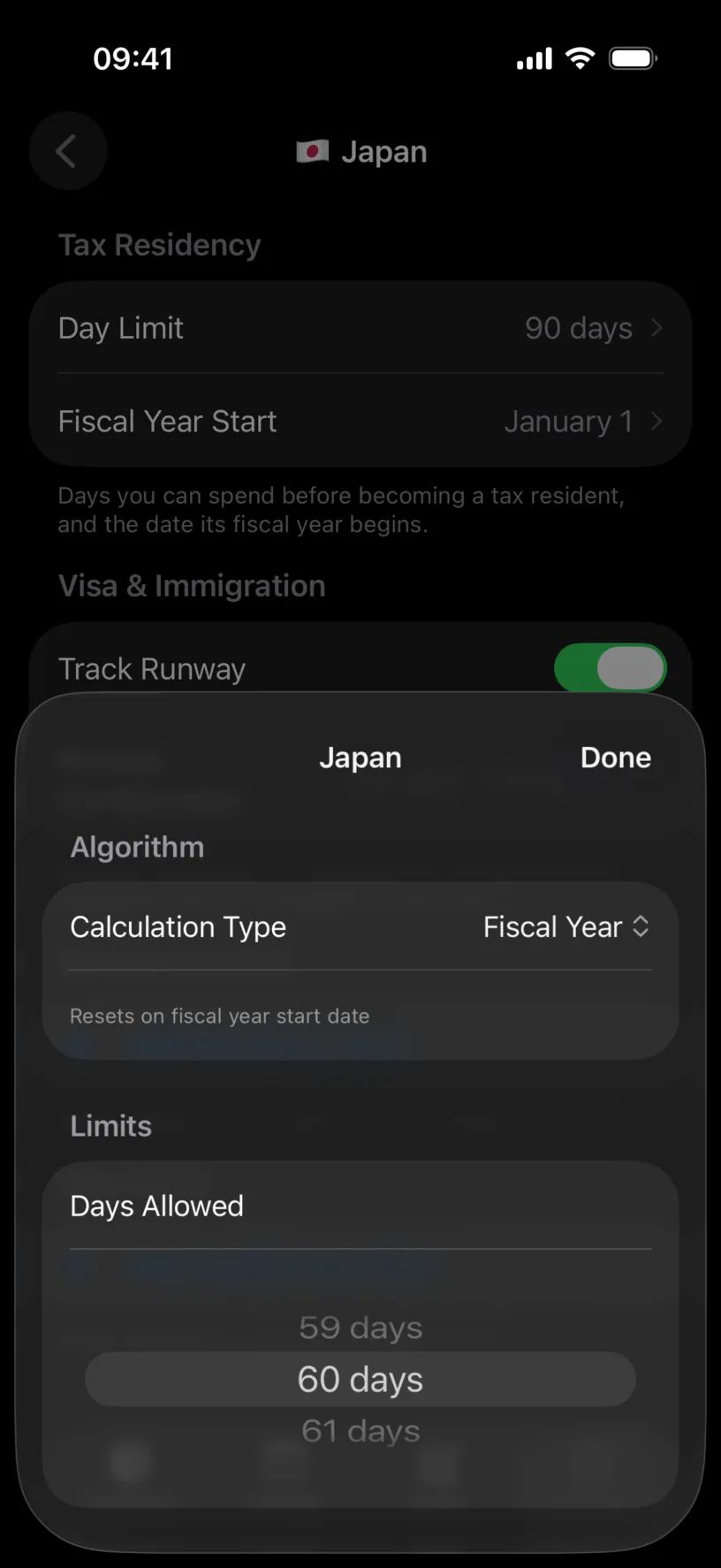
Tap Calculation Type. There are four.
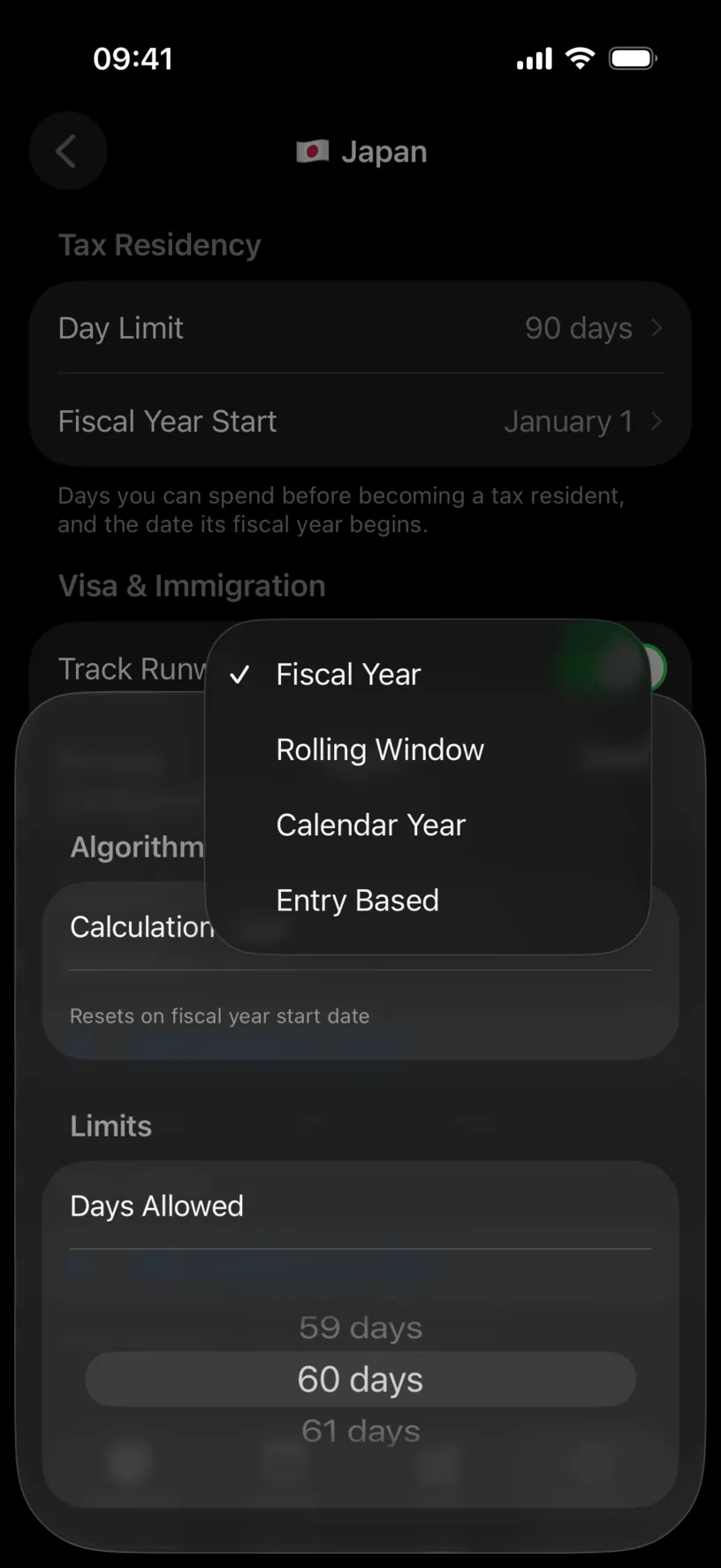
Fiscal Year resets on the fiscal year start date you set for the country.
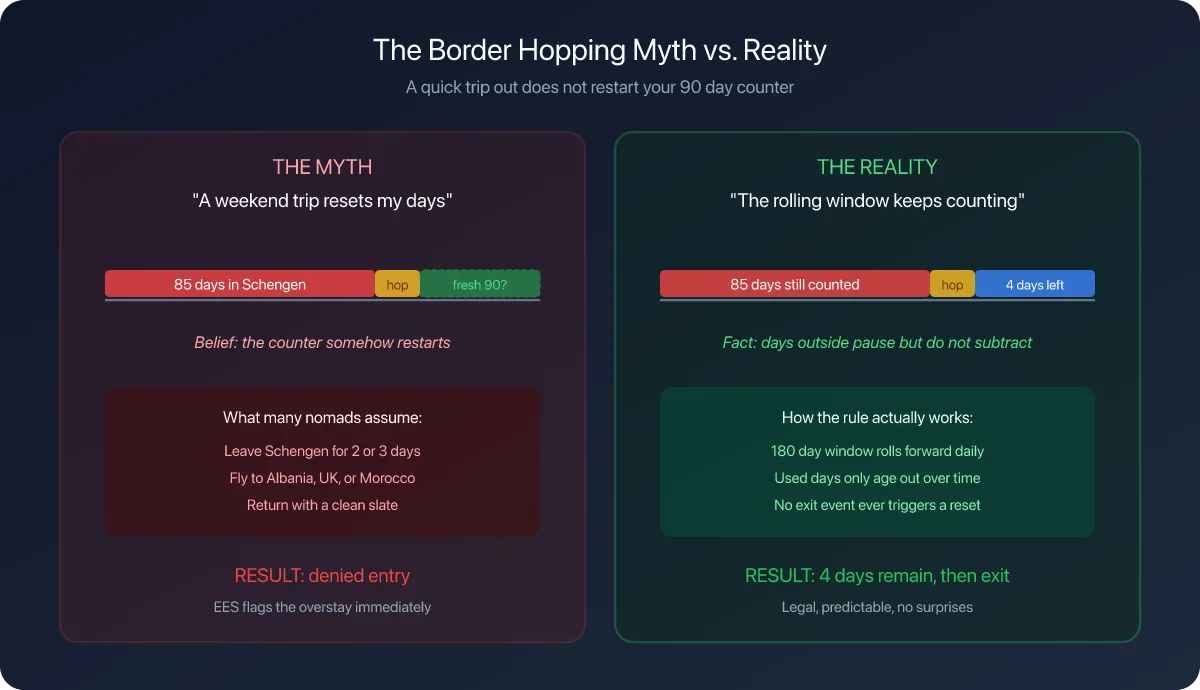
Rolling Window counts the days used inside a moving window, the way Schengen’s 90 in any 180 works. It adds a Window Size (Days) wheel under the day limit.
Calendar Year resets on 1 January, whatever the fiscal year is set to.
Entry Based gives you a fresh allowance every time you enter, which is how most visa-free stays work. It adds Max Entries per Year, because the number of entries is usually capped too.
Pick the one your visa actually uses. The app’s hint under each choice names the shape, not your rule.
Step 4: Set the numbers
With Entry Based selected, Max Entries per Year is a stepper from 1 to 10, and Days per Entry is the wheel below it.
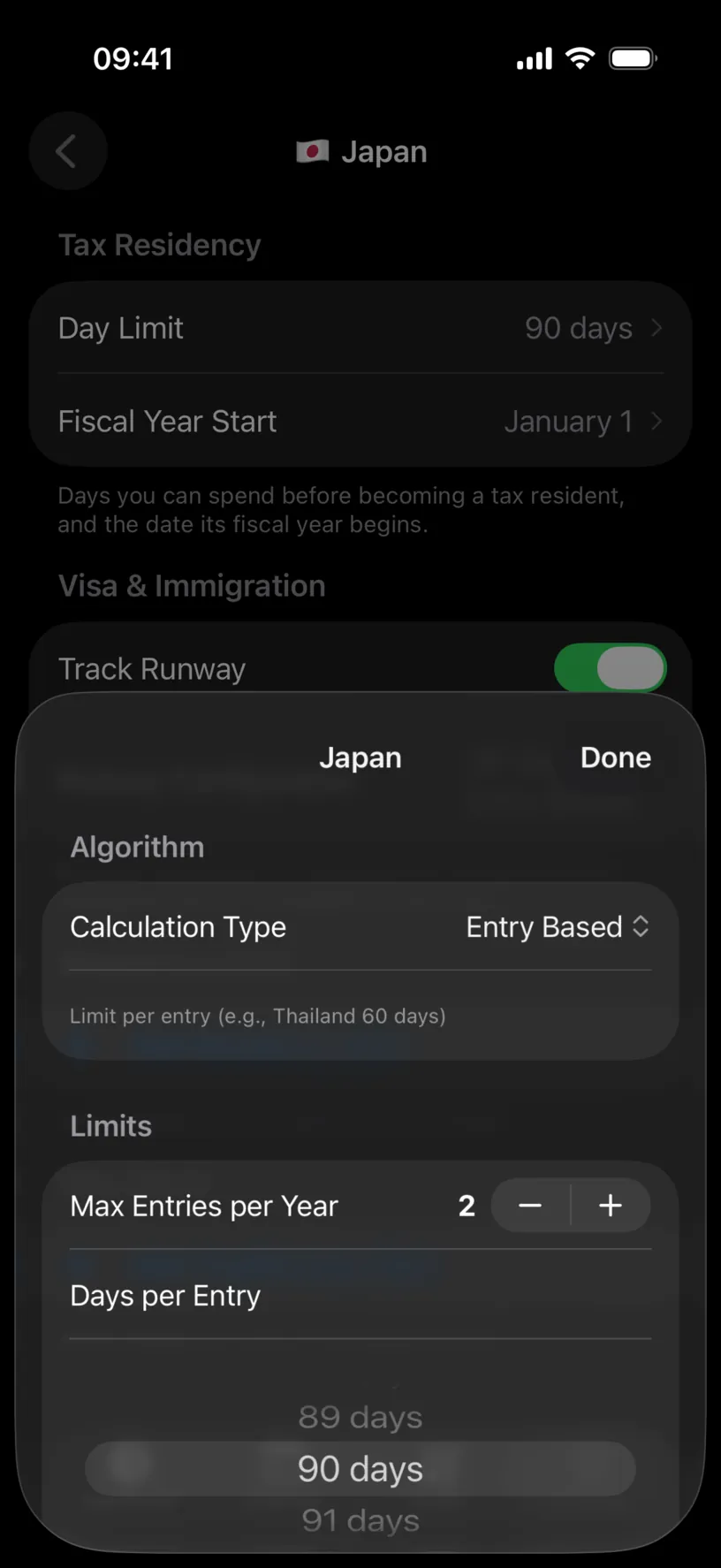
Set both and tap Done. The row now reads back what you chose.
Check your result
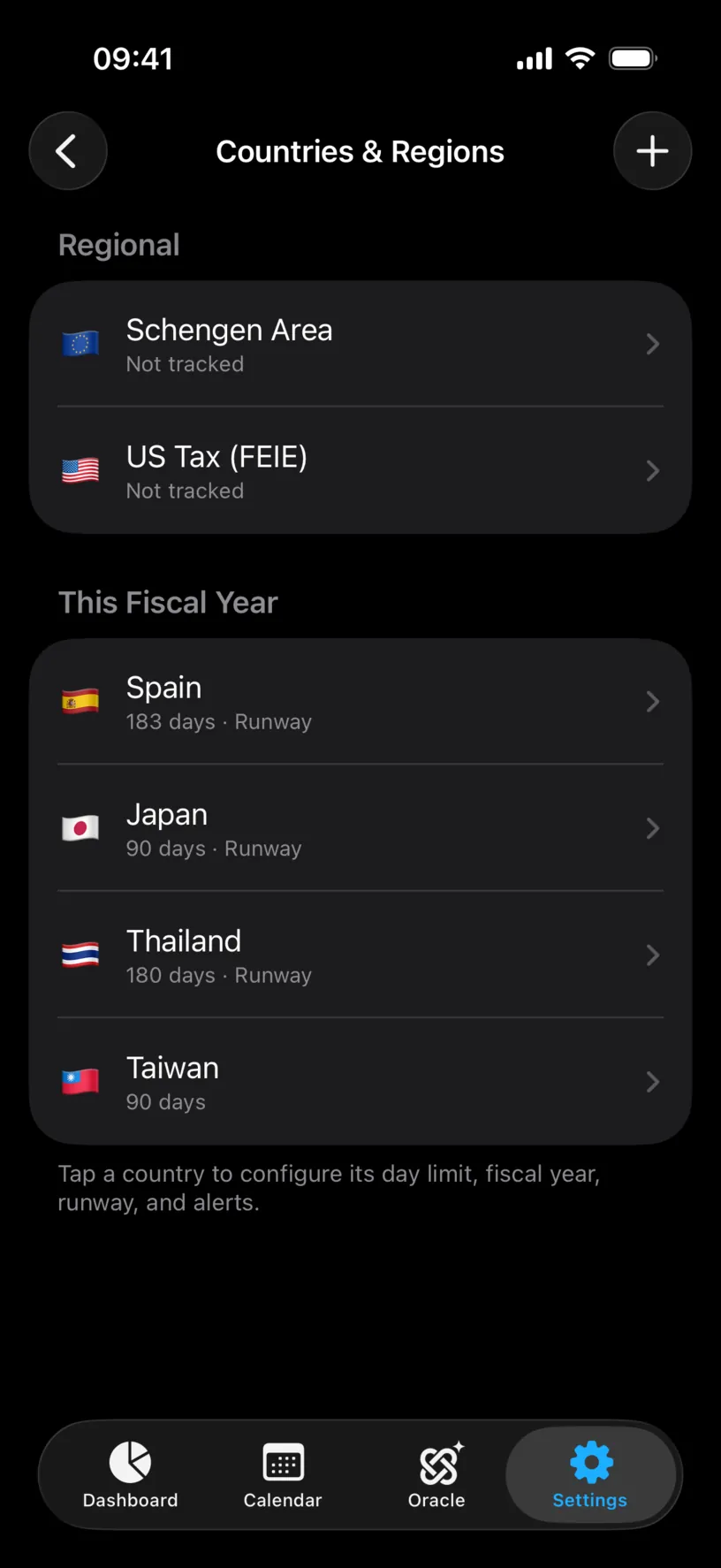
Go back to Countries & Regions. The country’s summary line has gained Runway.
Then open the Dashboard tab and scroll to Countries. The country’s card now carries two counters instead of one: Fiscal Residency against the tax threshold, and Entry Limit against the visa allowance, with the entry number in brackets.
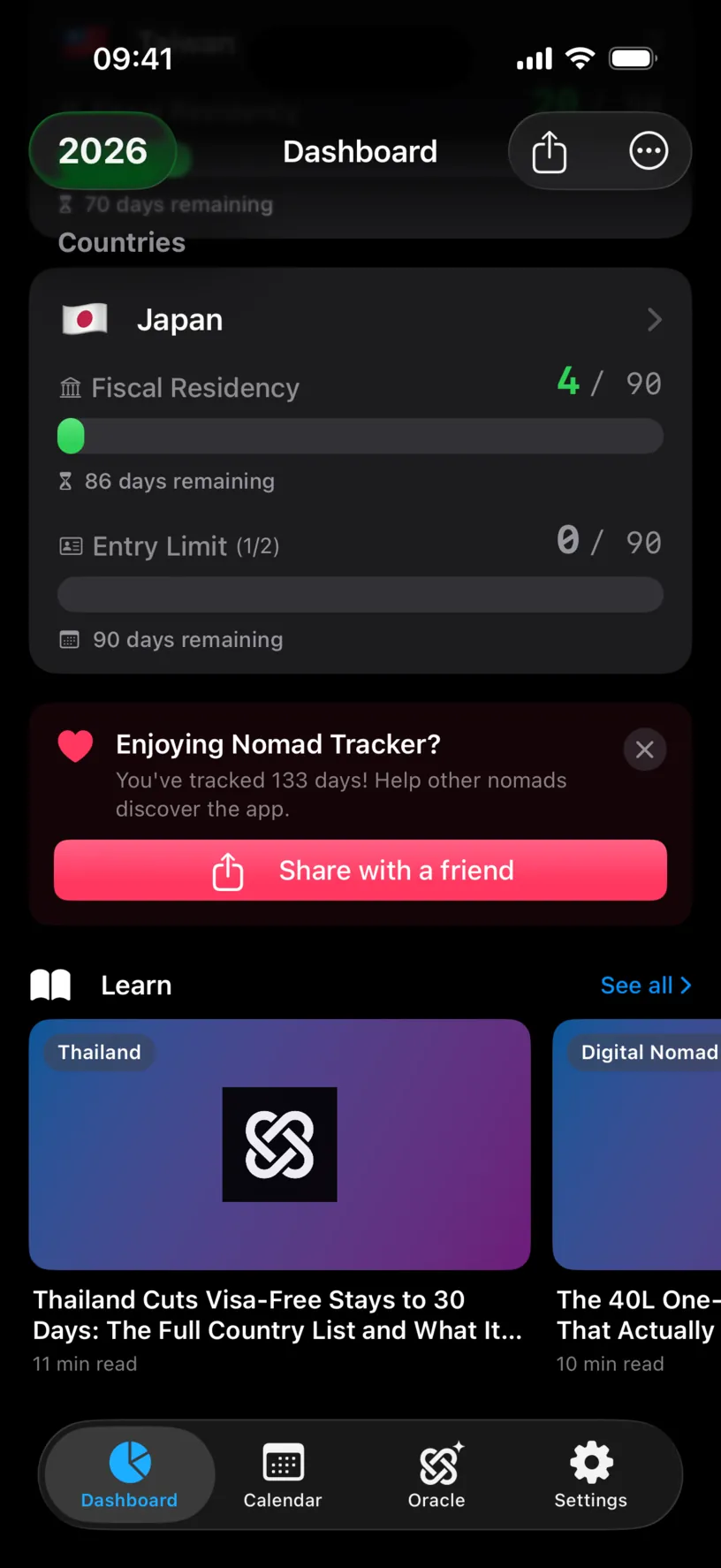
Two counters on one card, moving on different clocks, is the whole point of this setting.
If something looks different
There is no Runway Configuration row. Track Runway is off. The row only exists while the switch is on.
The card shows only Fiscal Residency. Track Runway is off for that country, or the card is one the runway rule does not apply to. Reopen the country and check the switch.
Entry Limit reads 0 of 90 even though you have days there. Entry-based counting starts over on every entry, so it shows the current stay, not the year. The bracketed number, (1/2) here, is which entry you are on.
You picked Rolling Window and the window size looks wrong. It is its own wheel, under the day limit, and it defaults to 180. A 90-in-180 rule needs 90 in the first wheel and 180 in the second.
The two counters disagree about how much room you have. That is the expected result, not a bug. A tax threshold and a visa allowance measure different things over different periods.
You are tracking Schengen. Do not build it here. The Schengen Area row under Regional already implements 90 in any 180 across every member country at once, which a single-country rule cannot do.
Next steps
Read your Schengen day counter covers the area-wide rule, which is configured separately from any one country.
Read your dashboard at a glance explains the rest of the cards your new counter sits among.
Plan your first trip with Ghost Trips tests a trip against the limit you just set, before you book it.