What you’ll achieve
By the end of this guide you can say how many of your 90 Schengen days you have used, how many are left, which stays produced that number, and what the Plan ahead grid is telling you about a future entry date.
The counter is a bookkeeping tool. It reports what your logged days add up to under the 90/180 rule, and it does not decide whether a border officer will agree with you.
Step 1: Turn the counter on
The counter only exists once you tell the app the rule applies to you.
Open the Settings tab, tap Countries & Regions, then tap Schengen Area under Regional. Turn on Track 90/180 Limit.
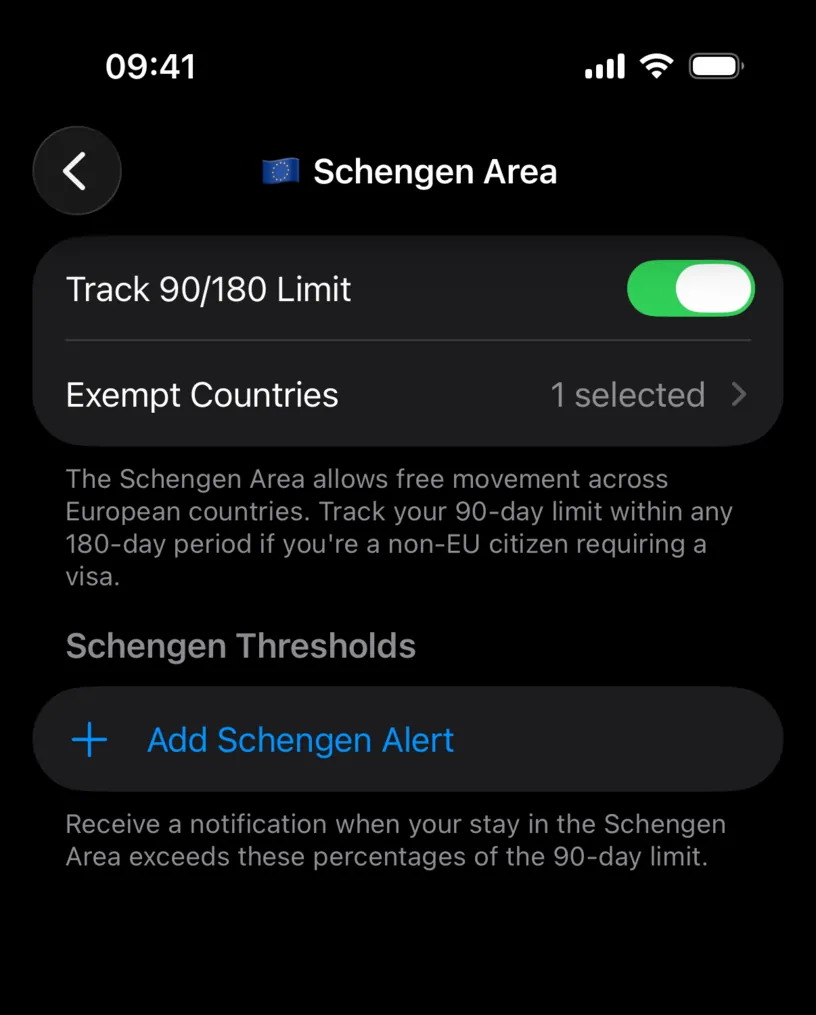
The row on the previous screen then reads 90/180 window instead of Not tracked.
While you are here, check Exempt Countries. A Schengen country where you hold a residence permit does not spend your 90 days, and listing it here keeps its days out of the count. The profile in these screenshots has Spain exempt, which is why 50 Spanish days sit outside the counter later on.
Step 2: Read the card on your dashboard
Open the Dashboard tab. A Schengen Area card sits above your country cards, marked 90/180 Rule.
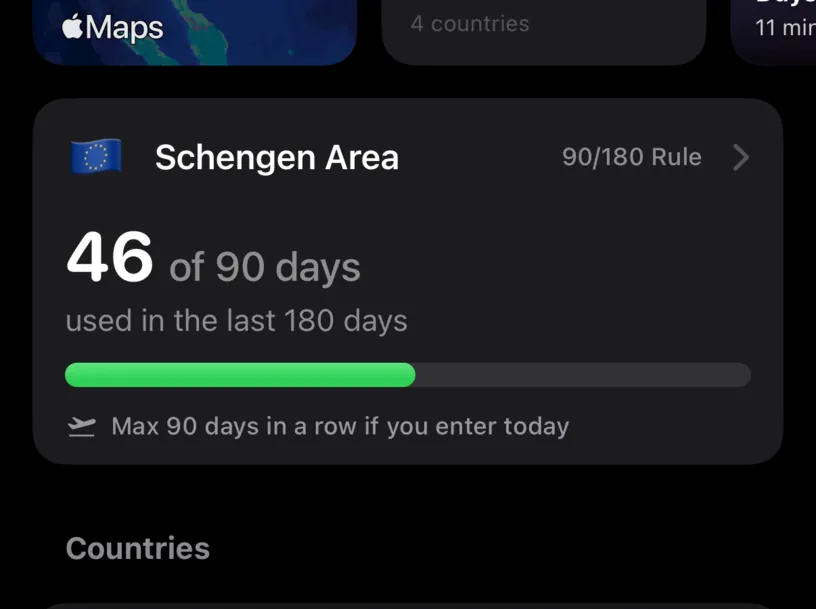
The headline is 46 of 90 days used in the last 180 days. The window is not a calendar year and not your fiscal year: it is the 180 days ending today, and it moves forward with you.
Below the bar sits a second number that surprises people: Max 90 days in a row if you enter today.
Both are correct at once. You have used 46 days, and you could still enter today and stay 90 consecutive days, because the days you used are old enough to drop out of the window while the new stay runs. The card answers "how long could I stay", not "90 minus what I used".
Step 3: Open the counter
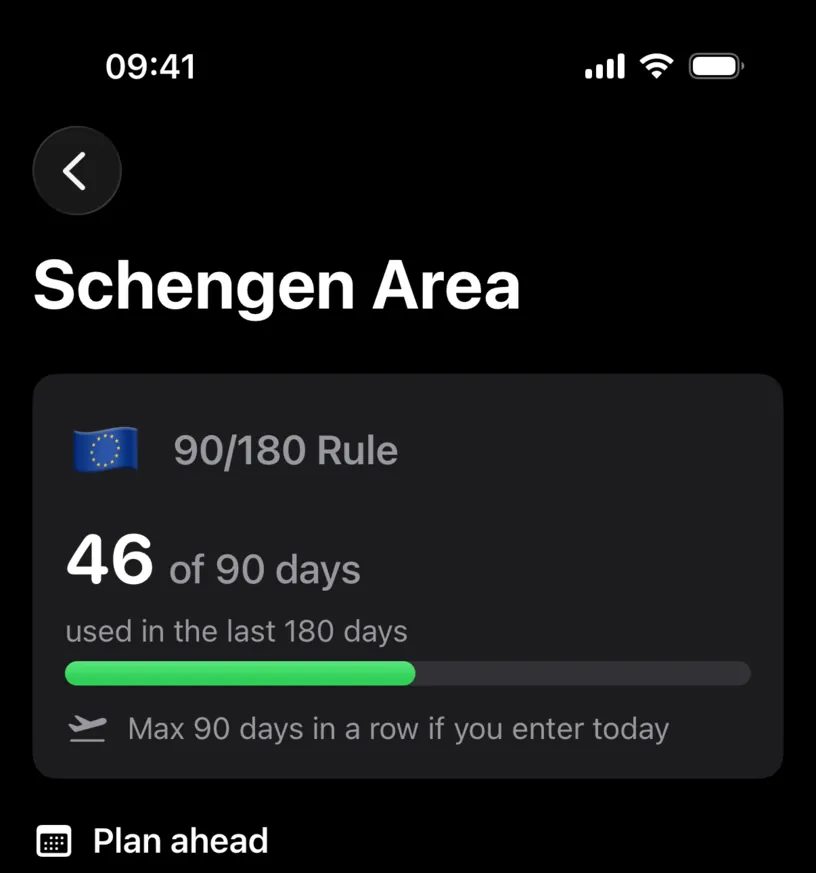
Tap the card. The Schengen Area screen repeats the headline and then explains it.
Step 4: Read the days you have already spent
Scroll to Your Schengen days. In your current 180-day window lists every stay that the window covers, with its own day count, and prints the total again as 46 of 90.
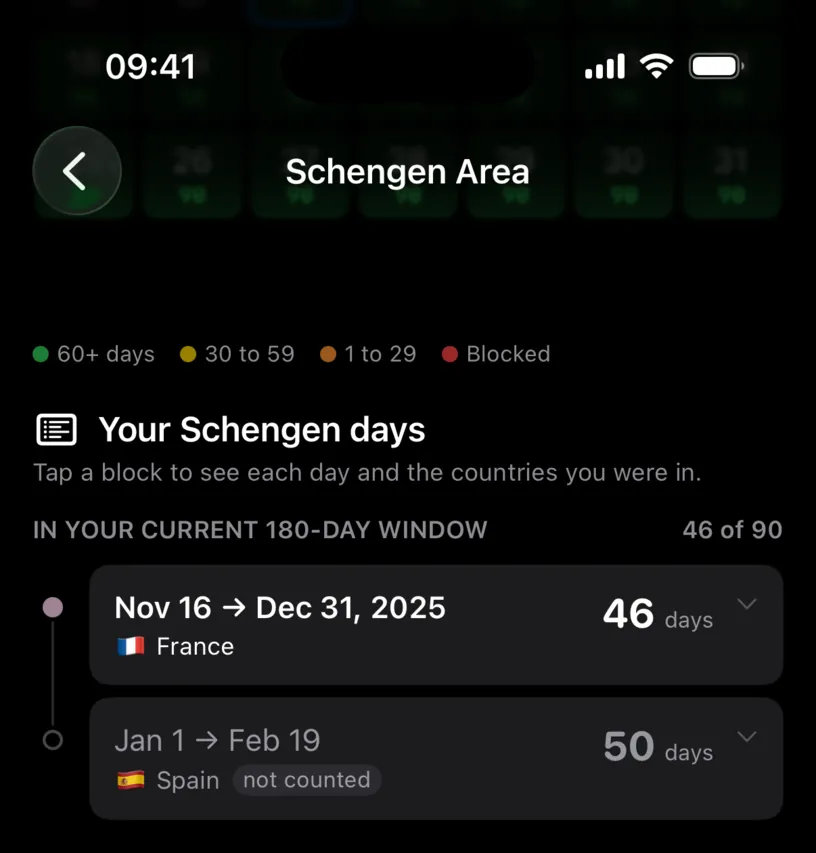
This is where an exemption becomes visible. The France stay contributes its 46 days. The Spain stay shows 50 days with a not counted tag next to it, because Spain is on the exempt list.
If a number on the card looks wrong, this list is where the answer is. Either a stay is missing, or a country you expected to count is exempt.
Step 5: Check the individual days
Tap a stay to expand it. The app lists every day it holds, one chip per day, as the instruction above the list says: Tap a block to see each day and the countries you were in.
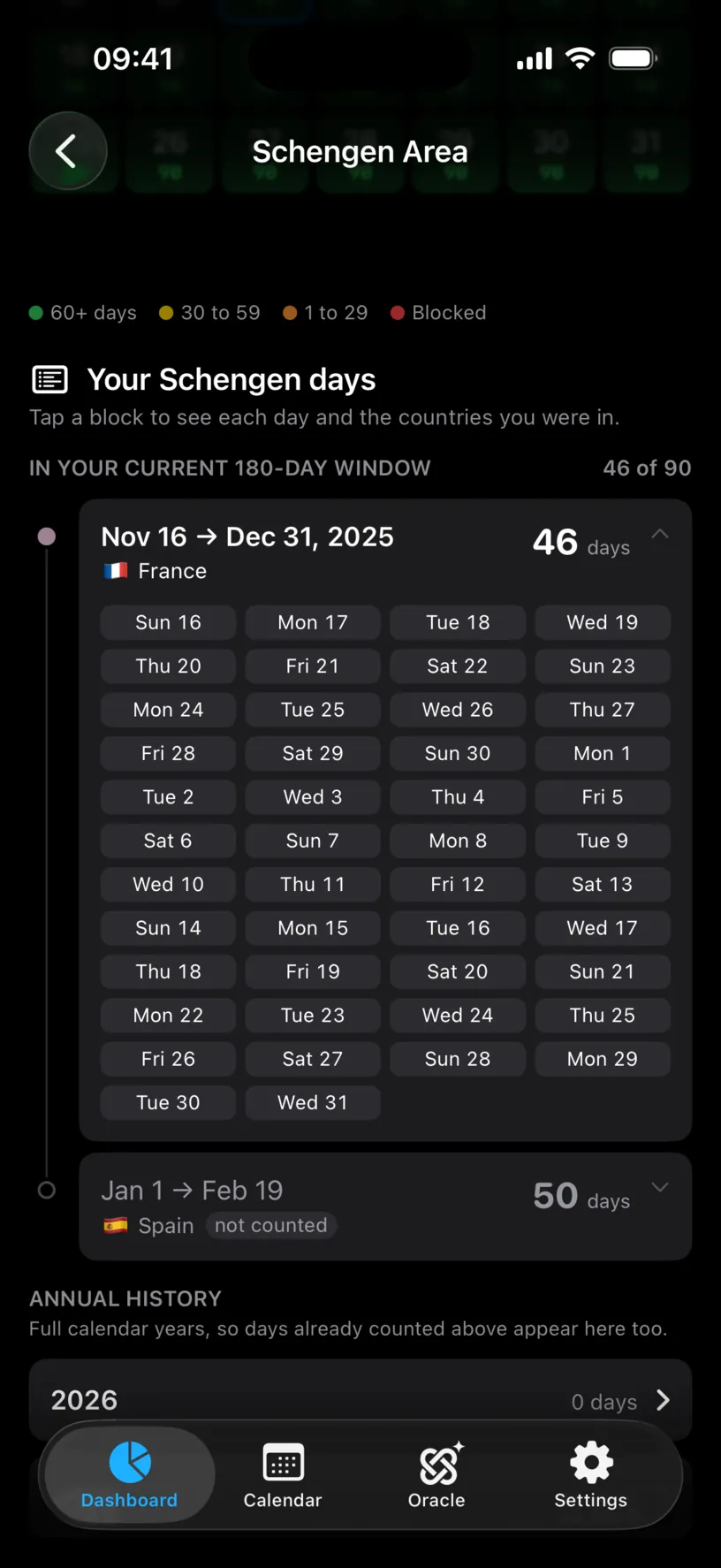
Use this when a count is off by a day or two. Entry and exit days both count as days present under the rule, and seeing them listed is faster than recounting a calendar.
Step 6: Plan a future entry
Above the list, Plan ahead answers a different question from everything else on this screen. The counter reports what you have spent. This grid reports what you could still do, one entry date at a time, under the heading If you enter on a future date, you can stay for:
The screenshots in this step have a simulation loaded, an Italian stay from 1 June to 29 August 2026, added in the Calendar tab with Add Ghost Trip. A profile as far from the limit as this one reads 90 on every single date without it, so the grid has nothing to show until something fills the window. Yours will look flat in the same way if your logged days are old or few.
What the number on a date means
It is the longest unbroken stay that can start on that date without the 90/180 rule breaking during it. That is the whole definition.
It is not 90 minus the days you have used, and it is not what is left today. It also does not drop because you have something booked later: the app reads the date you tap as the first day of one continuous stay and ignores what sits after it on your calendar. To judge a trip you already have in mind, add it as a ghost trip instead, which is what running your first simulation covers.
Tap any date and the app states it in one line.
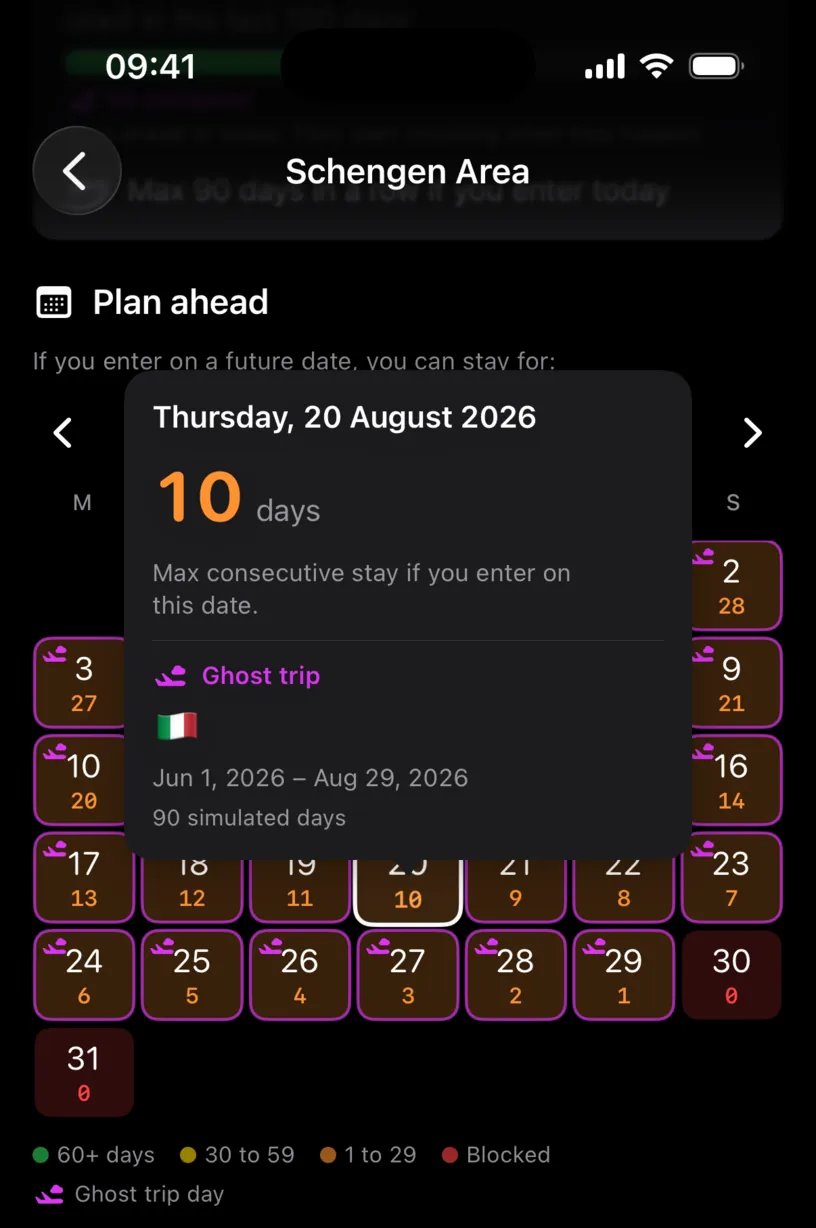
20 August gives 10 days. The simulated stay has already spent 80 of the 90 days that fit inside the 180-day window ending on 29 August, so 10 days is what is left for a stay starting there.
Reading a month
Each cell carries the stay its date would allow, and the legend runs from 60+ days through 30 to 59 and 1 to 29 to Blocked. Blocked is not a short stay, it is no stay: the window ending on that date is already full. Past dates carry the flag of the country you were in instead of a number, and the plane marker appears only on days a simulation covers.
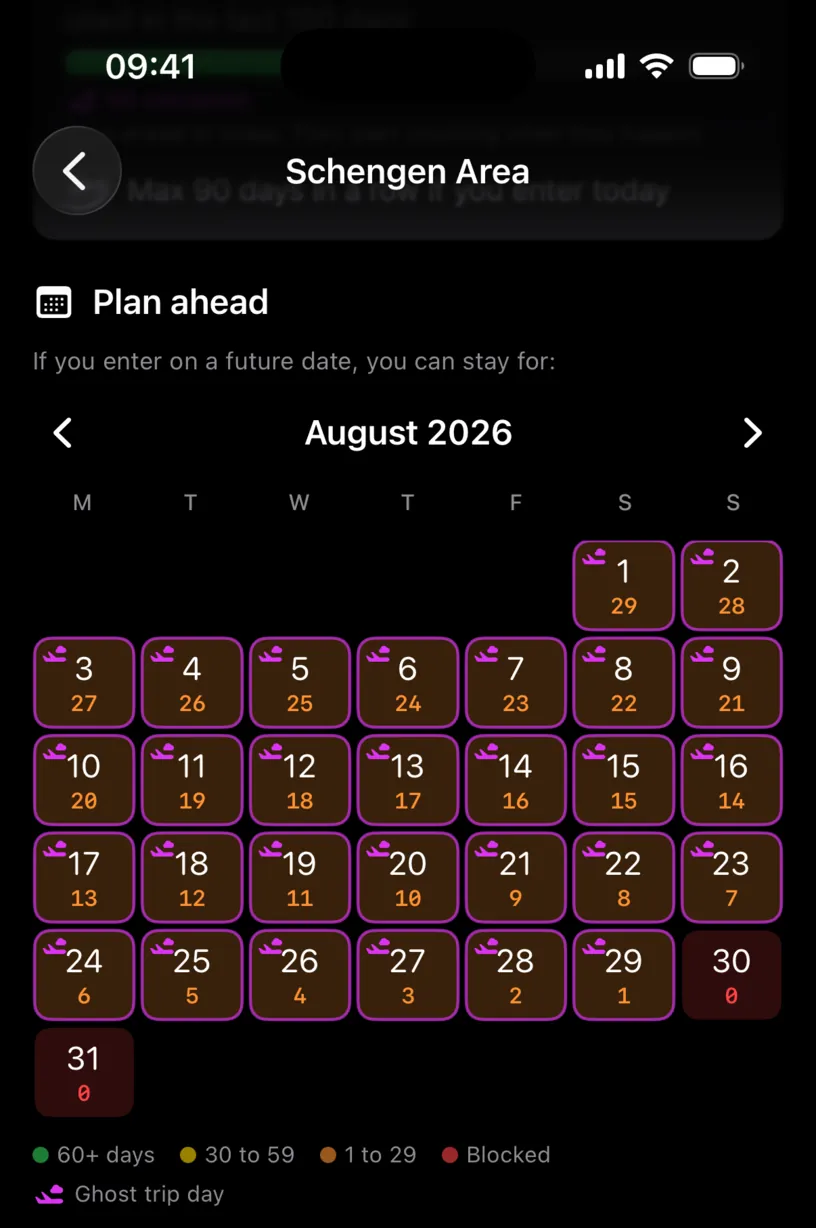
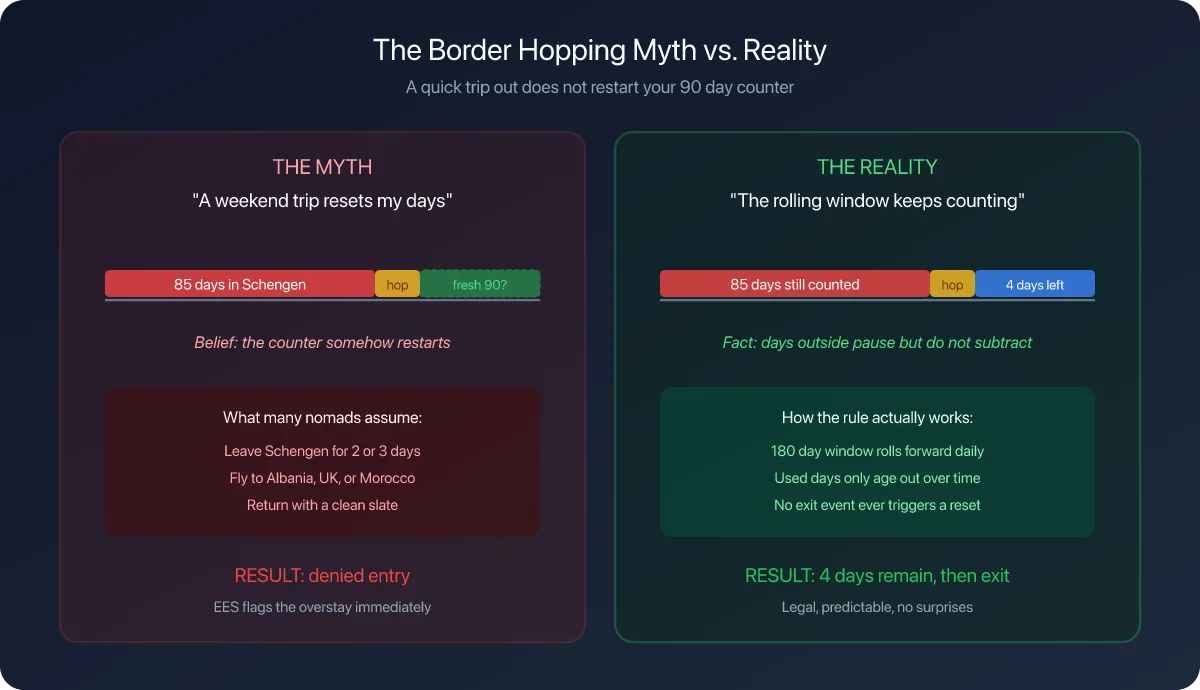
August descends one day at a time, from 29 on the 1st to 1 on the 29th, because every further day of the simulated stay is a day already spent by the time you would enter. On the 30th there is nothing left and the date reads 0.
The months after it are worth a swipe. September and October are blocked end to end, and then one date changes everything.
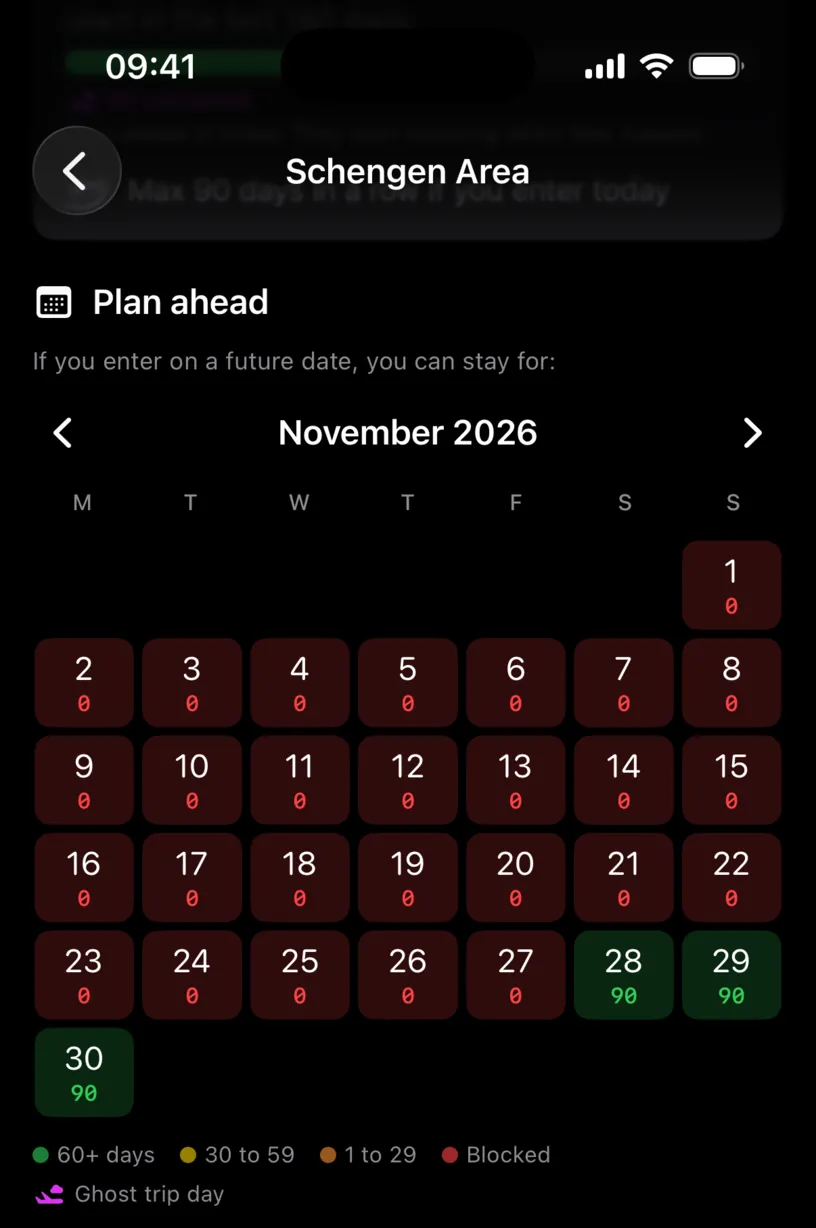
28 November is 180 days after the first day of the simulated stay, so that day has finally left the window. From there, every new day of a stay is matched by an old day dropping out, which is why the answer jumps from Blocked straight back to 90 rather than climbing one day at a time. That is the rolling window working exactly as written, and it is the same mechanism behind the Max 90 days in a row line on the card in step 2.
This planner is part of the PRO subscription. Without it you still get the card, the window total and the stay list.
Step 7: Check a full year
Annual history lists complete calendar years, and the app warns you what that means: Full calendar years, so days already counted above appear here too.
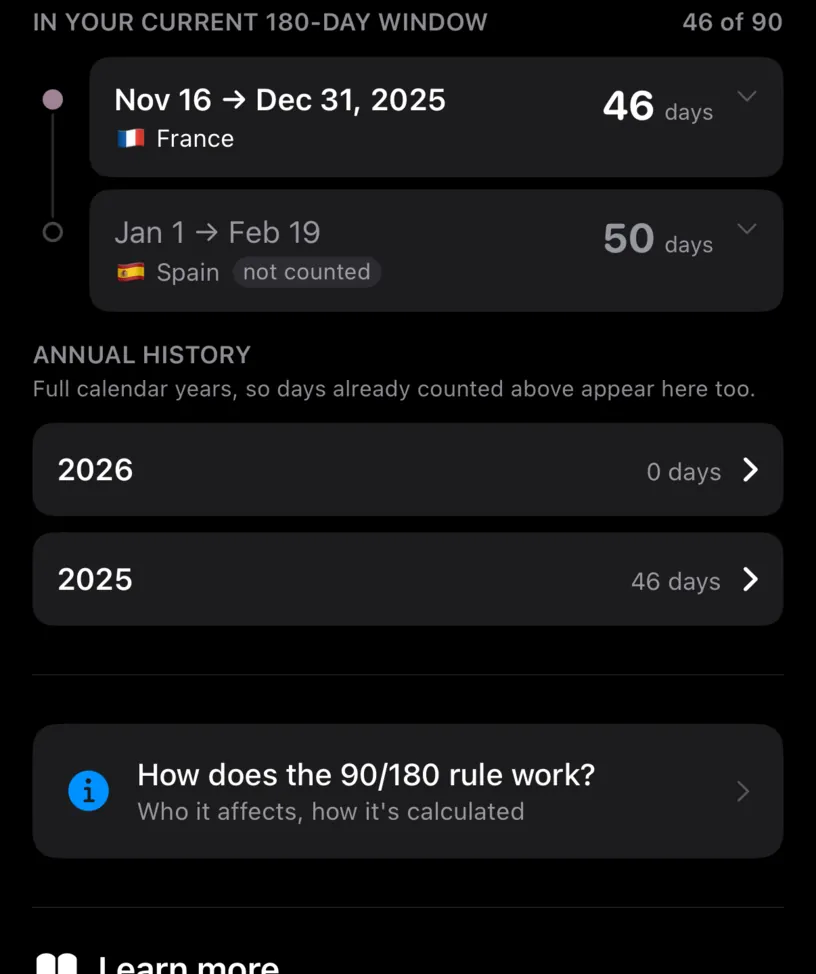
These totals answer a different question from the window. Here 2025 holds 46 days and 2026 holds 0 days, because every Schengen day this profile logged in 2026 was in an exempt country.
Do not use this section to judge whether you are within the rule. The rule runs on the rolling 180-day window in step 2, never on a calendar year.
Check your result
Add the day counts of the stays in In your current 180-day window, skipping the ones tagged not counted. The total matches the number on the card.
Then subtract it from 90. That is the room you have left in today's window, which is a different number from the consecutive stay the card offers, and both are worth knowing before you book.
For the planner, tap the date you are actually considering and read the two lines in the popover. The number there is the stay that date allows, which is not the number the card prints for today.
If something looks different
There is no Schengen Area card. Either Track 90/180 Limit is off, or you have no counted Schengen days. A profile whose only Schengen days are in an exempt country has nothing to count, and the card stays hidden.
The counter says 0 but you have been to Europe. Check Exempt Countries. A country on that list contributes nothing, by design.
The counter looks too low for a long trip. Only days inside the last 180 count. Days older than that have left the window and are gone from the total, though they still appear under Annual history.
The maximum stay looks impossible next to the days used. It is the longest continuous stay starting from the date you are looking at, worked out as older days leave the window. Read the two numbers as answers to two different questions.
A stay is missing from the list. The counter reads logged days. Add the stay in the Calendar tab, and check it landed on the dates you meant.
You expect the count to include a planned trip. Future days are not part of today's 180-day window. A simulated trip moves the planner, not the used total.
Every date in Plan ahead reads 90. Nothing you have logged reaches into the windows those dates open. It is the honest answer for a light or old history, not a broken grid. Add a ghost trip and the same month fills in.
A date still reads 90 with a trip booked right after it. The number covers one stay starting on the date you tapped and stops there. Tap a date inside the trip instead, or read the trip's own verdict in the ghost trip list.
Next steps
For the rule itself, who it binds and how the window is computed, tap How does the 90/180 rule work? at the bottom of the same screen, or read the blog walkthrough on setting up Schengen tracking, which covers exempt countries and alert thresholds in more depth.
If the counter is empty because your history is, set up Nomad Tracker for the first time covers filling the calendar from your photos.