What you’ll achieve
By the end of this guide you have checked the history the Schengen counter is built from, so the number it shows is worth trusting.
The counter does not know where you were. It counts the days you logged, in the countries it treats as Schengen, inside a window that moves every day. Get any of those three wrong and the number is wrong, quietly and in the direction that flatters you.
This guide covers the three, in the order that matters.
Step 1: Know which dates the rule uses
Open the Dashboard tab, tap the Schengen Area card, scroll to the bottom and tap How does the 90/180 rule work?
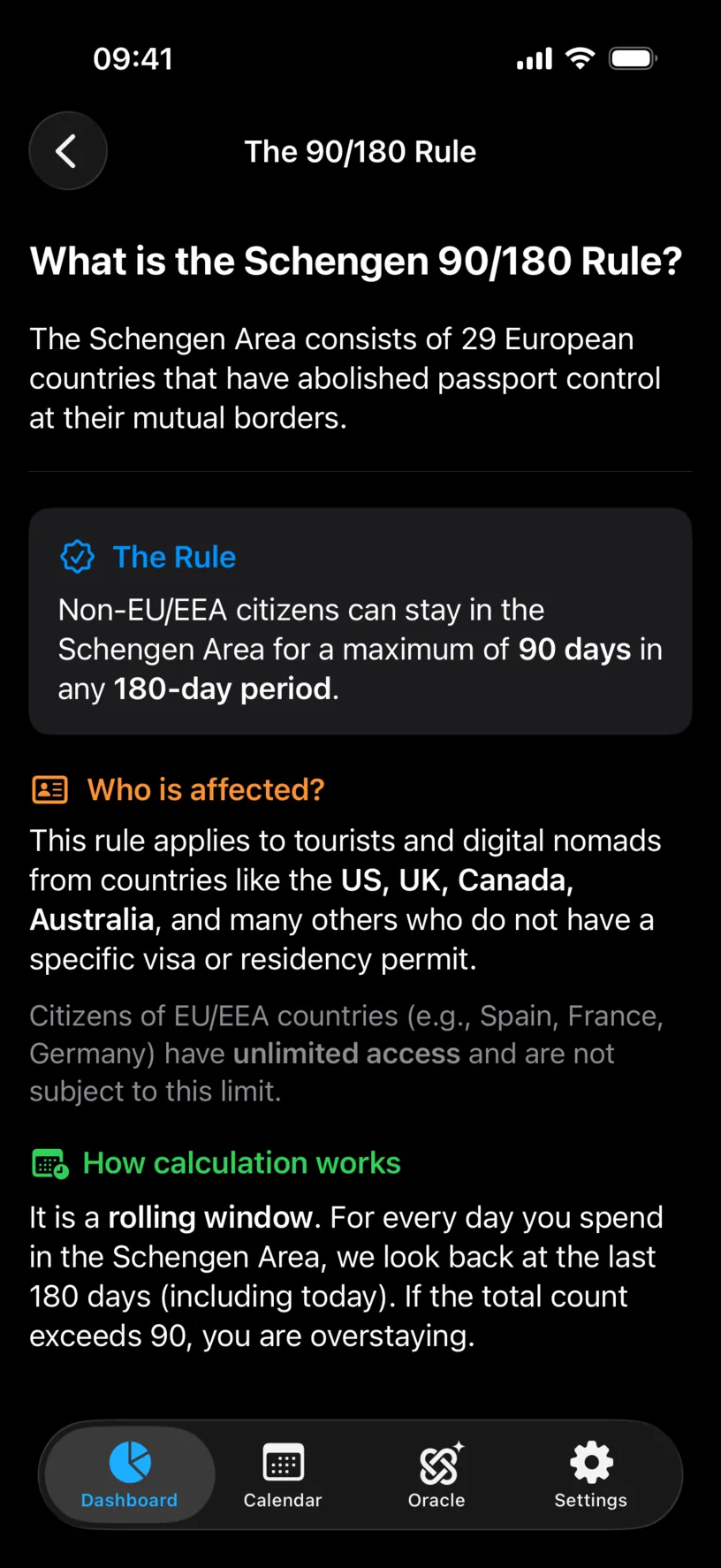
How calculation works is the part that decides how much history you need: It is a rolling window. For every day you spend in the Schengen Area, we look back at the last 180 days (including today).
So the dates that matter are the last 180 days, and nothing before them. In this guide today is 13 May 2026, which puts the start of the window on 15 November 2025.
Work out that date for yourself now, because every other step measures against it. Count 179 days back from today, or subtract six months and add a couple of weeks for a close enough starting point.
Step 2: See the window the app is using
Go back to the Schengen Area screen and read the top card.
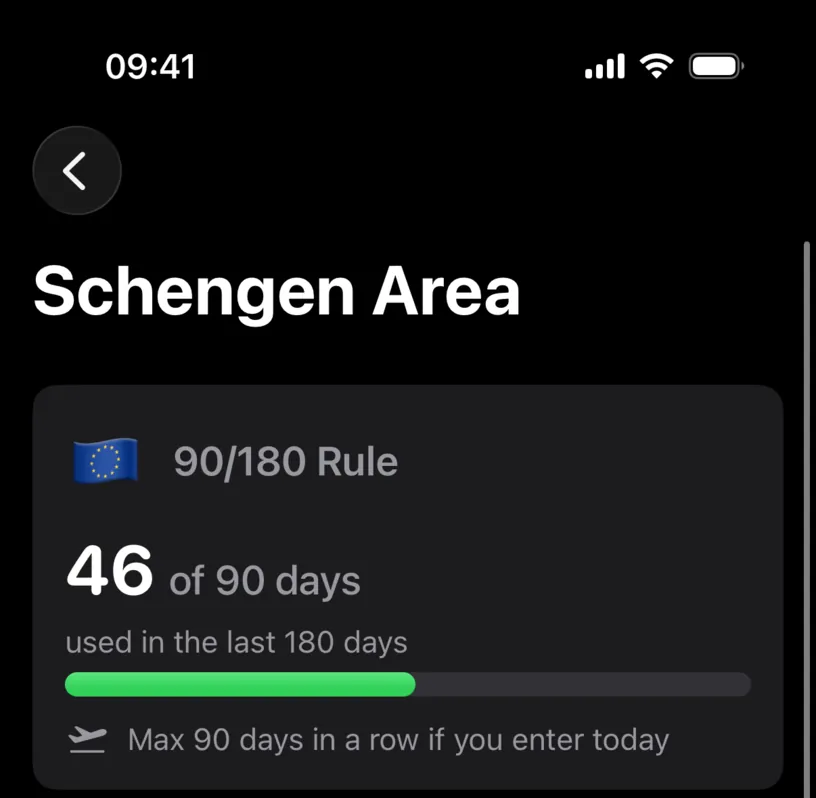
46 of 90 days used in the last 180 days. That is the whole claim the counter makes, and the phrase in the last 180 days is doing the work.
Days older than the window are not in this number, and that is correct rather than a bug. They come back into relevance only if you plan an entry, because the window slides forward with the date you enter on.
Step 3: Check every stay the counter found
Scroll down to Your Schengen days.
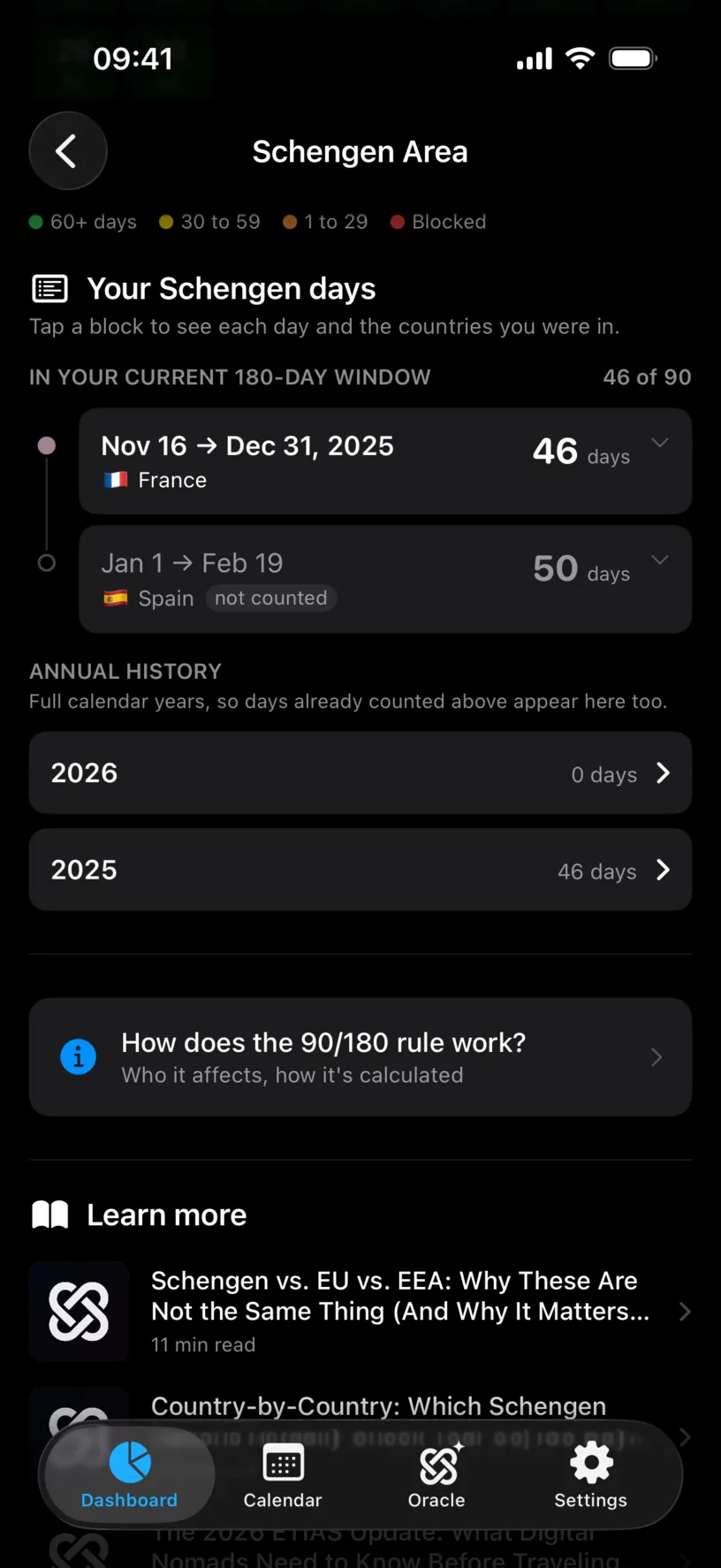
IN YOUR CURRENT 180-DAY WINDOW is the audit, and it is the screen to spend your time on. Every block is one stay the counter is using, with its dates, its country and its day count, and the section header repeats the total so you can add the blocks up yourself.
Here two blocks. Nov 16 → Dec 31, 2025 in France, 46 days, counted. Jan 1 → Feb 19 in Spain, 50 days, tagged not counted, which step 4 explains.
Compare the blocks against what you know: your own memory, your passport stamps, your boarding passes. A trip you took that is not here is a trip the counter is missing, and the number is too low until you log it.
Tap a block to open it into one chip per day, which is how you check the exact arrival and departure dates rather than the rounded ones you remember.
Annual history below is a different lens: full calendar years, so it holds the trips that already left the window. Use it to confirm the older history exists at all, not to read your current allowance.
Step 4: Check which countries count
Open Settings, then Countries & Regions, then Schengen Area, then Exempt Countries.
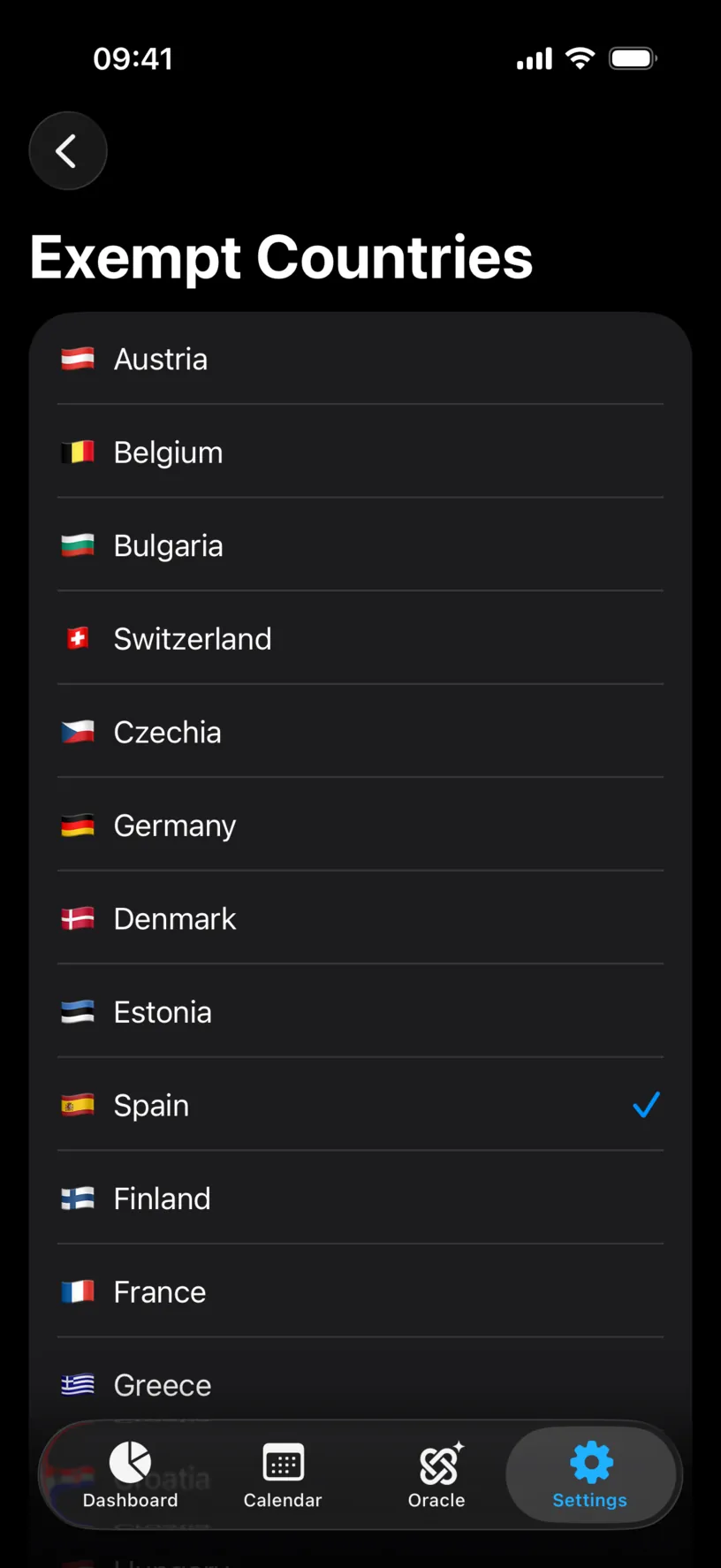
This list has two jobs, and the second one is the reason to open it here. Ticking a country exempts it, which is what Configure a Schengen country exemption is about. Reading it tells you which countries the app counts in the first place.
Scroll it. The list holds the ones people leave out of their own arithmetic, Switzerland and Bulgaria among them, and it does not hold the European countries that sit outside the area. If a stay of yours is in a country on this list and it is not in step 3, that stay is missing from your history.
Here Spain carries a checkmark, which is why its 50 days sat in the list as not counted.
Step 5: Close the gaps inside the window
Open the Calendar tab and walk the months from the start of your window to today.
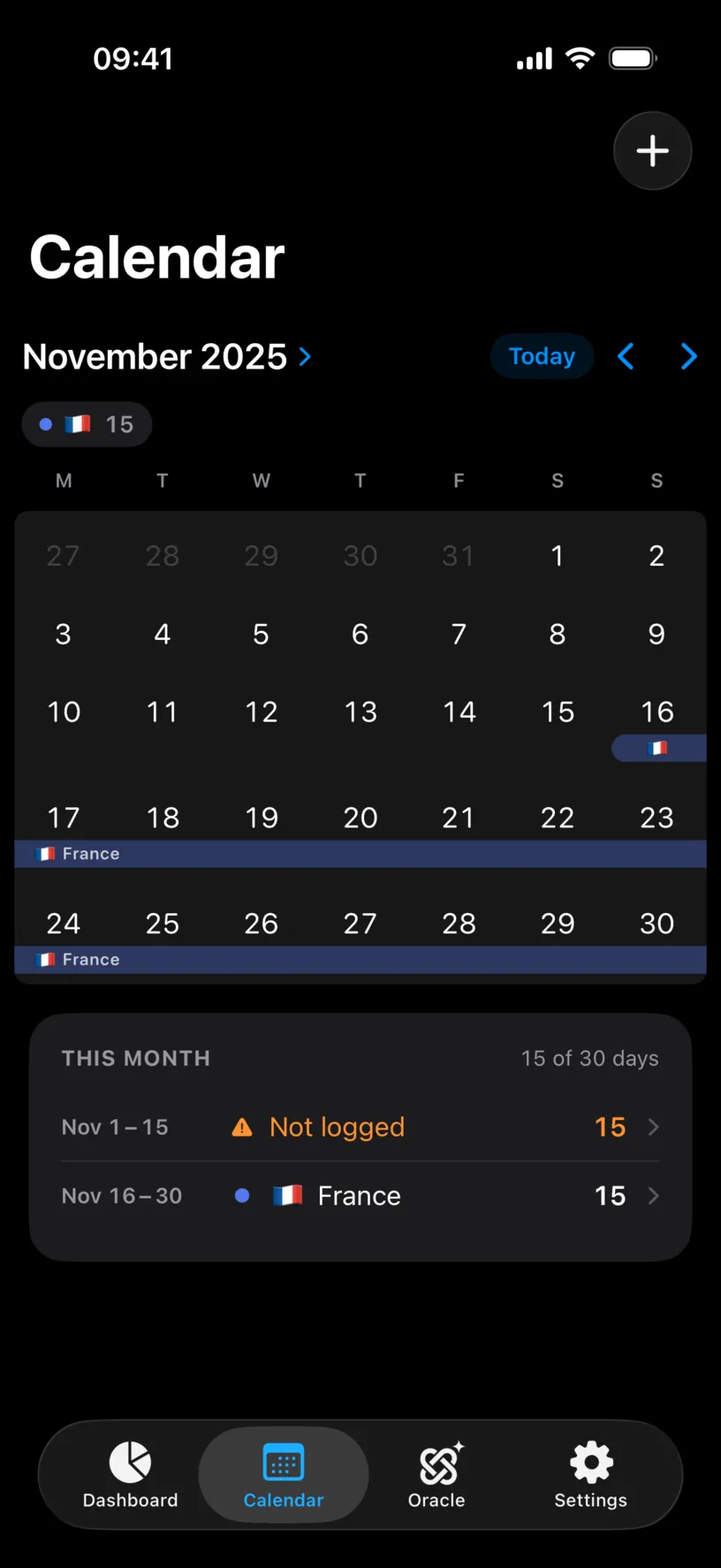
THIS MONTH counts the logged days and lists the gaps as their own rows, in orange, with a warning triangle. November 2025 reads 15 of 30 days, with Nov 1 – 15 Not logged above Nov 16 – 30 in France.
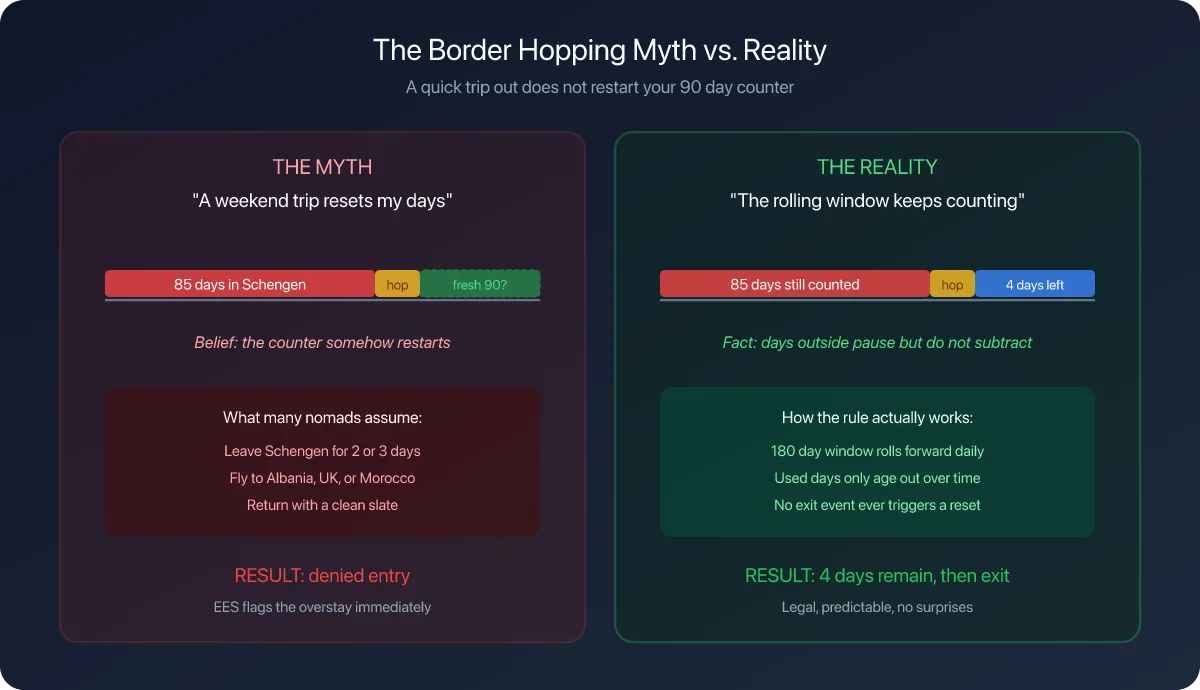
An unlogged day is not a day off. To the counter it is a day it knows nothing about, so it counts as nothing, and your used total comes out lower than the truth. This is the failure that gets people in trouble at a border, because the app agreed with them.
Read the gap rows against your window. Here the window opens on 15 November, so only one day of that fifteen-day gap is inside it. In a month that falls entirely inside the window, every unlogged day is a day you need to account for.
Fill the ones that were real travel. Find and fill missing days covers the fastest way, and Rebuild travel history from photos is the fastest way of all if the trips are old enough that you no longer remember the dates.
Check your result
Three checks, all of them things you can do in under a minute.
The blocks in Your Schengen days add up to the number on the card. Every block matches a trip you actually took, with dates you recognise. And no month inside your window has an orange Not logged row covering days you spent in the area.
When all three hold, the counter is reporting your history rather than a fraction of it.
If something looks different
A trip you remember is not in the list. Either it is not logged, or it is older than 180 days. Check Annual history for the year it belongs to: if it shows up there and not above, it has simply left the window.
A stay says not counted. Its country is on your exempt list. That is a setting, not an error, and step 4 is where you change it.
The counter is lower than your passport stamps suggest. Gaps. Step 5 is the fix, and it is worth doing before you rely on the number for anything.
The counter is higher than you expected. Look for a stay logged a day long at each end. Arrival and departure days both carry a log, so a trip recorded from the day before you flew adds days you never spent.
A day with a few hours in the area counts as a whole day. It does. The app counts days, not hours, and so does the rule.
You have no idea what you did eighteen months ago. You do not need eighteen months. You need the 180 days behind you, plus enough history to be honest about the trips that touch it.
The list is empty and you have been to Europe. Either the counter has just been turned on and nothing is logged yet, or every country you visited is on your exempt list.
Next steps
Read your Schengen day counter is the guide to reading the number you have now made trustworthy.
Configure a Schengen country exemption matters if you hold citizenship or residence in one of these countries.
Preview a future Schengen trip is what the checked history is for: planning the next entry against a count you believe.