What you’ll achieve
By the end of this guide the days you spend in one Schengen country stop counting toward your 90/180 limit, and the counter shows what is left for the rest of the area.
This is the setting for people who hold a residence permit or a national long-stay visa in a Schengen country. Time spent in the country that issued it is generally not part of the short-stay allowance, so counting it makes the app say you are out of days when you are not.
The example exempts Spain. The country is yours; the mechanism is the same.
Step 1: Open the Schengen settings
Open the Settings tab, tap Countries & Regions, then tap Schengen Area under Regional.
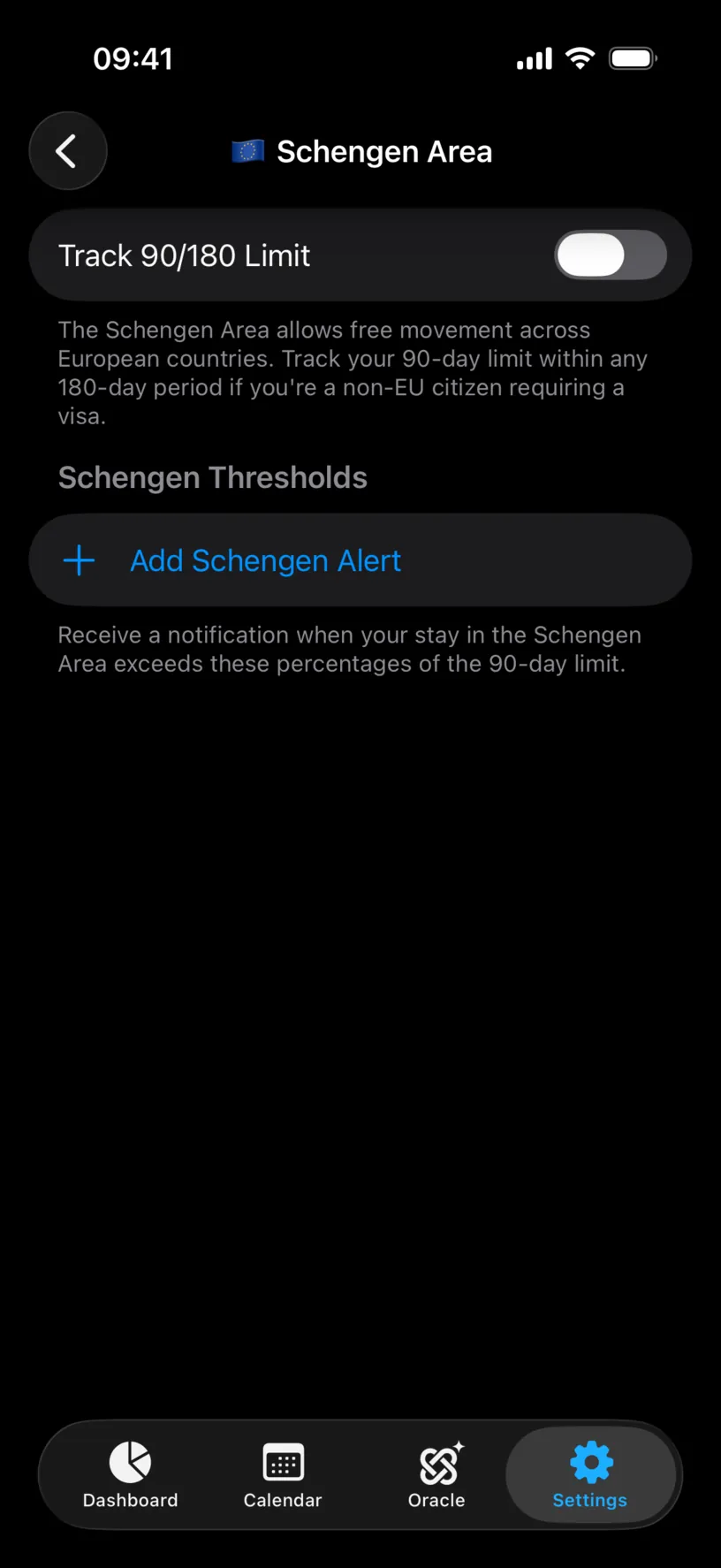
The screen holds one switch until you turn it on.
Step 2: Turn on 90/180 tracking
Flip Track 90/180 Limit on. An Exempt Countries row appears under it, showing how many countries are currently exempt.
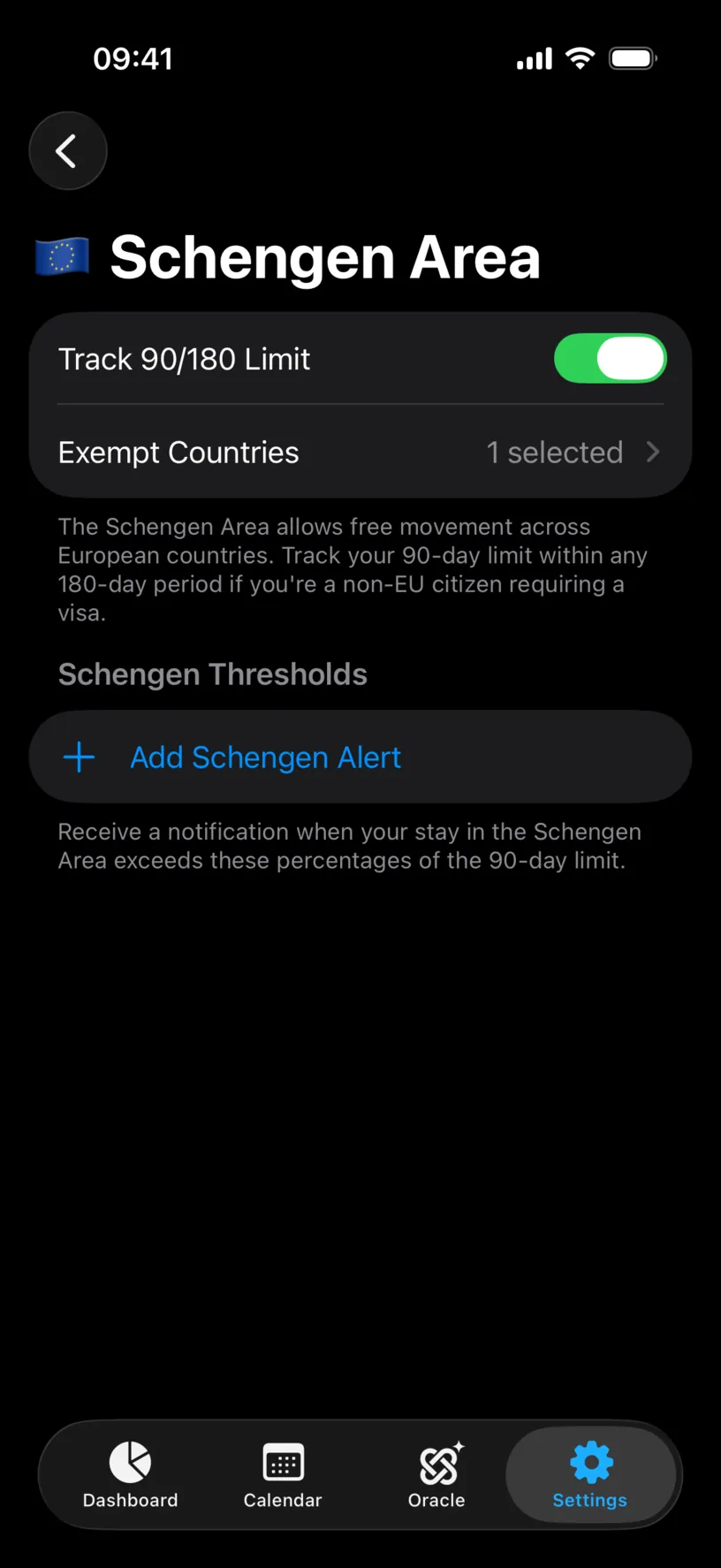
The exemption list only exists while tracking is on. There is nothing to exempt from otherwise.
Step 3: Pick the exempt country
Tap Exempt Countries. Every Schengen member is listed, and tapping one toggles its checkmark.
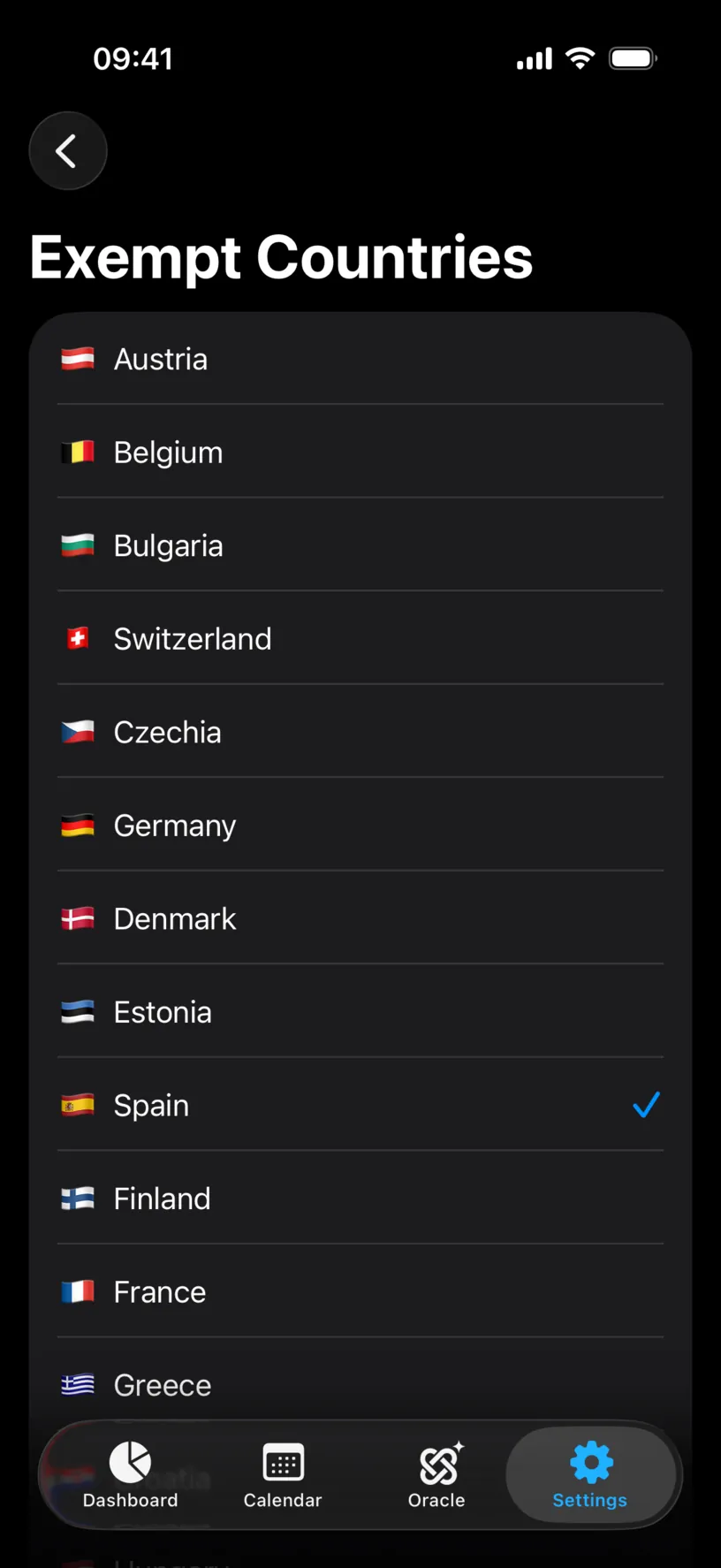
Tap the country that issued your permit. You can exempt more than one, though most people have exactly one.
The footer states the rule the app is applying: days spent in exempt countries do not count toward your Schengen 90/180 limit.
Check your result
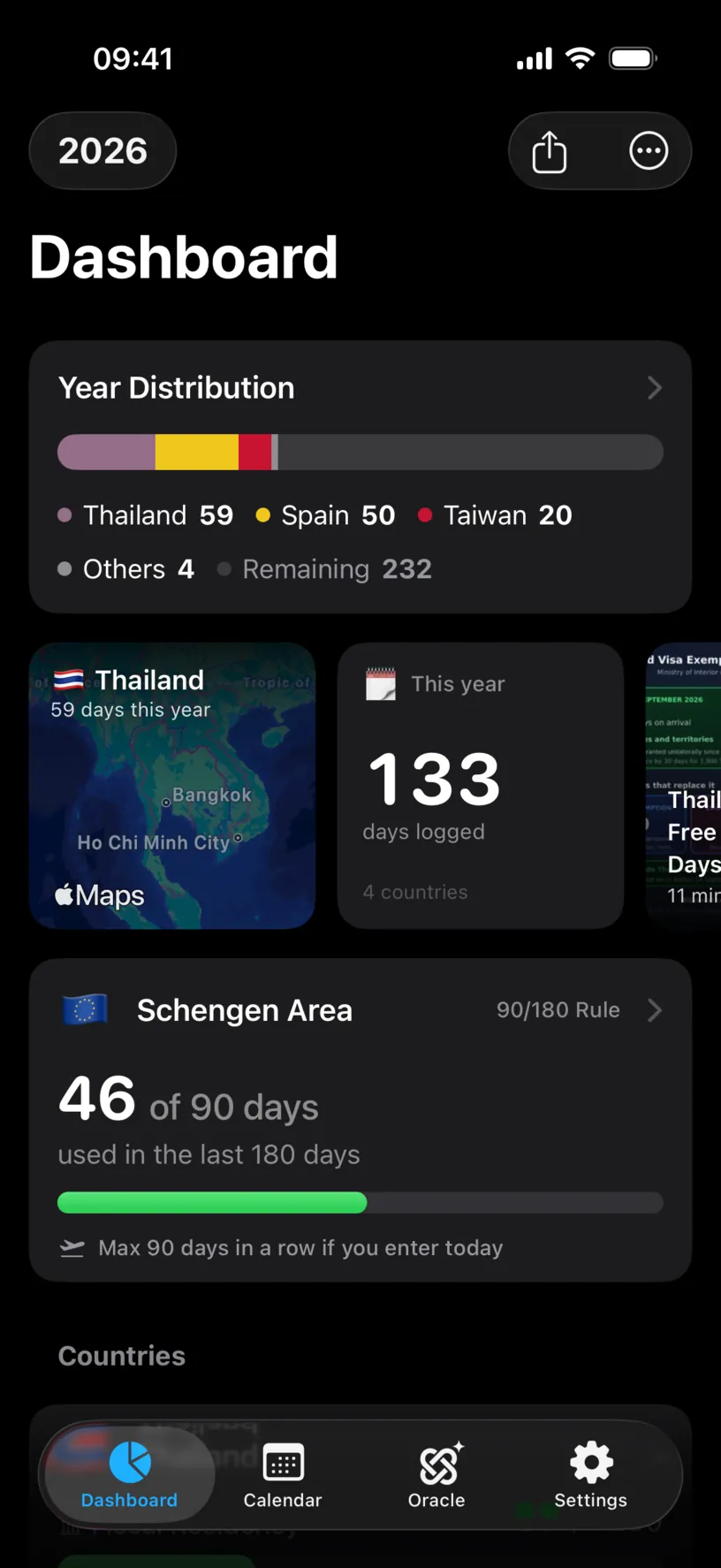
Go back to the Dashboard tab. The Schengen Area card counts only the days outside your exempt country.
Tap the card and scroll to Your Schengen days. Every stay in the window is listed, and the exempt one carries a not counted tag next to its flag while still showing its real length.
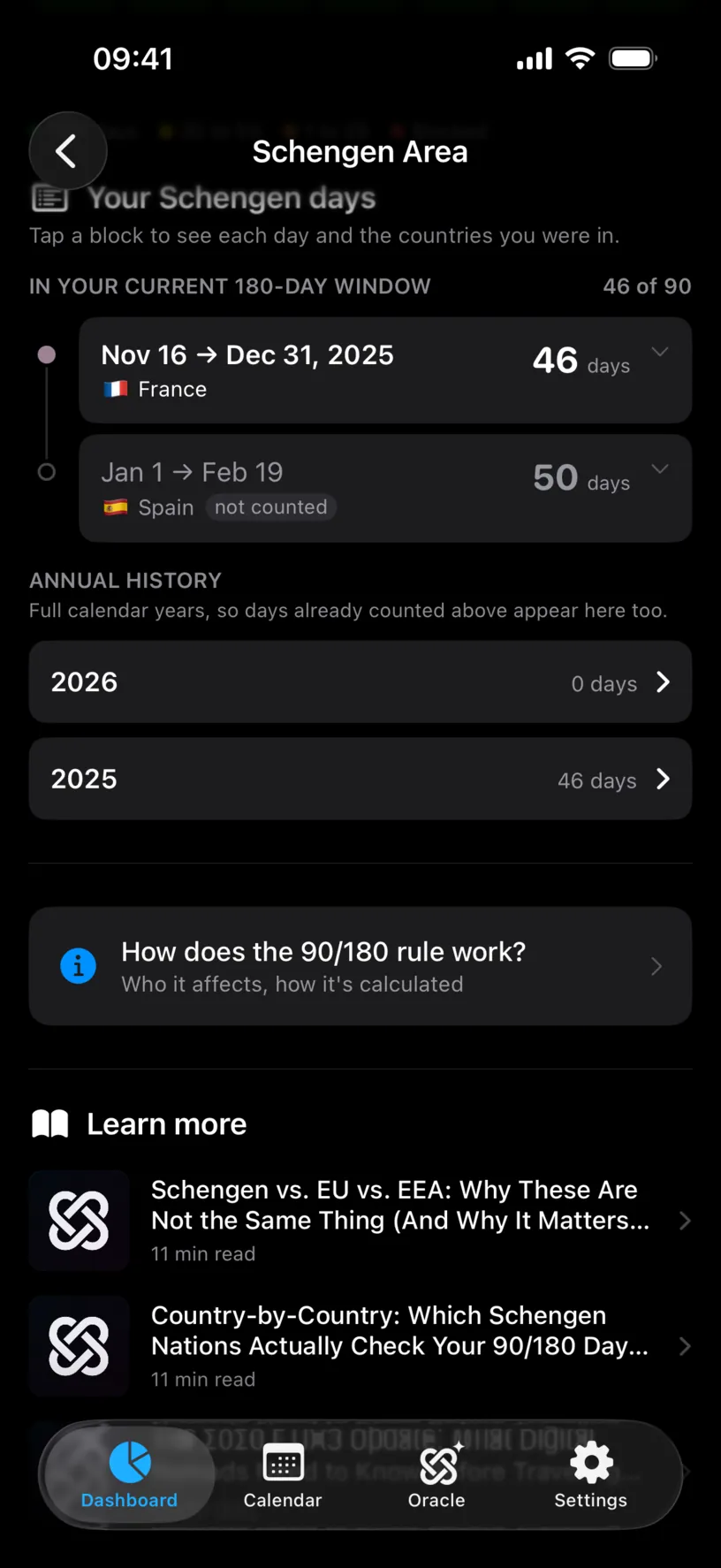
That tag is the confirmation worth trusting. It says the days are known and deliberately excluded, rather than missing.
What it looks like without the exemption
The same profile, with the exemption removed, reads very differently: the Spanish days rejoin the count and the card goes over the limit.
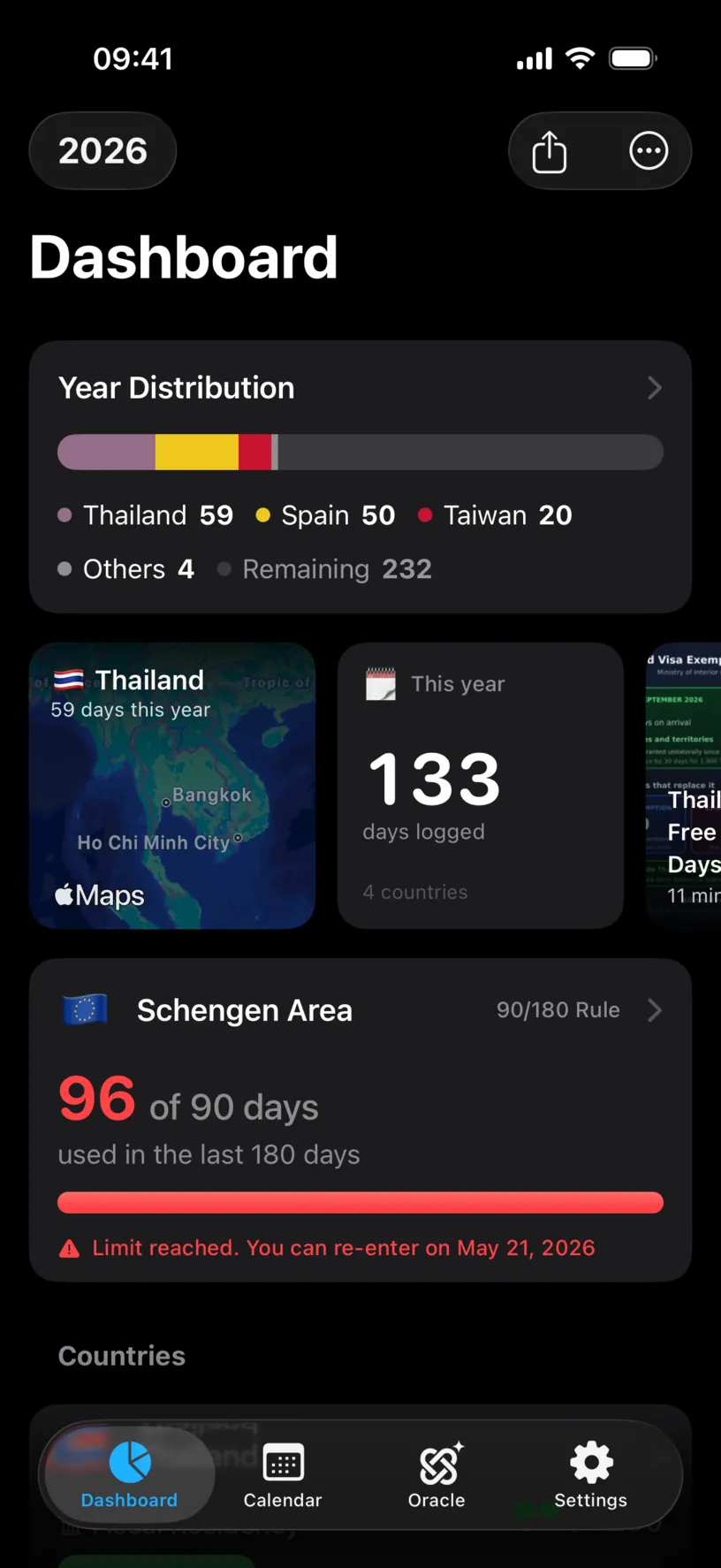
Ninety-six of ninety, Limit reached, and a date you could next enter. If your card says that and you hold a permit, the exemption is what is missing.
If something looks different
There is no Exempt Countries row. Track 90/180 Limit is off. Turn it on and the row appears.
The Schengen card is not on the dashboard at all. The card only appears while 90/180 tracking is on and there is something to count. If every Schengen day you have is in the exempt country, the counter has nothing to show.
The count did not change after exempting a country. You have no logged days in that country inside the current 180-day window, so there was nothing to remove.
You exempted a country and the count went up. That is not possible from this setting. Check whether new days arrived from GPS, a photo import or a calendar trip.
Your permit country is not in the list. The list holds Schengen members only. A permit from a non-member country has no effect on the Schengen allowance.
You are not sure whether you qualify. The app applies the exemption you configure; it does not verify your status. The rule depends on the permit you hold and the country that issued it, so confirm it against that country’s immigration authority before relying on the number.
Next steps
Read your Schengen day counter explains the card, the 180-day window and the "max stay from now" figure.
Set your tax residence is the other half of a permit holder’s setup, and it is a separate setting: immigration and tax do not share a country here.
Plan your first trip with Ghost Trips tests a Schengen trip against the limit before you book it.