What you’ll achieve
By the end of this guide the app is counting the days you spend in the United States against the physical presence test, and telling you how many you have left.
The Foreign Earned Income Exclusion lets a US taxpayer living abroad exclude a large slice of foreign earned income from federal tax. One route to qualifying is the physical presence test: at least 330 full days outside the US in a twelve-month period, which leaves at most 35 days inside it.
The app tracks the days. Whether you qualify, and whether the exclusion is the right election for you, is a question for a US tax preparer.
Step 1: Open the FEIE tracker
Open the Settings tab, tap Countries & Regions, and look at the Regional group at the top.
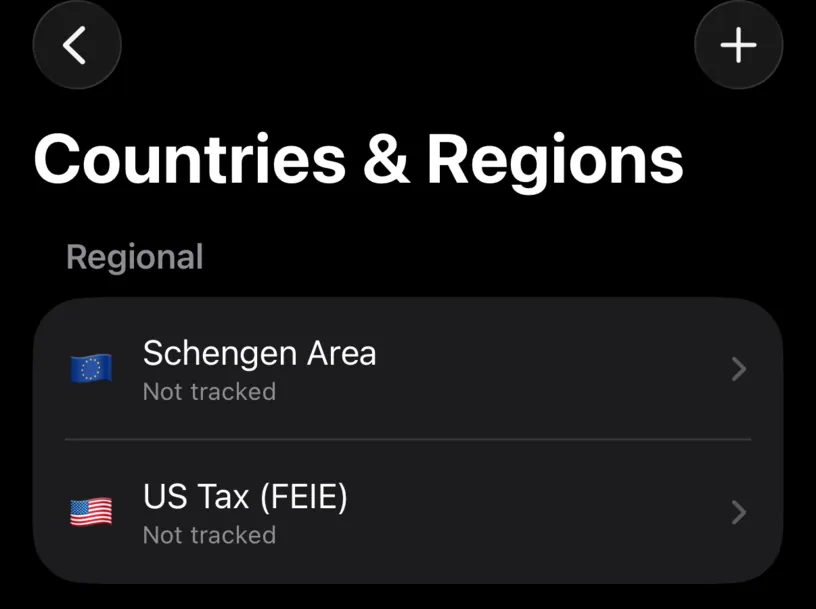
US Tax (FEIE) sits next to Schengen Area, because both are rules that span countries rather than belonging to one.
Tap it.
Step 2: Check that this is for you
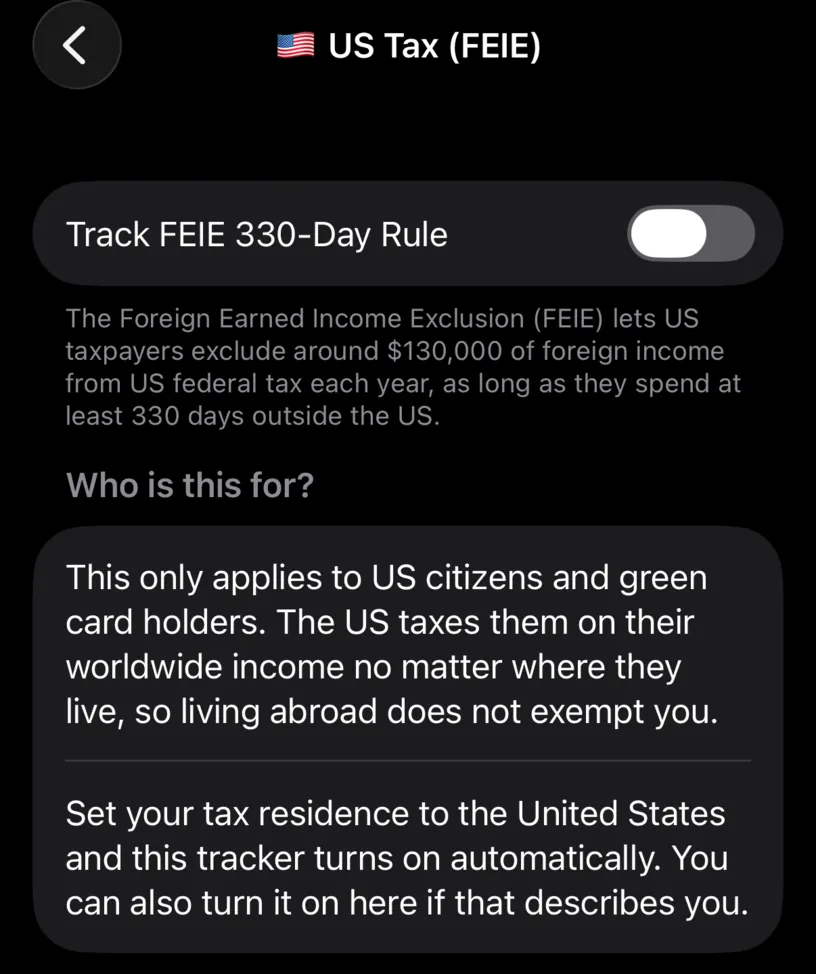
The screen says who it applies to before it offers you anything, and the answer is narrow: US citizens and green card holders. The US taxes them on worldwide income wherever they live, which is what makes the exclusion worth tracking.
If that is not you, this tracker will count days that mean nothing. Leave it off.
Turn on Track FEIE 330-Day Rule.
Setting your tax residence to the United States turns this on by itself, so if you already did that, the switch is on and there is nothing to do here.
Step 3: Read the card it adds
Open the Dashboard tab. A new card sits above Countries.
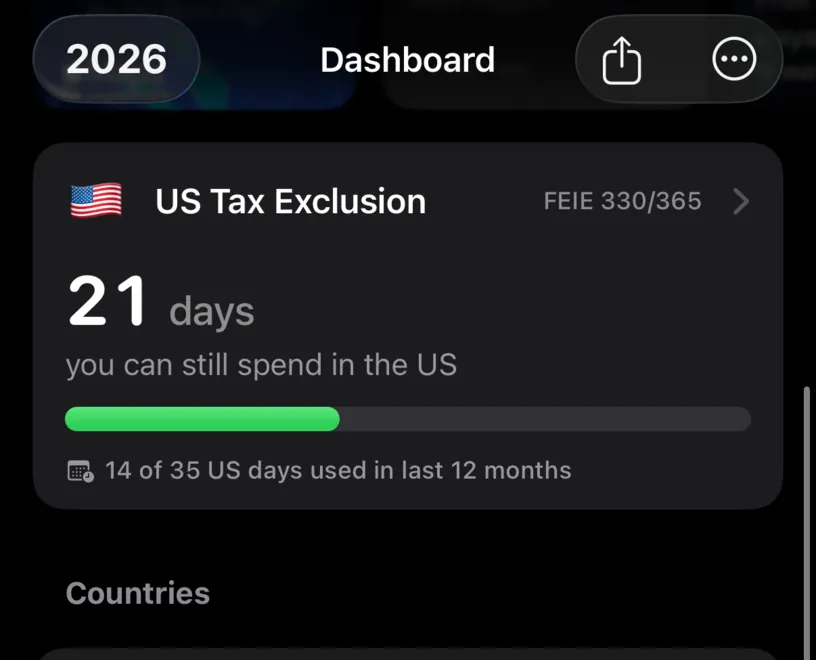
The card counts the number that actually constrains you. Not the 330 days you need outside the country, but the 35 you are allowed inside it, because that is the budget you spend.
Here two weeks at home in July have already gone: 14 of 35 US days used in last 12 months, and 21 days left. The window is rolling, so it moves with you and days come back as they age out.
Step 4: Read the budget day by day
Tap the card.
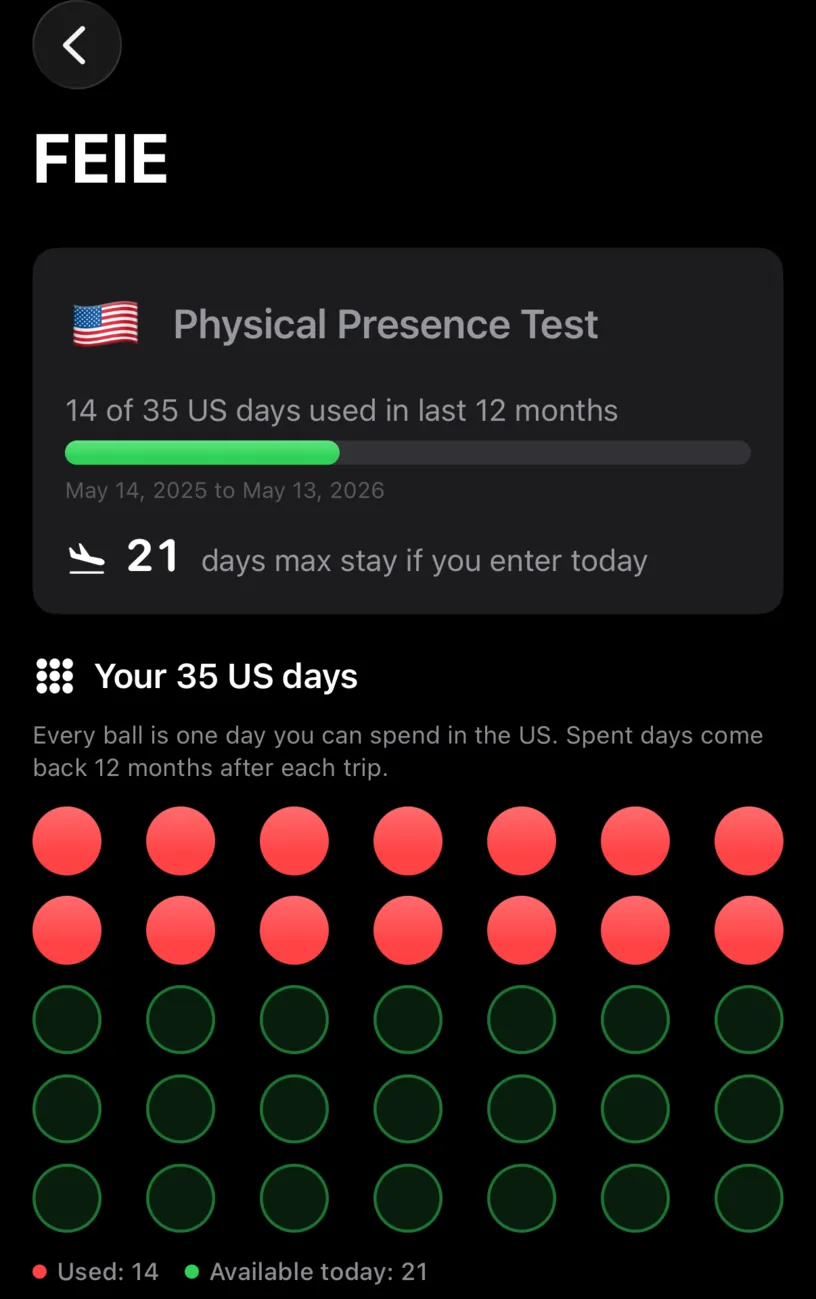
Physical Presence Test states the window in dates and answers the practical question underneath it: how long you could stay if you flew in today.
Under Your 35 US days, every ball is one day of the budget. The red ones are spent, the green ones are yours, and the legend counts both: Used: 14 · Available today: 21. Fourteen days in the US is fourteen red balls, whatever else the year held.
A spent day is not gone for good. It comes back twelve months after the trip that used it, which is what the next section is about.
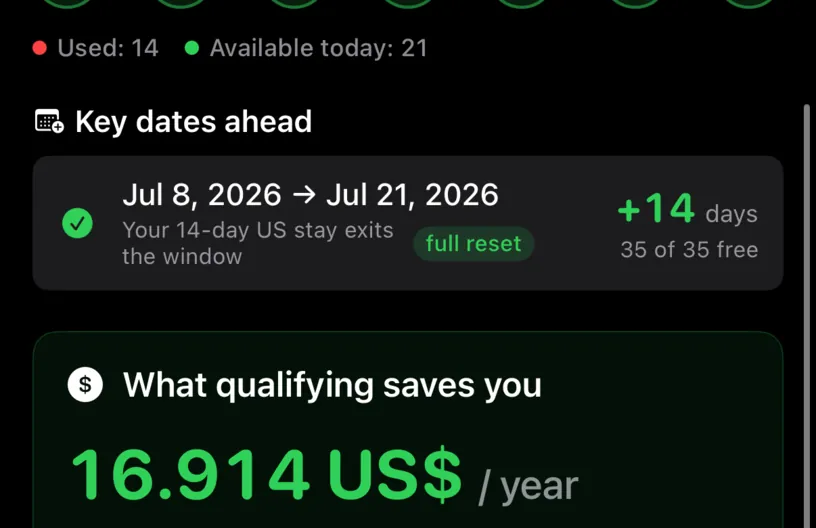
Key dates ahead turns the rolling window into a date you can plan around. The July 2025 trip drops out of the window twelve months later, and the row says exactly what you get back and when: +14 days, a full reset, 35 of 35 free. Below it the app estimates what qualifying is worth in tax.
Check your result
Further down sits the window explorer, and it is where the counter becomes a verdict.
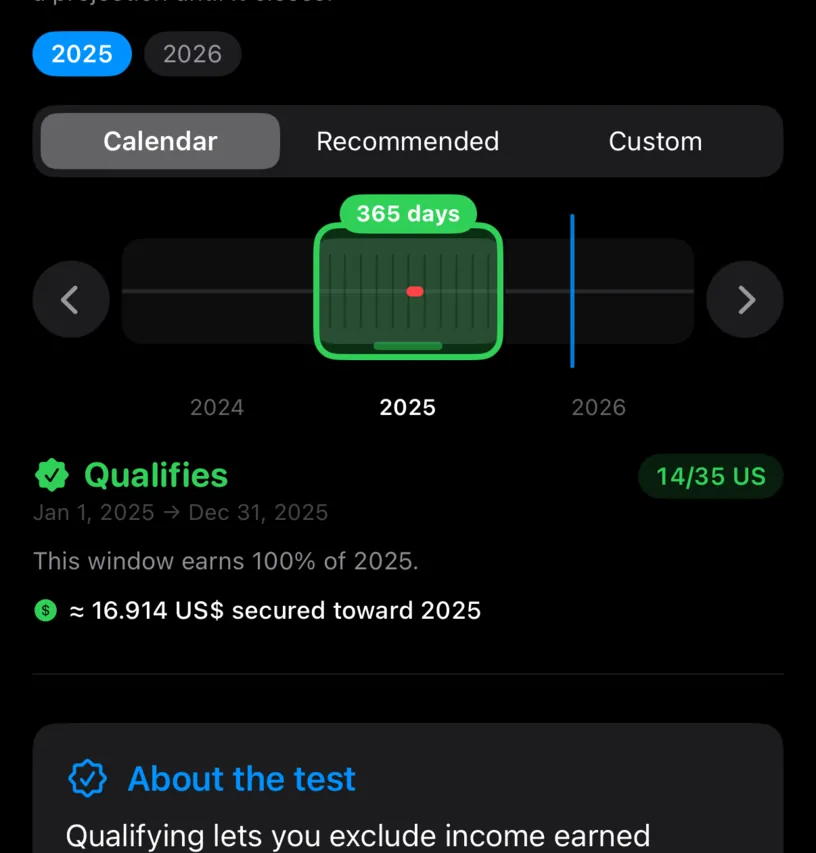
Any twelve-month period counts, and choosing which one you file matters. The year chips pick the tax year, the three modes pick a window inside it, and the arrows slide it a day at a time.
On the 2025 calendar year the window is closed and the answer is final: Qualifies, 14/35 US, and an estimate of what that secures. A window still running into the future says On track to qualify instead, because a projection is not a result.
The explorer is the PRO part of this feature. The day count, the card, the ball grid and the key dates are not.
If something looks different
The card does not appear on the dashboard. Scroll. It sits above Countries, below the widget strip.
The switch is already on and you did not turn it on. Your tax residence is the United States, which enables it automatically.
All 35 balls are green and you know you were in the US. The count comes from your travel history. A US trip that is not logged is a trip the test does not know about, and this is the counter where that omission costs the most.
Key dates ahead is not there. It has nothing to announce, because no US days are waiting to age out of the window.
The window explorer opens a paywall. It is PRO. The day count, the card, the ball grid and the key dates are not.
The dates of the window are not a calendar year. By design. The test uses any twelve consecutive months, and the card follows the last twelve, which is the window you can still change.
You want the card gone. Turn the switch off. The days stay in your history; only the counter disappears.
Next steps
Set your tax residence is what turns this on automatically, and what the rest of the dashboard follows.
Find and fill missing days matters more here than anywhere else, since an unlogged US day is an undercount.
Read your dashboard at a glance covers the cards this one just joined.