What you’ll achieve
By the end of this guide Nomad Tracker is light, dark, or following the iPhone, whichever you prefer, and you know which of those three it is currently doing.
This is the one screenshot in this library that is not dark, because the setting is the subject.
Step 1: Open the Appearance section
Go to the Settings tab and scroll past Data Sync. Appearance holds a single row, Theme.
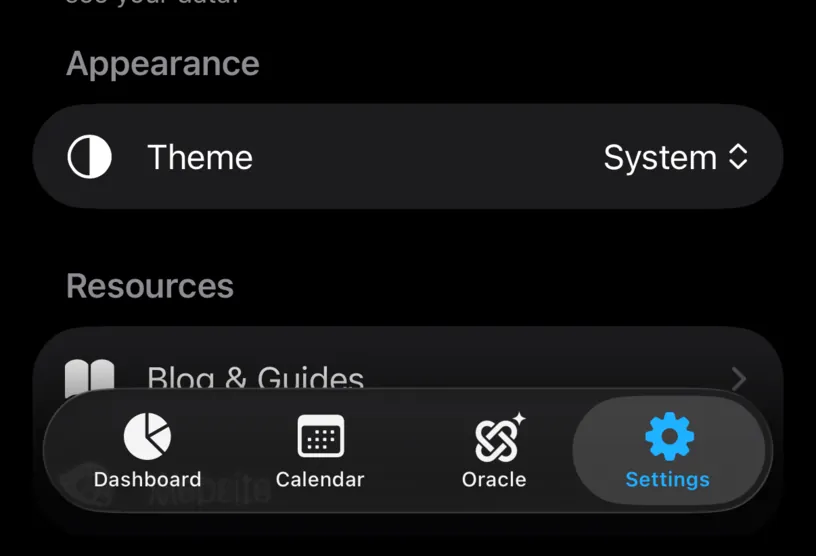
The value on the right is what the app is doing now. System is the default, and it means the app follows whatever the iPhone is set to.
Step 2: Pick a theme
Tap the value. A menu opens with the three choices and a checkmark on the current one.
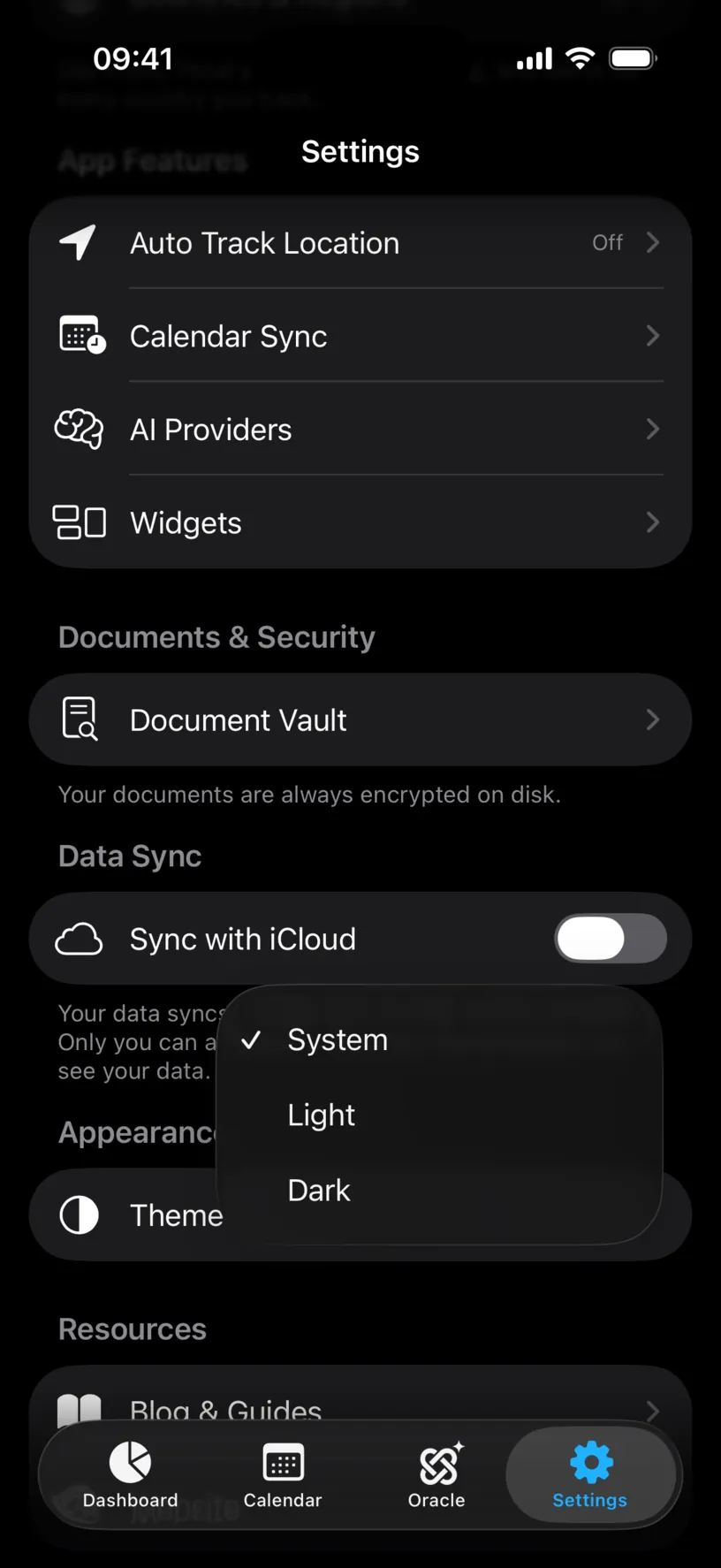
System follows the iPhone, including an automatic switch at sunset if you have that set up in iOS.
Light and Dark pin the app, whatever the iPhone is doing. Pick Light if you read outdoors, or Dark if the rest of your phone is light and you want this one app to stay quiet at night.
Step 3: Check the change took
The app repaints immediately. There is no restart, no confirmation and nothing to save.
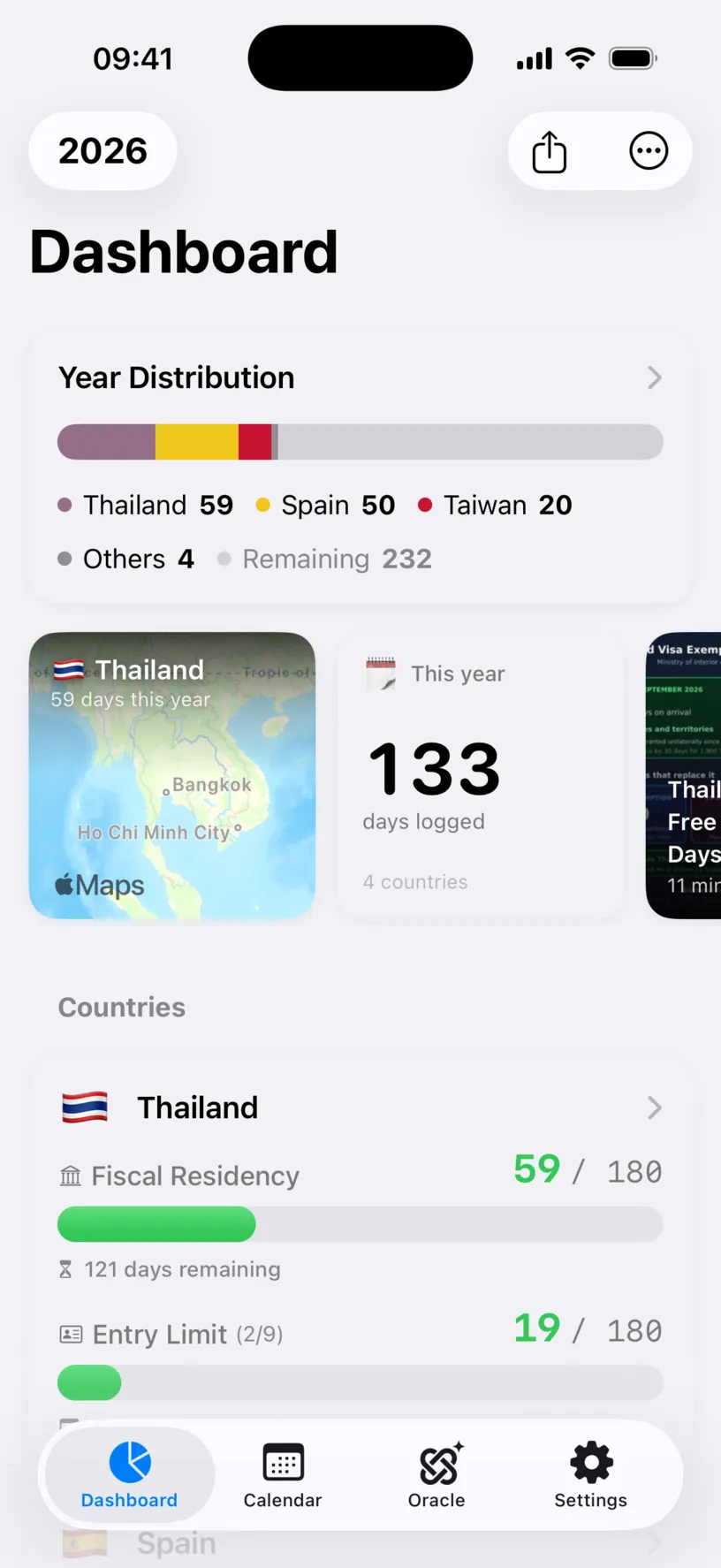
Every number is the same one you had a second ago. Only the paint changed.
Check your result
Go back to Settings and read the Theme row. It shows the choice you made, and it survives closing the app.
To undo, open the menu again and pick System.
If something looks different
The app did not change. You probably picked System while the iPhone was already in that mode, so nothing had to move. Pick Light or Dark to see the difference.
Only part of the screen changed. Photos, document scans and map snapshots keep their own colours. They are pictures, not interface.
You wanted to change the iPhone, not the app. This setting stops at Nomad Tracker. The system-wide switch is in the iOS Settings app, under Display & Brightness.
The theme reset itself. It should not. If it does, check that you are not looking at a second device, since this setting is stored on the iPhone and is not part of iCloud sync.
Next steps
Review your privacy settings is the other settings screen worth a minute of your time.