What you’ll achieve
By the end of this guide you can find a conversation you had with the assistant last week, open it back up, carry on from where it ended, and delete the ones you do not want kept.
Nothing here needs setting up first. Every conversation is saved as you have it.
Step 1: Find the two buttons
Open the Oracle tab and look at the corners of the navigation bar.
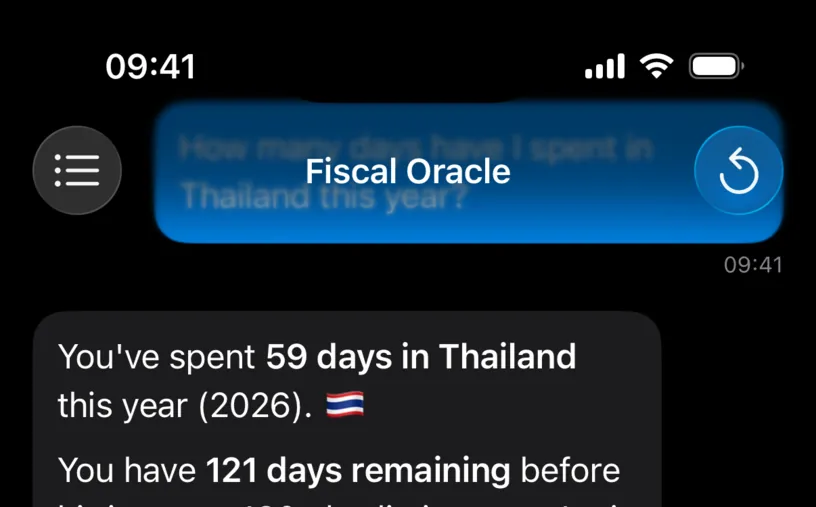
The list icon on the left opens Chat History. The circular arrow on the right starts a New Chat, which parks the conversation you are in and gives you an empty one.
The circular arrow is greyed out while the chat is empty and while an answer is still arriving. That is the app refusing to throw away a reply you have not read.
Step 2: Open the list
Tap the list icon.
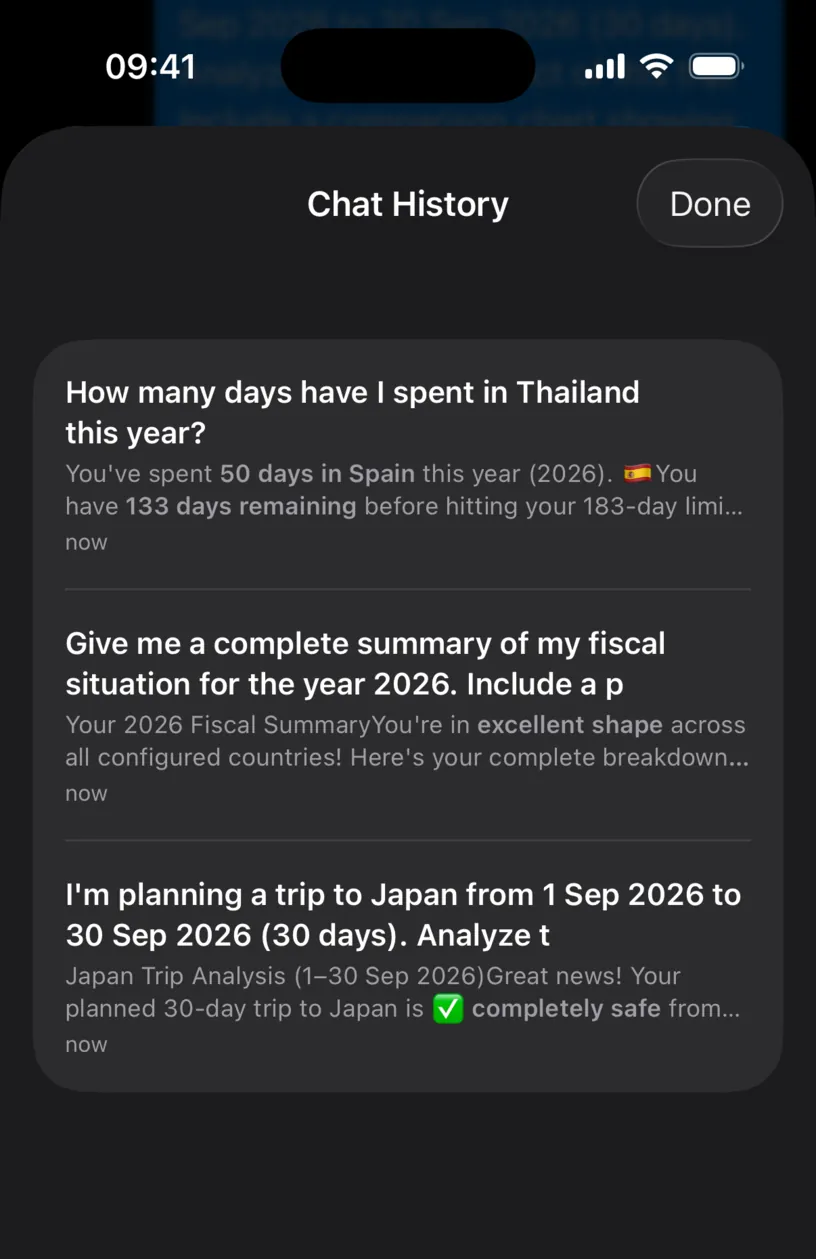
Every row is one conversation, newest first, and it is built from three pieces:
- the title is your first question in that conversation, so a session titled "How many days have I spent in Thailand this year?" may have gone on to cover Spain,
- the grey line under it is the last reply, not the first,
- the time underneath is relative: now, yesterday, 3 months ago.
That split between title and preview is worth knowing. A conversation is named by where it started and previewed by where it ended.
Step 3: Reopen one
Tap a row. The sheet closes and the conversation comes back into the chat, whole.
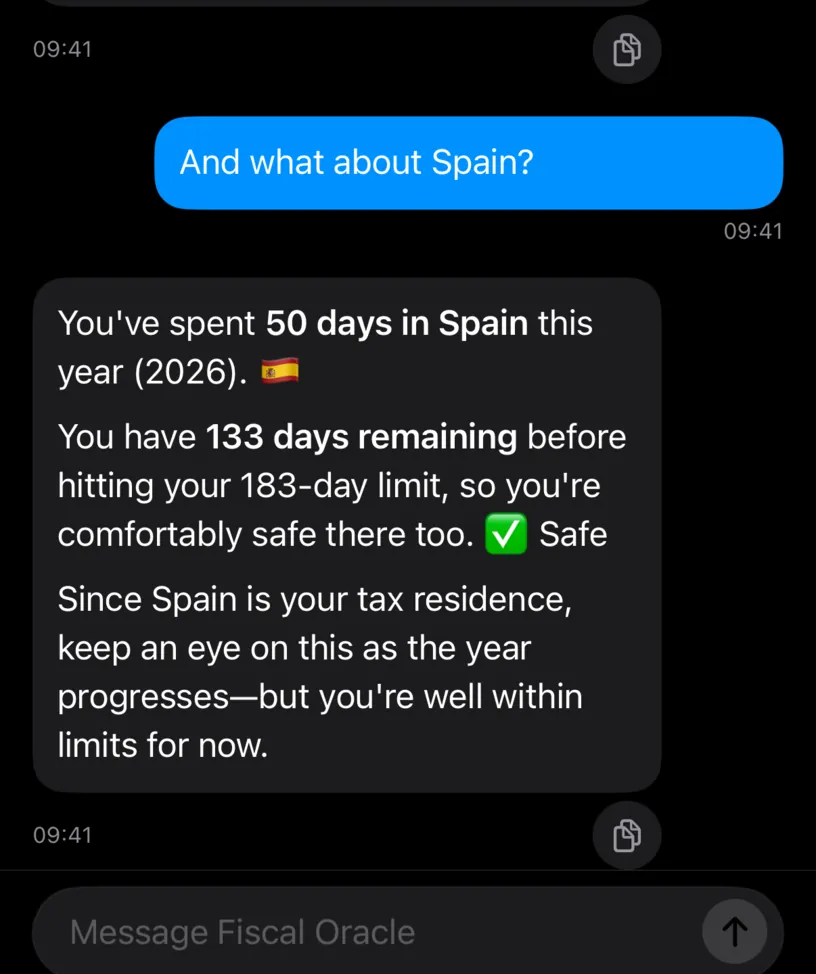
Both messages are there, with their original timestamps. You can type a new question straight into it and the assistant continues with the context it had.
Reopening does not create a copy. Add to a reloaded conversation and the same row updates.
Step 4: Delete what you do not want kept
Back in Chat History, swipe a row from right to left.
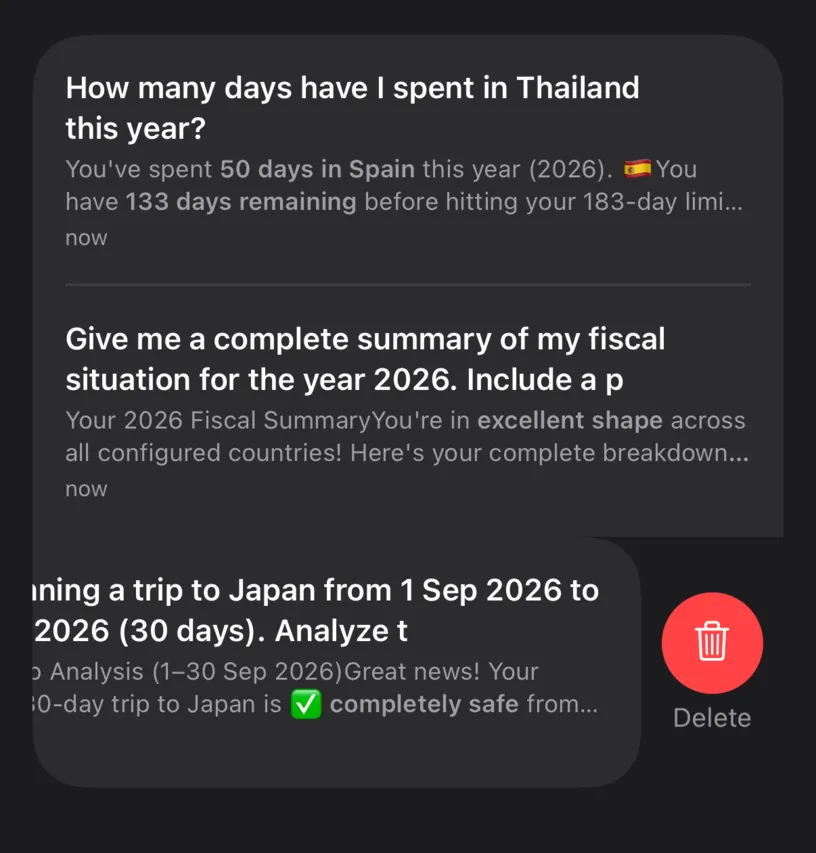
Tap Delete and the row goes. There is no confirmation and no undo, so aim before you swipe. Swiping all the way across deletes in one motion.
Done in the top right closes the sheet.
Check your result
Open Chat History again. The conversation you reopened is still one row, the one you deleted is gone, and the count matches what you expect.
Conversations live on this iPhone. They are not part of the iCloud sync that carries your days and countries, so a second device has its own separate list.
If something looks different
The list is empty. Nothing is saved until a conversation has at least one message in it. Ask something, then look again.
A row says an error occurred. Failed answers are saved like any other. Delete the row if you do not want it there.
You tapped the circular arrow and lost your place. You did not. Starting a new chat saves the old one first, and it is the top row of Chat History.
You want the text somewhere else. The small icon under any reply copies it. There is no export for the whole conversation.
Next steps
Ask the AI assistant your first question covers the chat itself, and Explore a travel scenario with the assistant is the one conversation worth saving.