What you’ll achieve
By the end of this guide your widget watches the country you care about instead of the one you happen to be in.
A widget arrives following you: it shows wherever you are today. That is the right default and the wrong setting for one common case, the country whose limit is the reason you are counting at all.
Step 1: See what it shows now
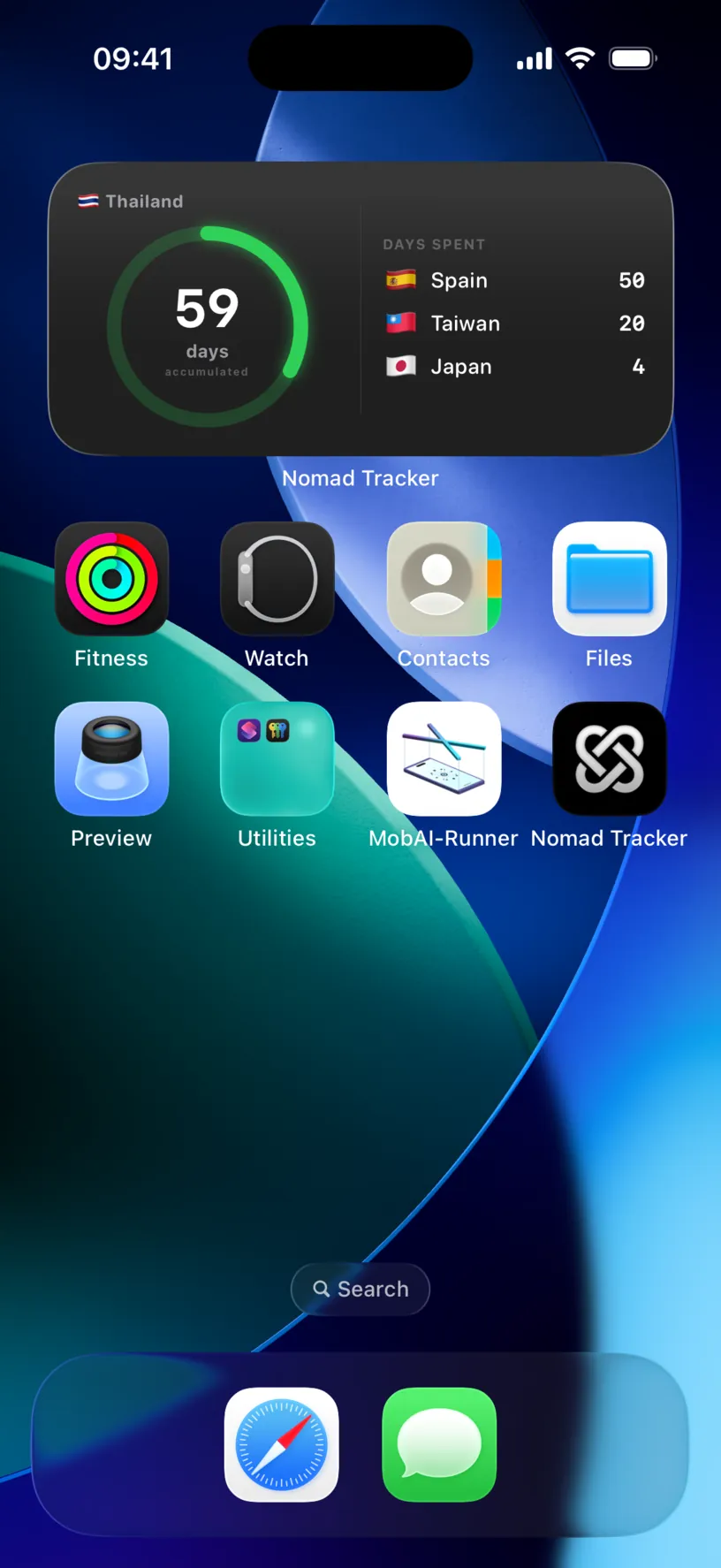
Out of the box the big number belongs to your current country, Thailand with 59 days accumulated, and the DAYS SPENT list on the right holds the others.
Both halves move when you change the setting, which is worth knowing before you change it.
Step 2: Open the widget’s settings
Press and hold the widget, then tap Edit Widget.
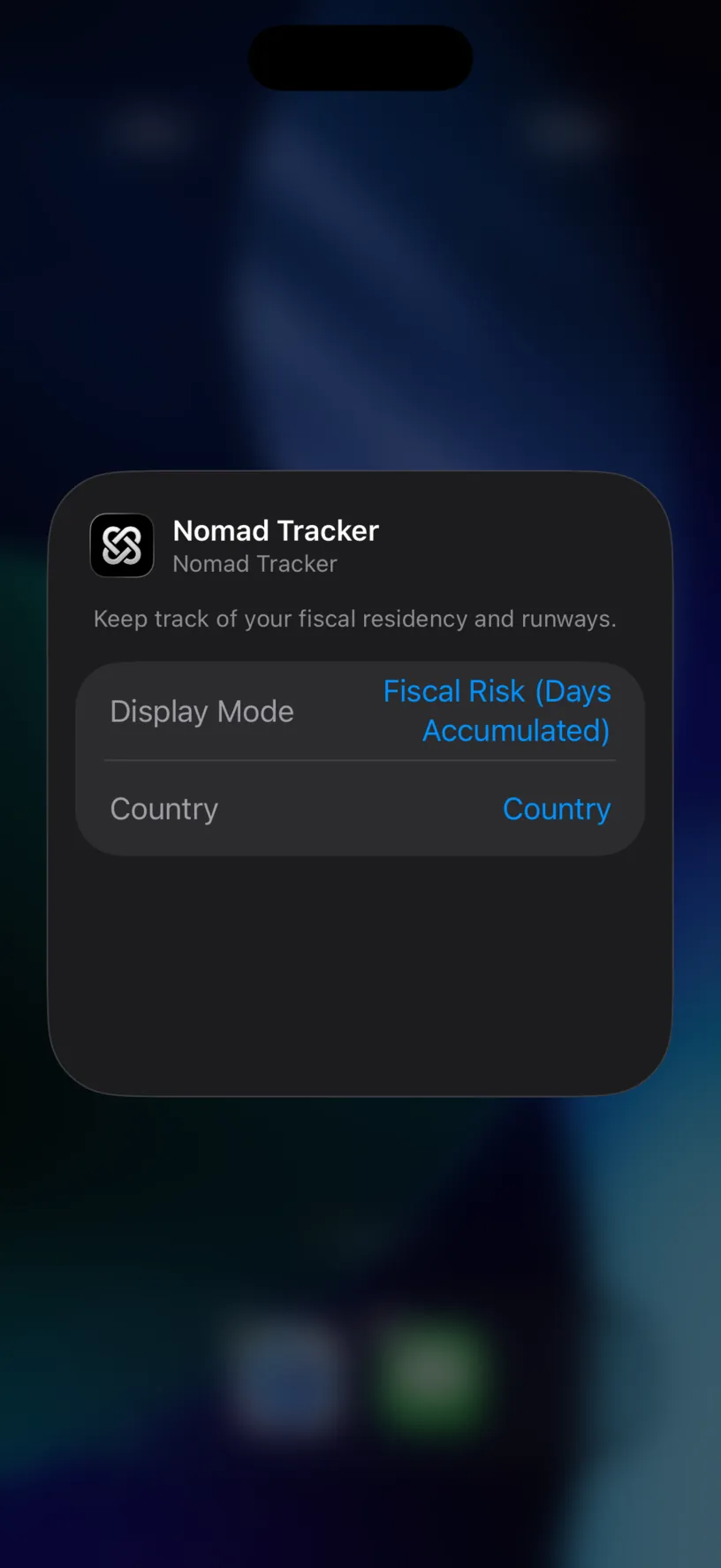
Two settings, and they are independent. Display Mode decides which question the number answers. Country decides who it is about.
Fiscal Risk (Days Accumulated) counts up the days you have spent. Runway (Days Remaining) counts down what is left. Add a Nomad Tracker widget covers choosing between them.
Step 3: Pin it to a country
Tap Country.
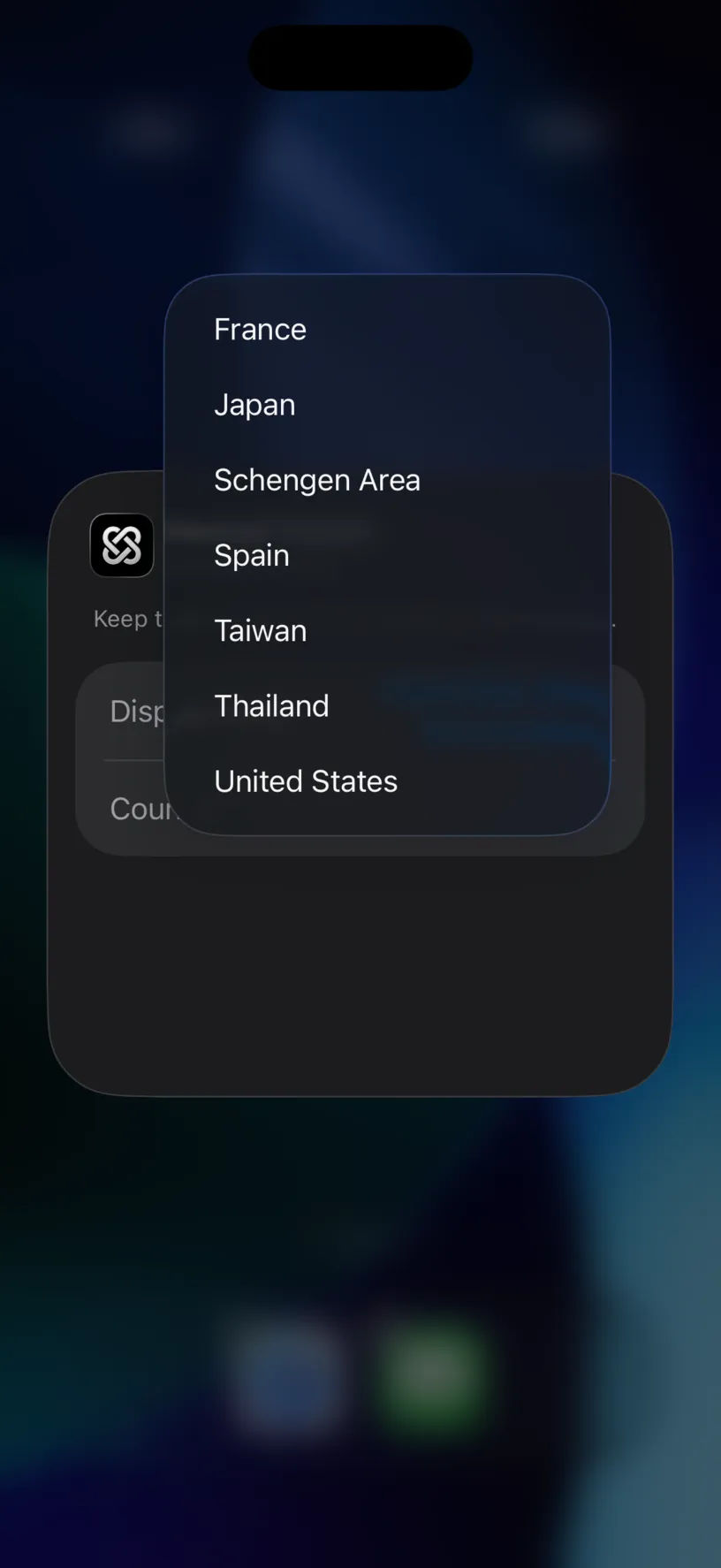
The list is built from your own history: every country you have logged a day in, in alphabetical order, plus Schengen Area for the region as a whole.
Pick the one that matters. A tax threshold you are approaching, a visa limit you are spending, the residence you are trying to keep. Anything you would otherwise open the app to check.
The sheet closes on its own and the widget redraws.
Check your result
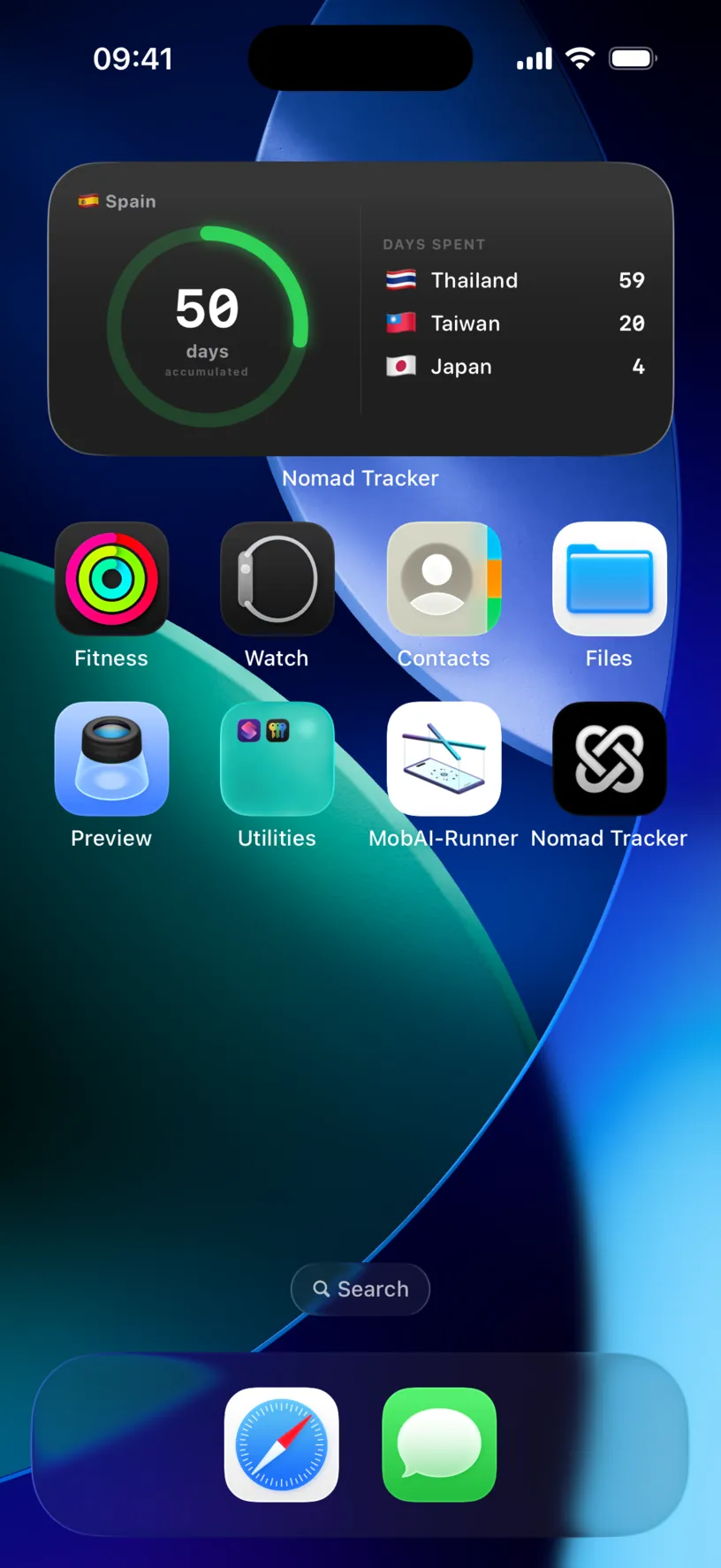
The big number is now Spain with 50 days accumulated, and Spain has left the DAYS SPENT list to make room for Thailand.
That is the check: the pinned country owns the ring, and the list holds everyone else. The number matches the country card on your dashboard, because both read the same logged days.
Each widget keeps its own settings, so a second widget can watch a second country. Add another one and pin it somewhere else rather than switching this one back and forth.
If something looks different
The country you want is not in the list. The menu only offers countries your history holds. Log a day there and it appears.
There is no option to go back to following you. Correct, and it is the one thing to know before you start: the menu has no empty entry, and tapping the country you already picked keeps it. To get the following behaviour back, remove the widget and add a fresh one, which arrives unpinned.
Schengen Area reads 0 days. In Fiscal Risk it counts the Schengen days your history holds for the current fiscal year, and days in a country on your exempt list are never among them. The rolling 90/180 number lives on the dashboard card, not here.
The number does not match the dashboard. Check the mode. Fiscal Risk matches the accumulated days on the country card. Runway answers a different question, how long you could stay from today, so a different number is the correct outcome rather than a mismatch.
Nothing happens when you press and hold. Hold longer. The Home Screen needs a firm press before it offers the widget menu, and a short press just opens the app.
The widget still shows the old country. Give it a moment to redraw. If it does not, remove it and add it again: a widget that will not refresh is covered in the app’s own settings rather than here.
You changed the mode and the number moved a lot. Expected. The two modes count in opposite directions, one up from zero and one down from the limit.
Next steps
Add a Nomad Tracker widget covers the gallery, the sizes and what each one holds.
Read your dashboard at a glance is the full version of what the widget summarises.
Customize a country’s fiscal day limit is where the limit behind the number is set.