What you’ll achieve
By the end of this guide you can answer the question that decides most trips: the stay is the length it is, so when should it start.
The example books the same 90 days in Thailand twice. Taken in one block before the new year it leaves 31 days of headroom against the 180 day threshold. Moved so it straddles the new year it leaves 75.
Nothing in this guide changes a single logged day. Ghost trips are a simulation, and clearing them puts the numbers back.
Step 1: Note where you stand now
Open the Dashboard tab and find the country card you are about to test.
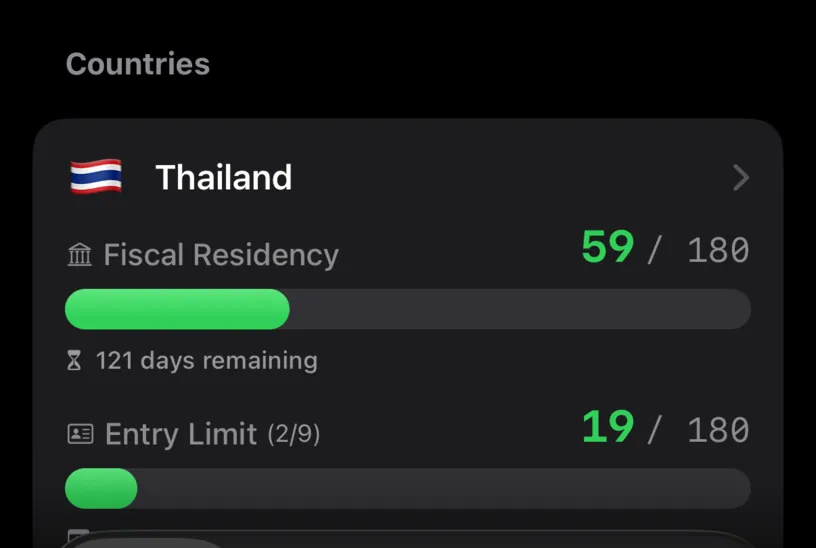
Thailand reads 59 / 180 with 121 days remaining. That is the number every version of the trip has to fit inside.
Write it down or keep the screen in mind. The comparison only works if you know the starting point.
Step 2: Build the first version
Open the Calendar tab, tap Add, and choose Add Ghost Trip. Set Start and End on the grid, check the country under Location, then tap Add.
The first version runs from 1 October to 29 December 2026, entirely inside this fiscal year.
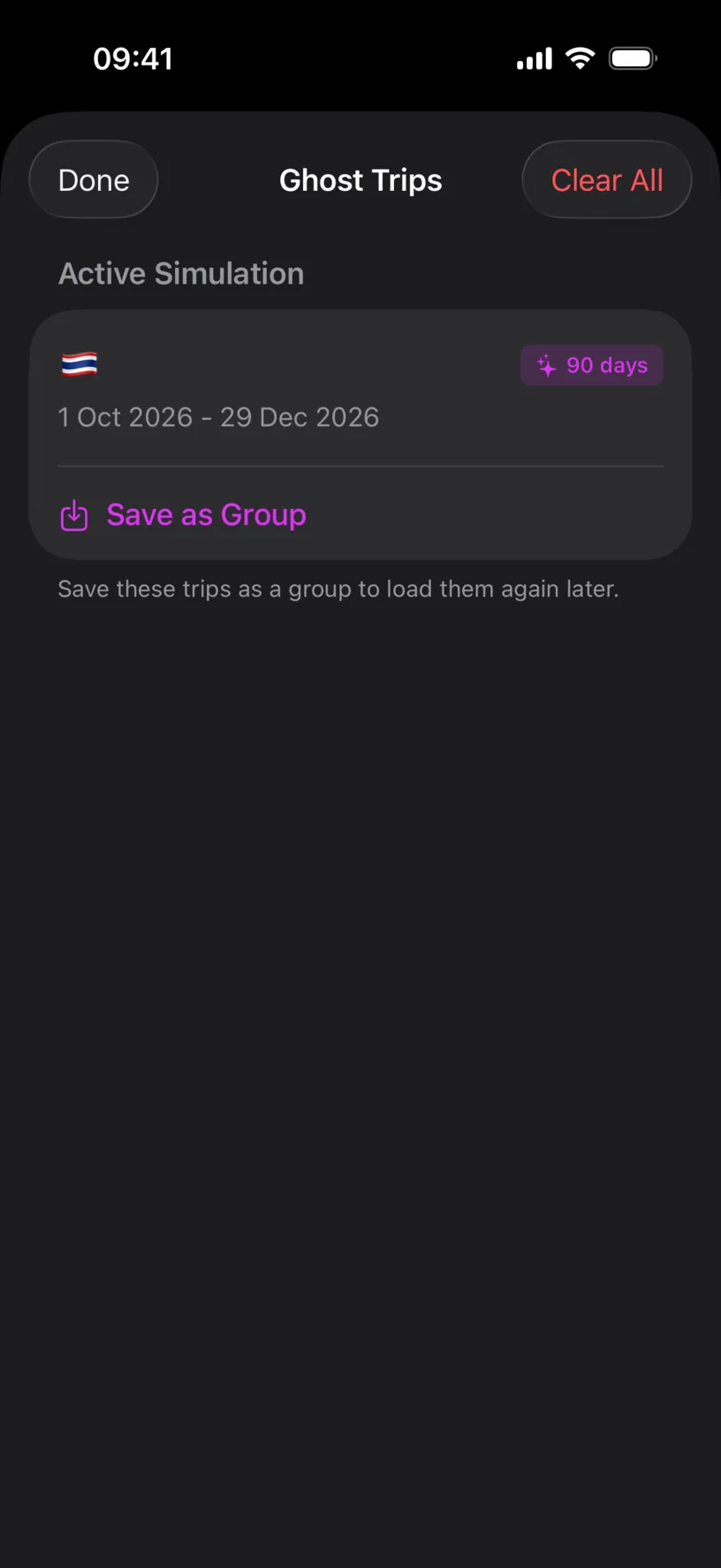
Check the dates here rather than in the sheet you just filled in. The Ghost Trips sheet prints the range the app actually stored, and it is reached from the aeroplane badge in the Calendar toolbar.
Step 3: Read what the first version costs
Go back to the Dashboard.
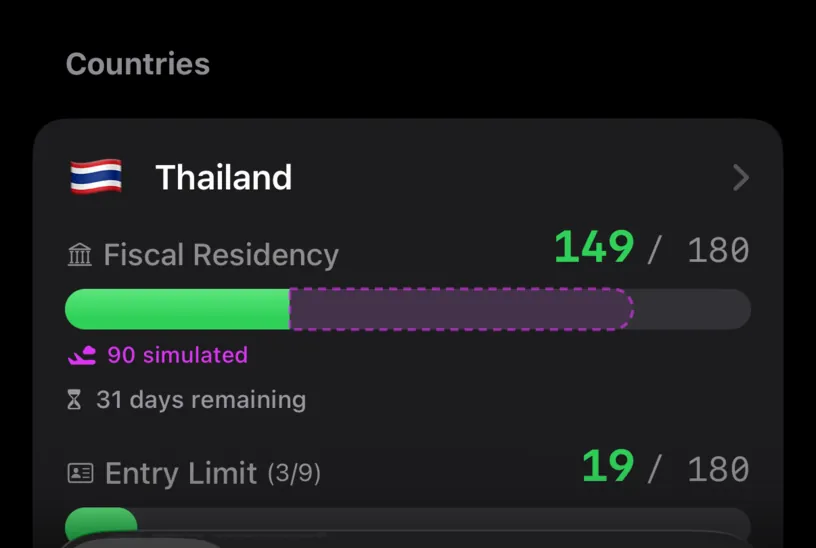
The card now reads 149 / 180. The striped part of the bar is the simulation, labelled 90 simulated, and the line below reads 31 days remaining.
Thirty one days of room left in the year, which rules out any second stay longer than a month.
Step 4: Build the second version
Clear the simulation and build the trip again, this time from 16 November 2026 to 13 February 2027. It is the same 90 nights, starting six weeks later.
Tap the aeroplane badge in the Calendar toolbar, tap Clear All, then add the new trip the same way as before.
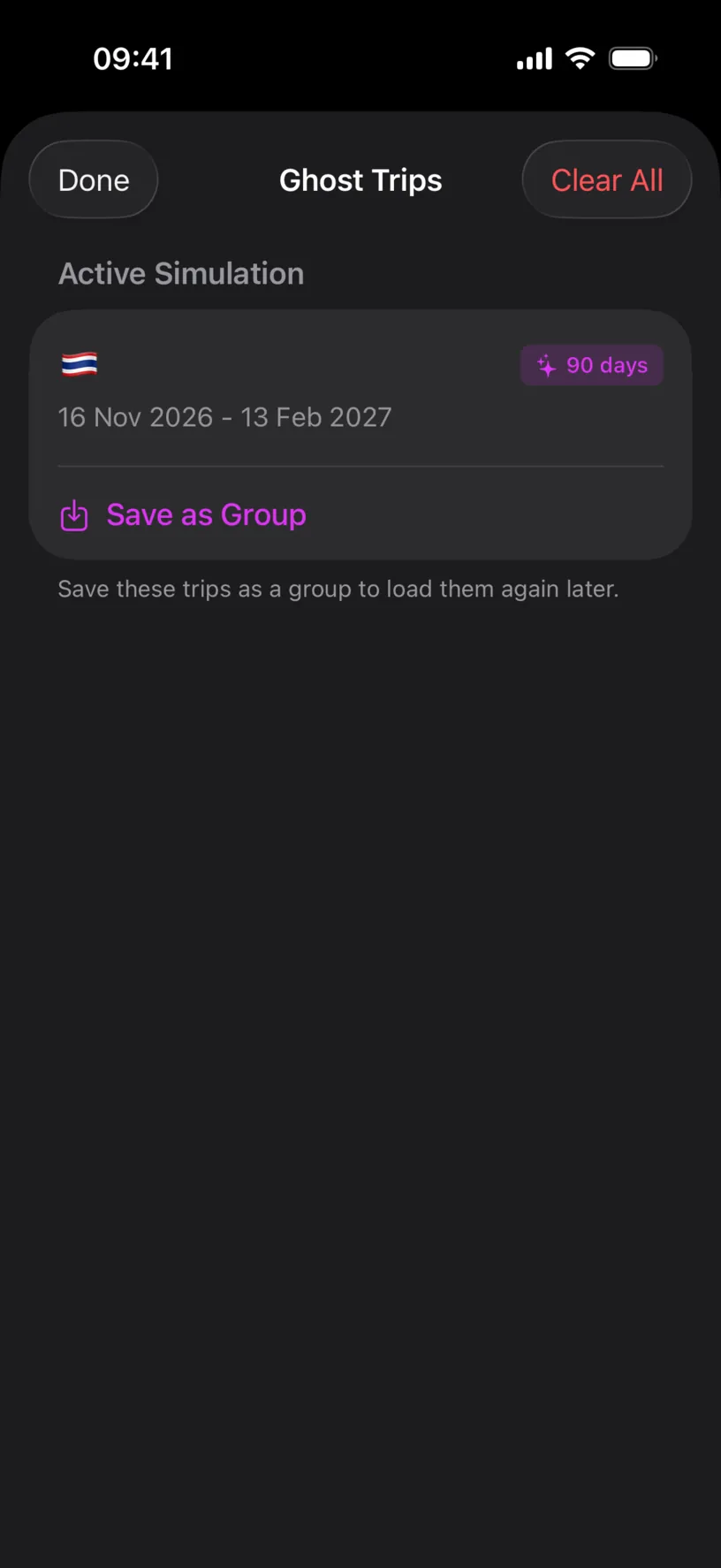
A ghost trip cannot be edited in place. Moving one means removing it and creating it again, which Edit or clear a simulation covers in full.
Check your result
Back on the Dashboard, the same trip now reads very differently.
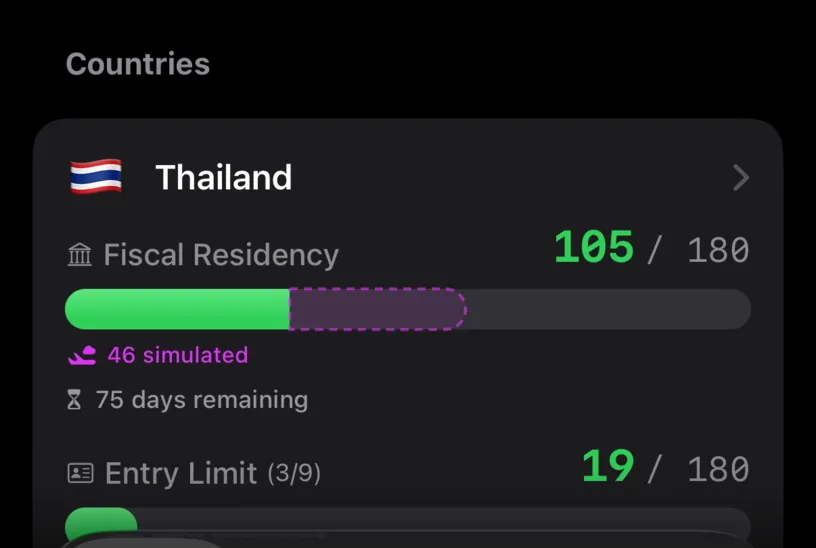
105 / 180, 46 simulated, 75 days remaining. The same 90 days cost 44 fewer against this year's threshold, because 44 of them landed in the next one.
The card at the top of the dashboard shows the mechanism plainly.
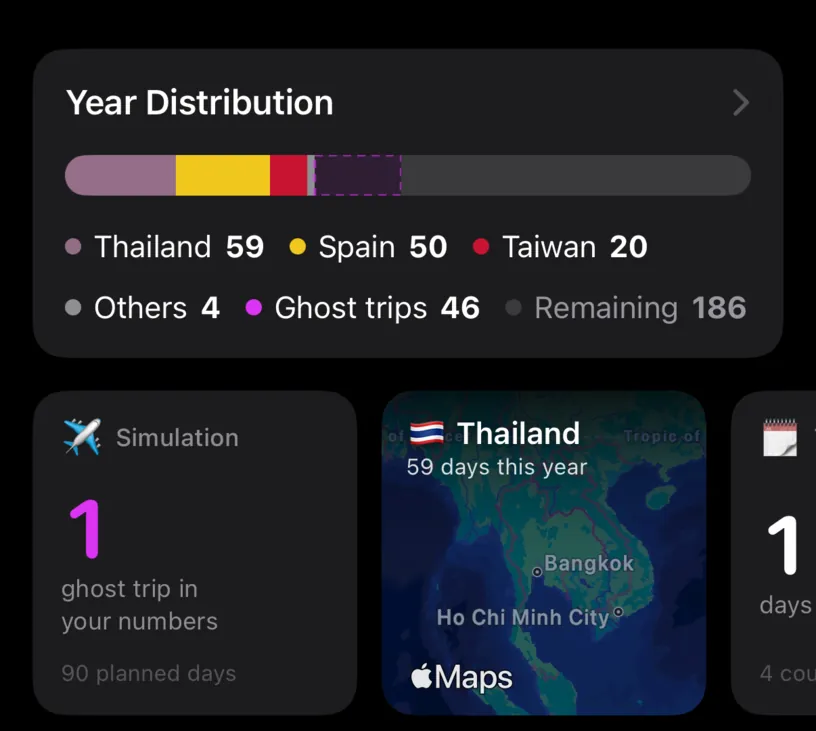
Ghost trips 46 in Year Distribution against 90 planned days on the Simulation tile. The tile counts the whole trip. The distribution counts only the part that falls inside the year on screen.
That gap is the entire lesson. A limit measured over a fiscal year is a limit on the days inside it, not on the trip.
When you are done, tap the aeroplane badge and Clear All. The counters go back to where step 1 found them.
If something looks different
The counter did not move at all. The country has no limit set, so there is nothing to count against. Set a country’s visa limit covers adding one.
The dates on the sheet you filled in look a day early. The Start and End boxes in the creation sheet can print the day before the one you tapped. The grid and the stored trip are right. Confirm the range on the Ghost Trips sheet, which prints it correctly.
Both versions give the same number. The trip does not cross the end of the fiscal year, so both versions sit inside the same window. Move one version far enough to straddle it.
The second version is worse, not better. A limit that counts over a rolling window rather than a fiscal year does not reset in January, so moving a trip later can pull more of an older stay into view. Configure a rolling-window rule explains which kind you are looking at.
A trip you added is missing from the dashboard. Real logged days always take priority over a simulation. A ghost trip laid over days you already logged shows in the calendar but does not double count.
Next steps
Simulate a multi-country itinerary chains several legs into one simulation and reads the combined effect.
Save and reload a trip simulation keeps the version you settled on so you can bring it back later.