What you’ll achieve
By the end of this guide you can keep the vault honest: change a document after a renewal, decide how early it warns you, and remove one that no longer applies.
The example edits a Spanish passport and then deletes a Thai visa that has been used up.
Step 1: Open the document
Open the Settings tab, tap Document Vault under Documents & Security, then tap the row you want.
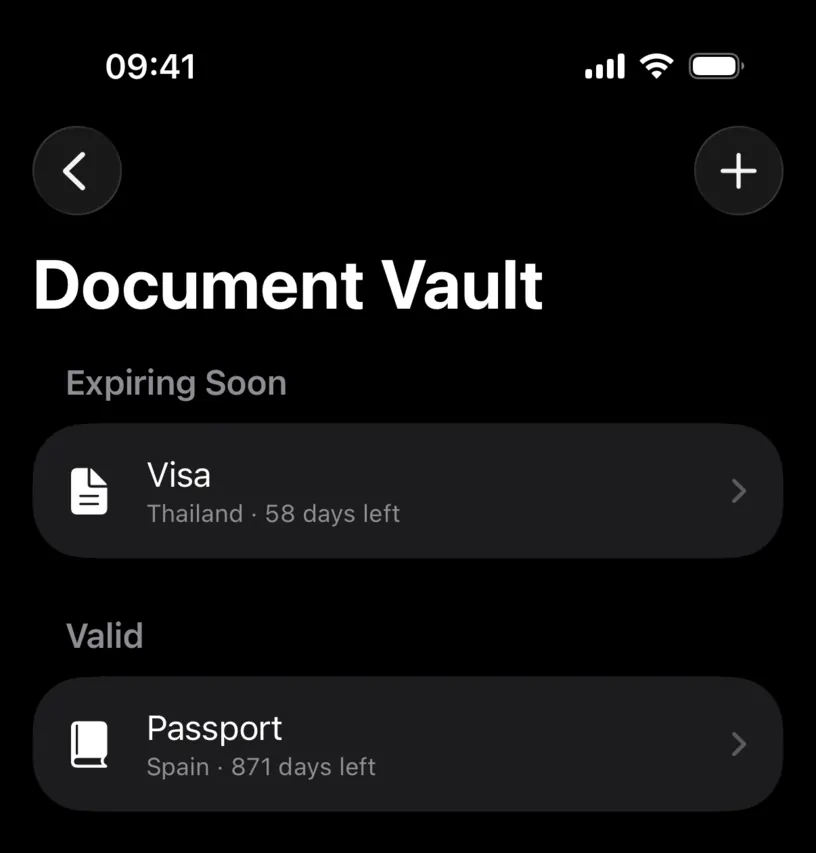
Each row carries the type, the issuing country and the countdown. The countdown is measured from today, so it is the fastest way to spot the one that needs work.
Step 2: Edit what changed
Tap Edit in the top right of the document. The same form you filled in opens, now titled Edit Document, with every field carrying its current value.
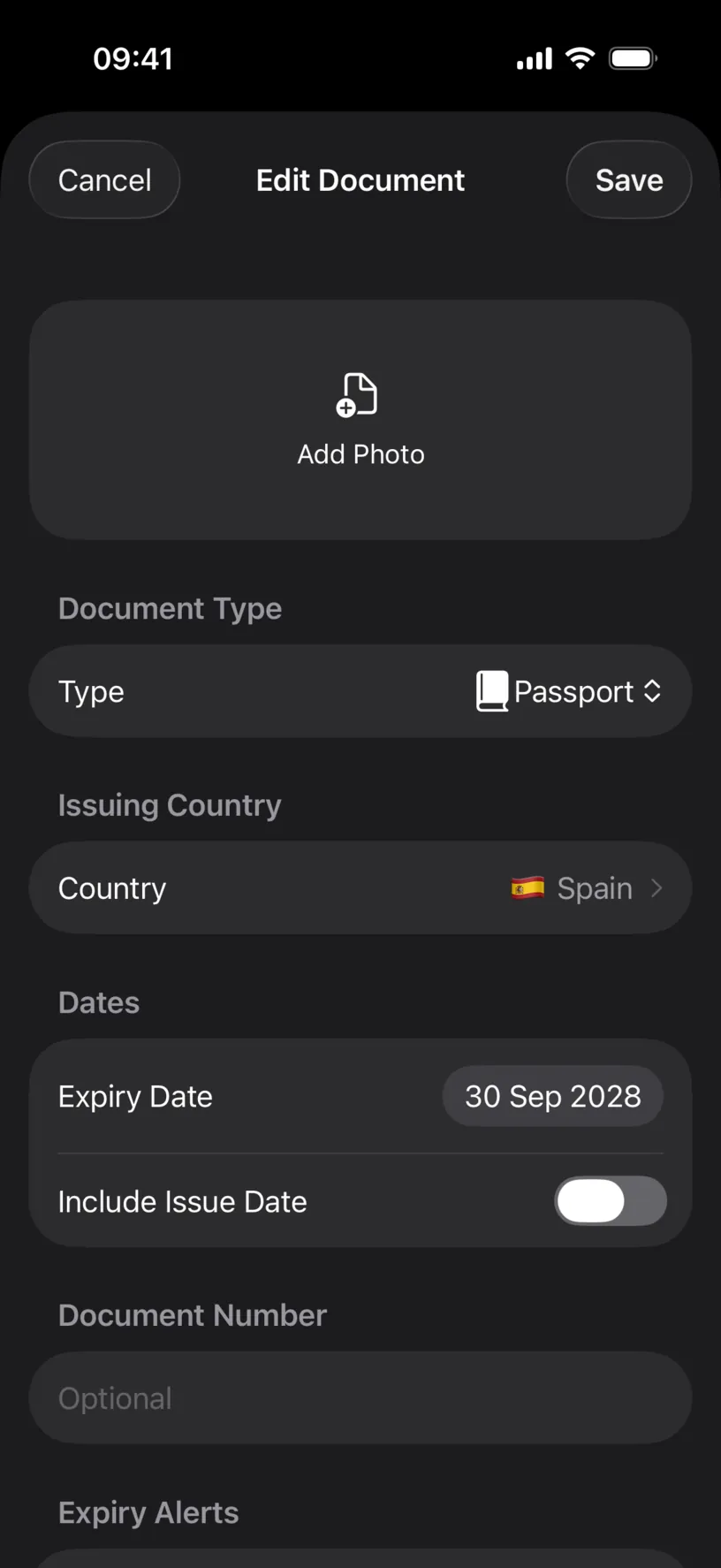
This is where a renewal lands. A new passport with a new number and a new expiry date is the same entry with three fields changed, not a second entry.
Step 3: Decide how early it warns you
Scroll to Expiry Alerts. Five reminders are offered: 90 days before, 60, 30, 14 and 7.
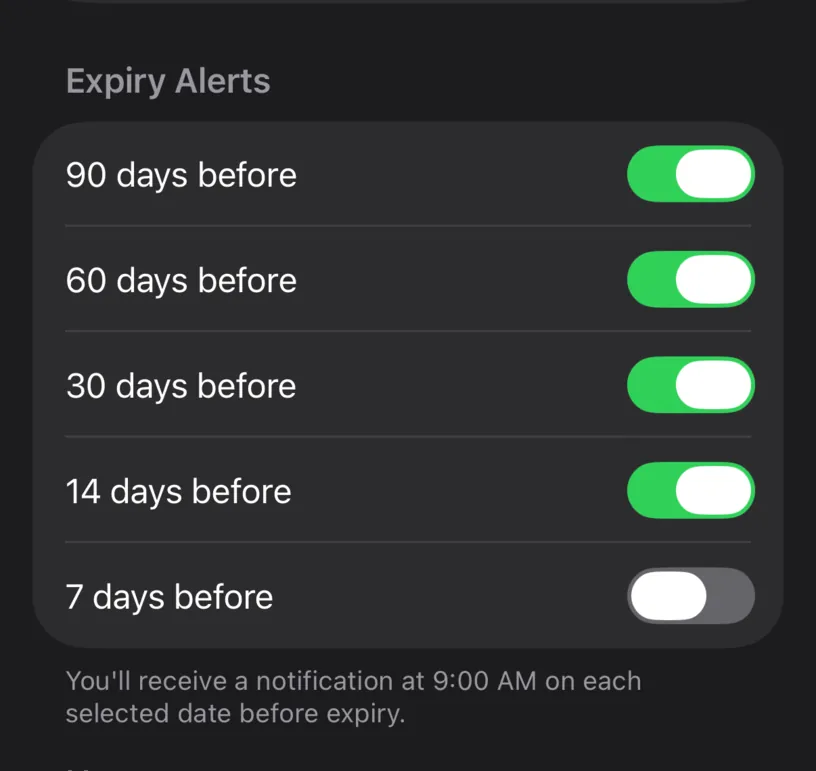
A new document arrives with 90, 60 and 30 switched on. Add 14 days before for anything with a renewal appointment to book, and turn the long ones off for a document you renew in a week.
The footer says exactly when they fire: You’ll receive a notification at 9:00 AM on each selected date before expiry.
Notes sits below. It is a free text field, and it is the right place for the thing you will not remember in two years, such as where the renewal appointment is.
Tap Save.
Step 4: Check the document took the change
The detail screen reflects the edit straight away.
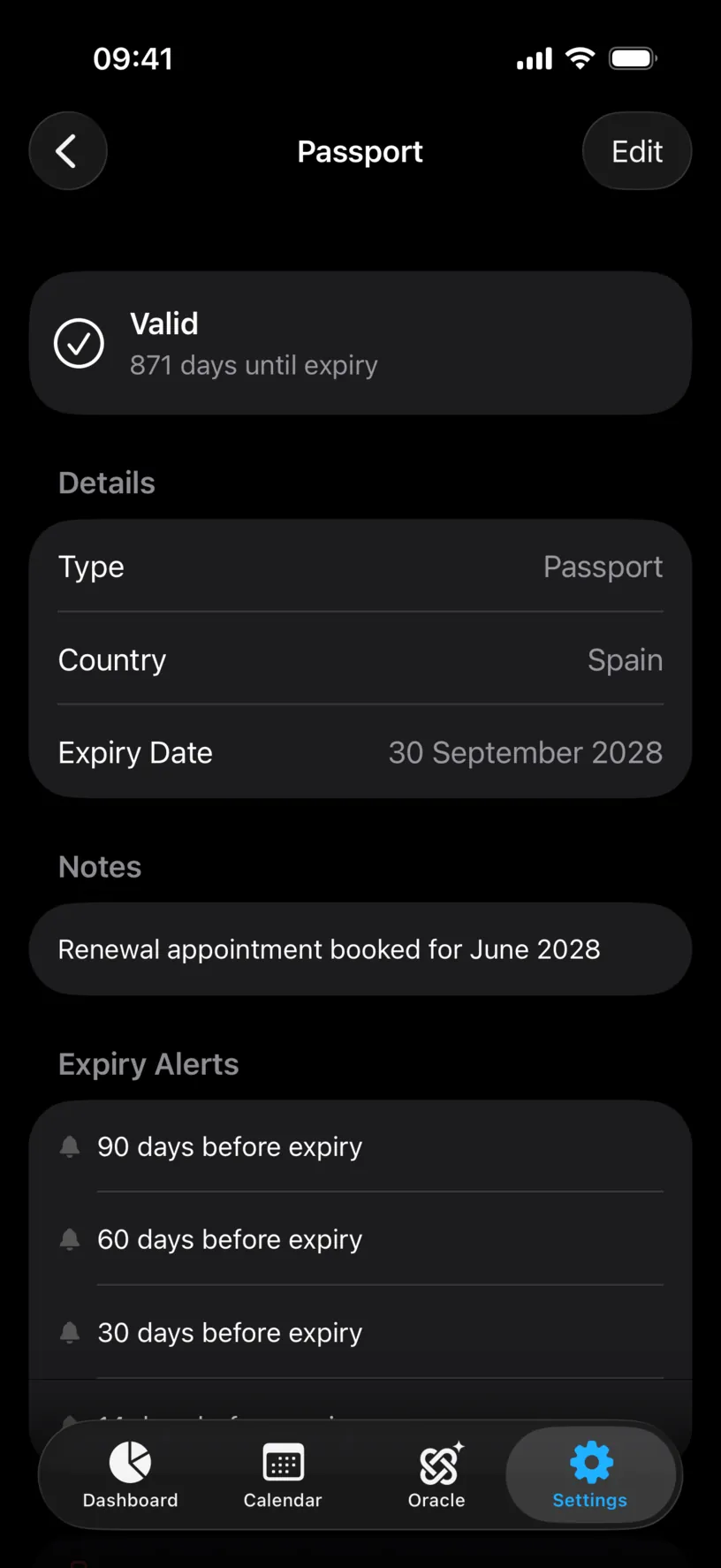
Notes now appears as its own section, and Expiry Alerts lists four reminders instead of three.
Step 5: Remove a document you are done with
There are two ways, and they behave differently.
Swipe a row left in the list to reveal Delete.
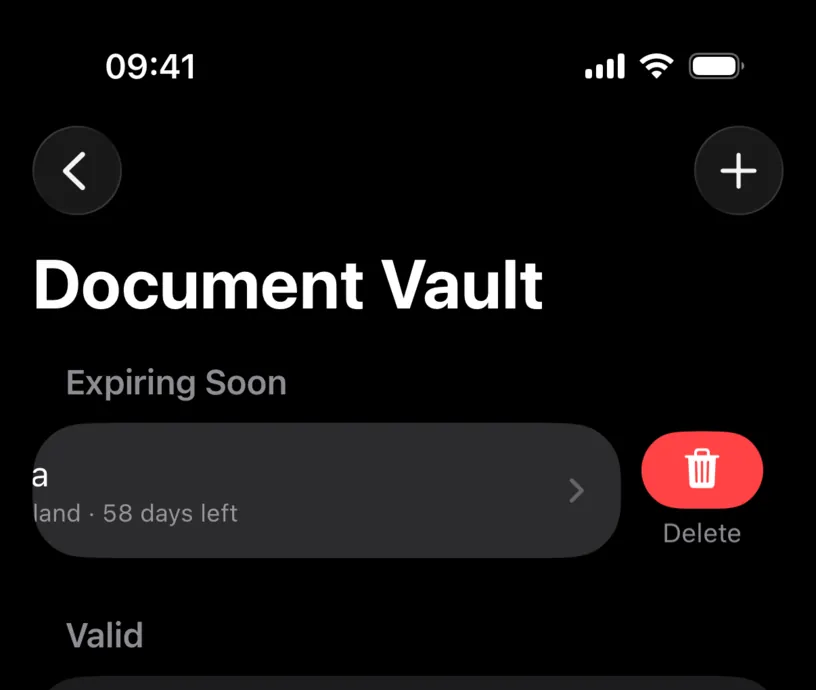
Swiping all the way across deletes the document immediately, with no confirmation and no undo. Treat the swipe as the fast path for something you are certain about.
The other way asks first. Open the document, scroll to the bottom and tap Delete Document.
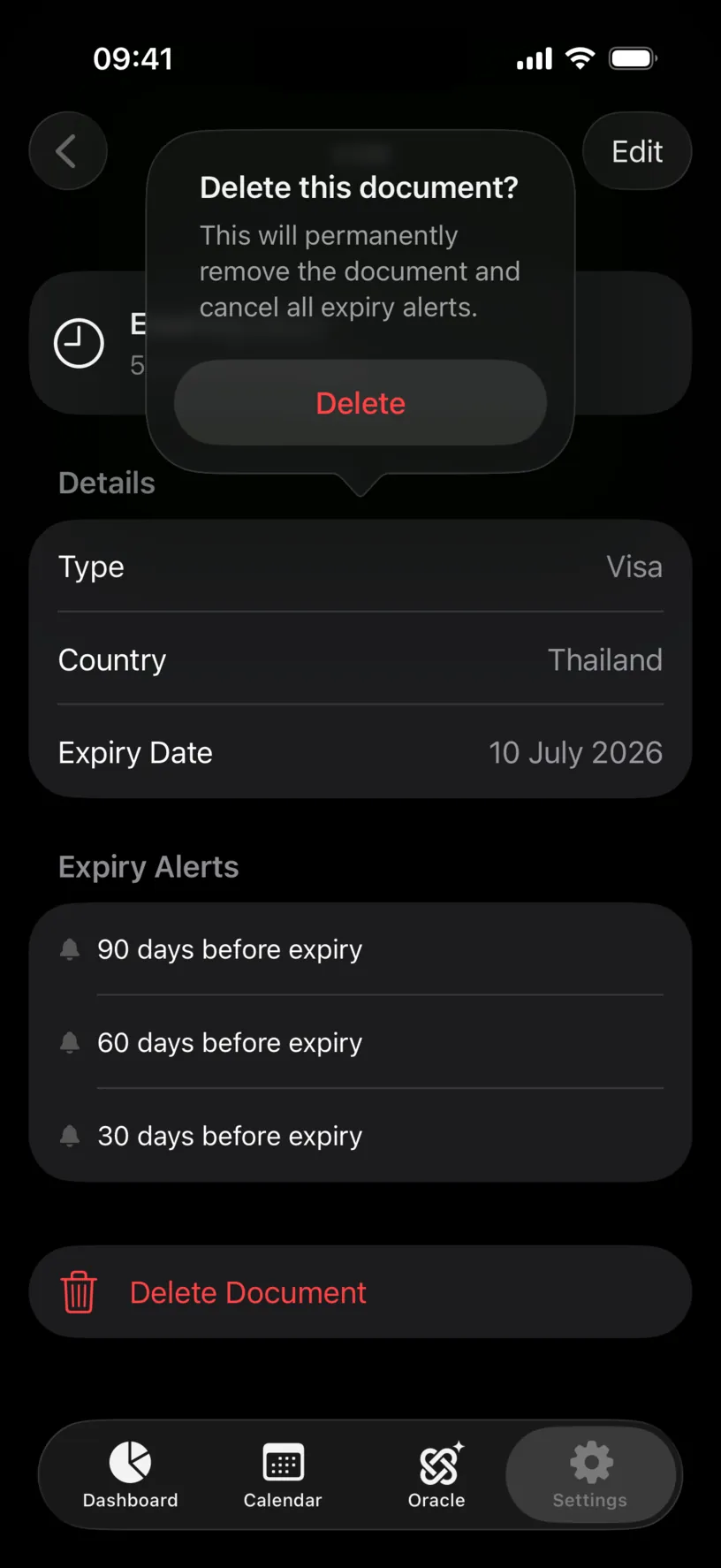
The dialog says what goes: This will permanently remove the document and cancel all expiry alerts. The image attached to the document goes with it.
Check your result
The list is one document shorter, and the group that held the deleted row disappears with it.
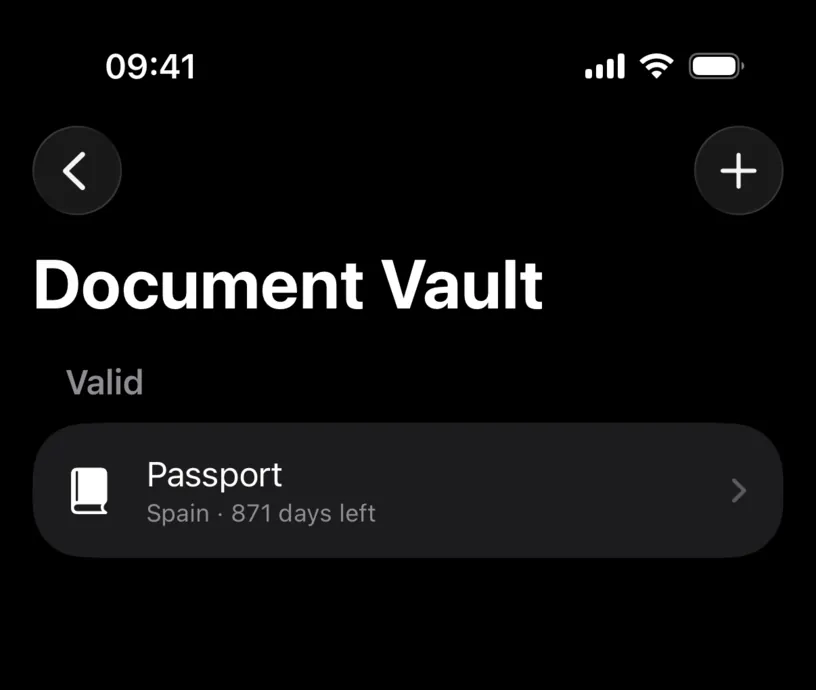
The notifications are cancelled at the same moment. Nothing arrives later for a document that is no longer there.
If something looks different
There is no share or export button. Correct. A document in the vault is not shareable from the vault, by design. To get a copy out of the app, attach the same file to a day as evidence and export a PDF report, which Prepare your records for a tax adviser covers.
Edit opens a form with an empty photo slot. The document was saved without an image. Tap Add Photo to attach one now.
The countdown did not change after an edit. The countdown reads Expiry Date, not the alerts. Check that you changed the date and not only the reminders.
A swipe deleted the wrong row. There is no undo. Add the document again from the + menu.
Deleting a document did not remove the copy attached to a day. The vault and the evidence attached to your days are separate stores. Removing one leaves the other alone.
Next steps
Organize your document vault covers adding documents and reading the expiry groups.
Protect your document vault puts Face ID in front of everything above.