What you’ll achieve
By the end of this guide you know why no notification arrived, because you have checked the three things that stop one, in the order that finds the problem fastest.
Almost every case is one of these: the iPhone is not allowing them, there is no alert set to send, or the threshold you set is still ahead of you.
Step 1: Check whether the app is allowed to notify
Go to Settings, then Countries & Regions. If iOS has notifications turned off for Nomad Tracker, the app says so before anything else on the screen.
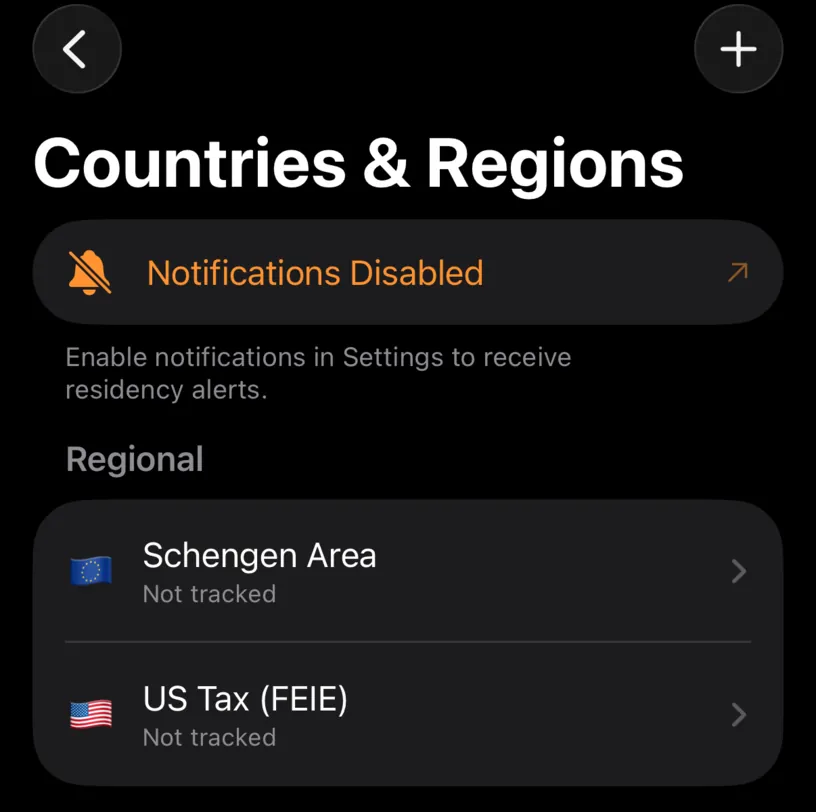
Notifications Disabled, in orange, with Enable notifications in Settings to receive residency alerts. underneath. Tapping the row takes you straight to the right page of the iOS Settings app.
If you have never been asked, the row reads Enable Notifications instead, and tapping it asks.
No banner at all means the permission is granted and the problem is further down.
Step 2: Check that an alert actually exists
This is the one that catches most people. Notifications are per country, and a country starts with none.
Open any country from the same list and scroll to its alert sections.
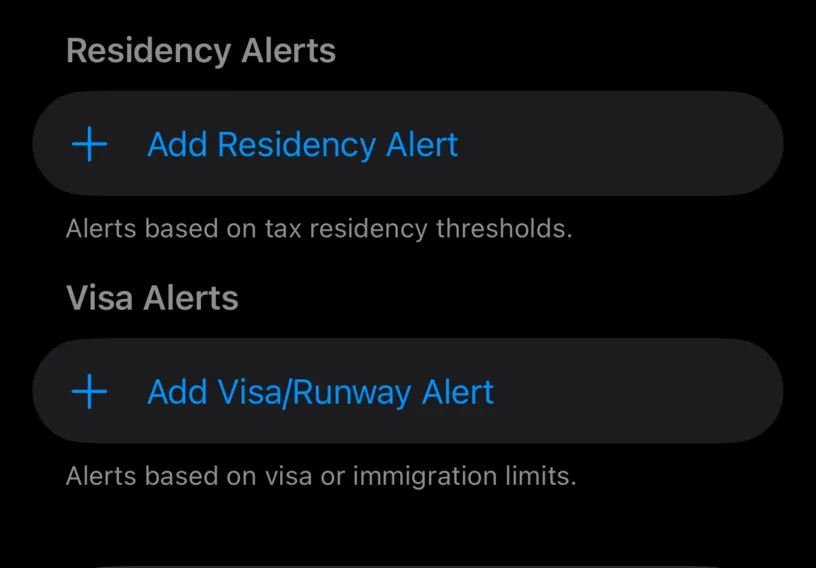
Two sections, and here both are empty. Residency Alerts watches the tax threshold, Visa Alerts watches the visa or immigration limit, and each one only exists if you added it.
An empty section sends nothing, however loudly iOS is allowed to speak. Configure fiscal day-count alerts and Set up immigration alerts cover adding them.
Step 3: Check the threshold against where you are
An alert names a percentage, and the row spells out what that means in days: an alert at 80 percent of a 183-day limit reads 146 of 183 days.
Nothing arrives until your count reaches that number. At 59 days of 180 an 80 percent alert is 85 days away, and the silence is the alert working correctly.
Two more rules worth knowing:
- an alert fires once per crossing, not every day you stay over the line,
- if your count drops back under the threshold, it arms again, so a corrected day or a new fiscal year can bring the same alert back.
Step 4: Turn the permission back on
If step 1 showed the orange row, open the iOS Settings app, go to Apps, and find Nomad Tracker.
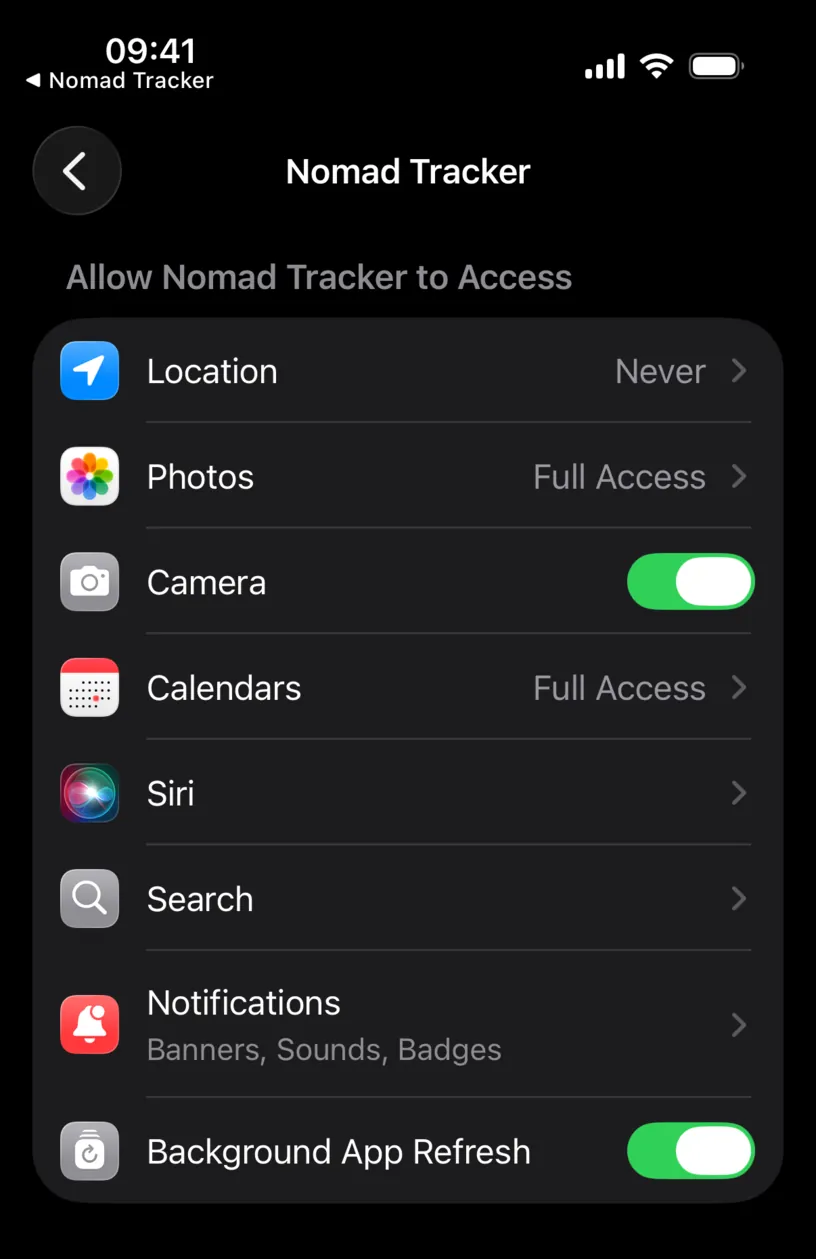
The Notifications row summarises the current state. Banners, Sounds, Badges is a working setup. Tap it.
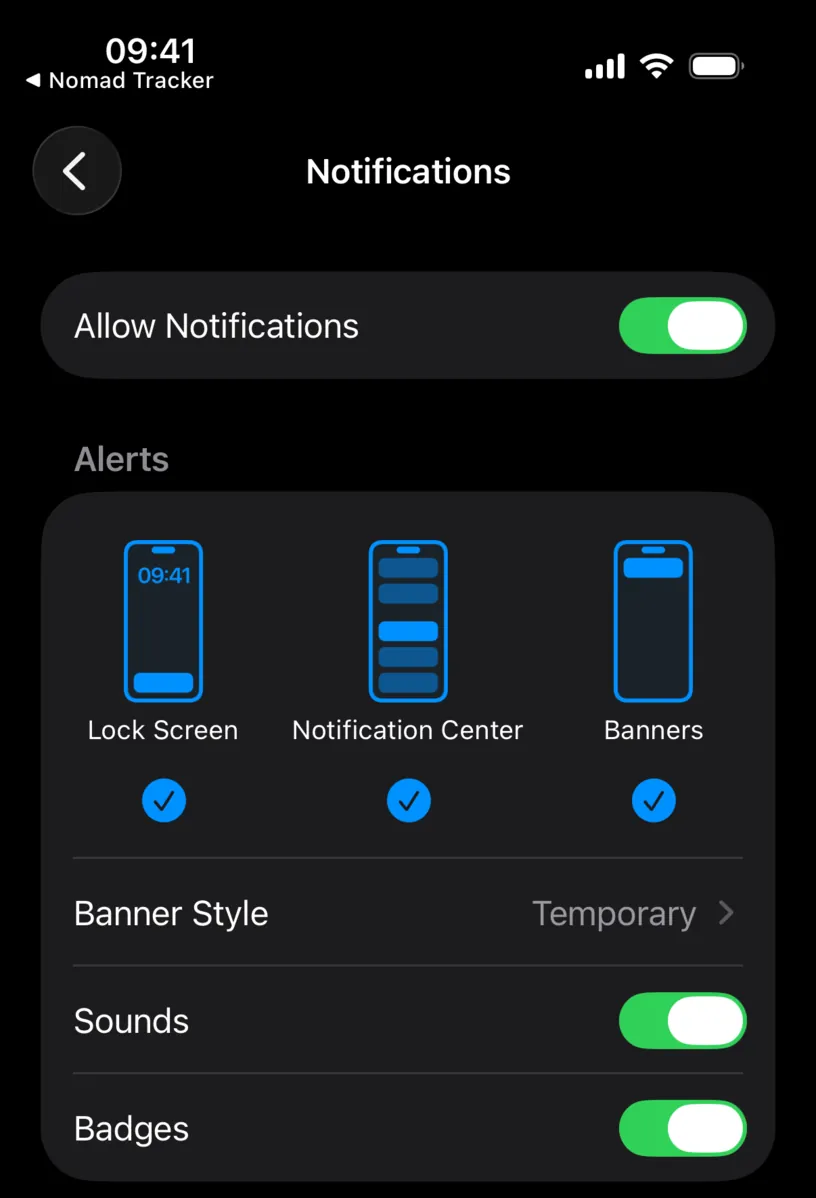
Allow Notifications at the top is the switch that matters. Everything below it decides how a notification looks, not whether it is sent. If Allow Notifications is on but all three delivery styles are off, alerts arrive silently and you never see them.
Check your result
Return to Nomad Tracker and open Countries & Regions. The orange row is gone.
Then confirm the rest: the country you care about lists at least one alert, and the days in that alert row are a number you will actually reach.
If something looks different
The alert rows have a padlock. Alerts are PRO. The permission and the day counting are not.
Everything looks right and nothing arrives. Alerts are re-checked when your day count changes, not on a timer of their own. An app you have not opened, and a history nothing has added to, has nothing new to evaluate. Open the app, or log the day.
You got one notification and expected several. That is the once-per-crossing rule. Crossing 80 percent sends one notification, not one a day.
A Focus mode is on. iOS can be allowing Nomad Tracker while a Focus silences it. Check the Focus settings for the mode you are in.
You want fewer, not more. Delete the alert rather than revoking the permission. Turning notifications off in iOS also silences the document expiry reminders, which are a different feature.
Next steps
Configure fiscal day-count alerts walks through setting a threshold that will actually fire.