What you’ll achieve
By the end of this guide the day you crossed a border is logged in both countries, and you can see exactly how each of them counts it.
Most day counters in the world are generous about travel days: the day you leave counts for the country you left, and the day you arrive counts for the country you arrived in. When those are the same day, one entry cannot tell the truth. This is how you record both.
Step 1: Open the travel day
Open the Calendar tab and go to the month of the crossing.
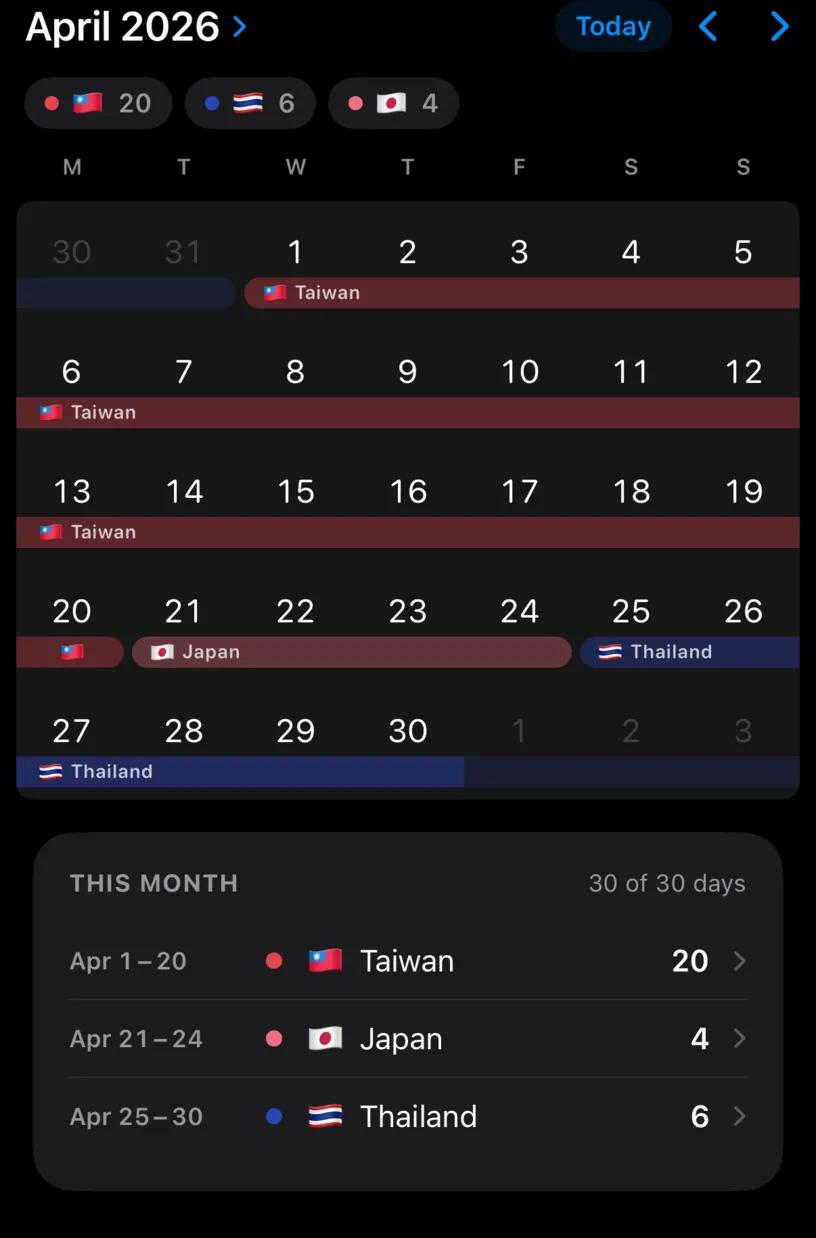
Here the flight from Taipei to Tokyo was on 21 April. The day is logged in Japan alone, so the morning in Taiwan is missing.
Tap the day, then tap Edit This Day Only. That keeps the change on the crossing itself instead of spreading it across the whole stay.
Step 2: Add the second country
The Edit Date sheet lists what the day holds under Location.
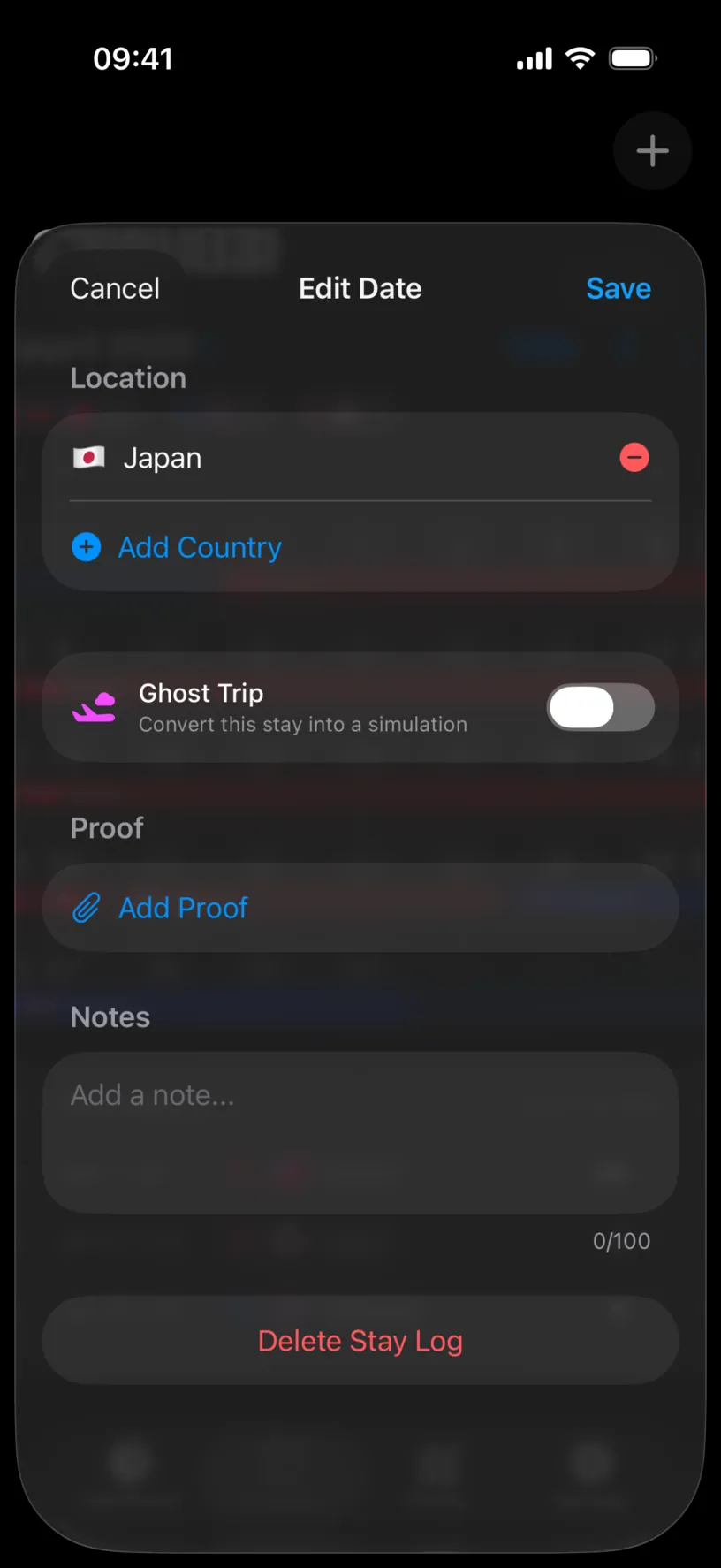
Tap Add Country and pick the other side of the border. Countries already in your history sit at the top under This Fiscal Year.
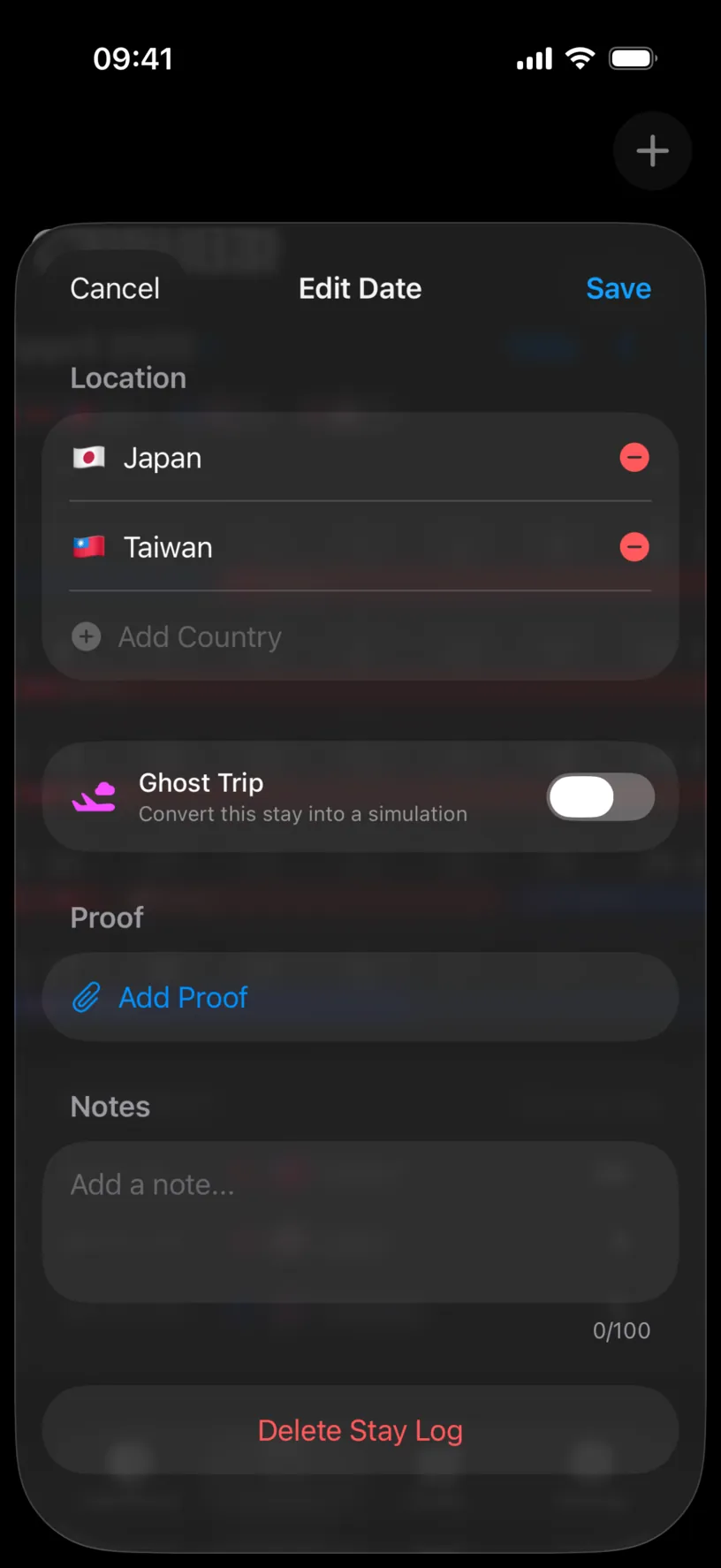
Both countries are now on the day, and Add Country is dimmed. Two is the limit, which is the number a border crossing needs.
Order does not matter. The app does not model a departure and an arrival, only that you were in both places that day.
Tap Save.
Step 3: Read the day in the calendar
The crossing day now sits under two bands, on two rows.
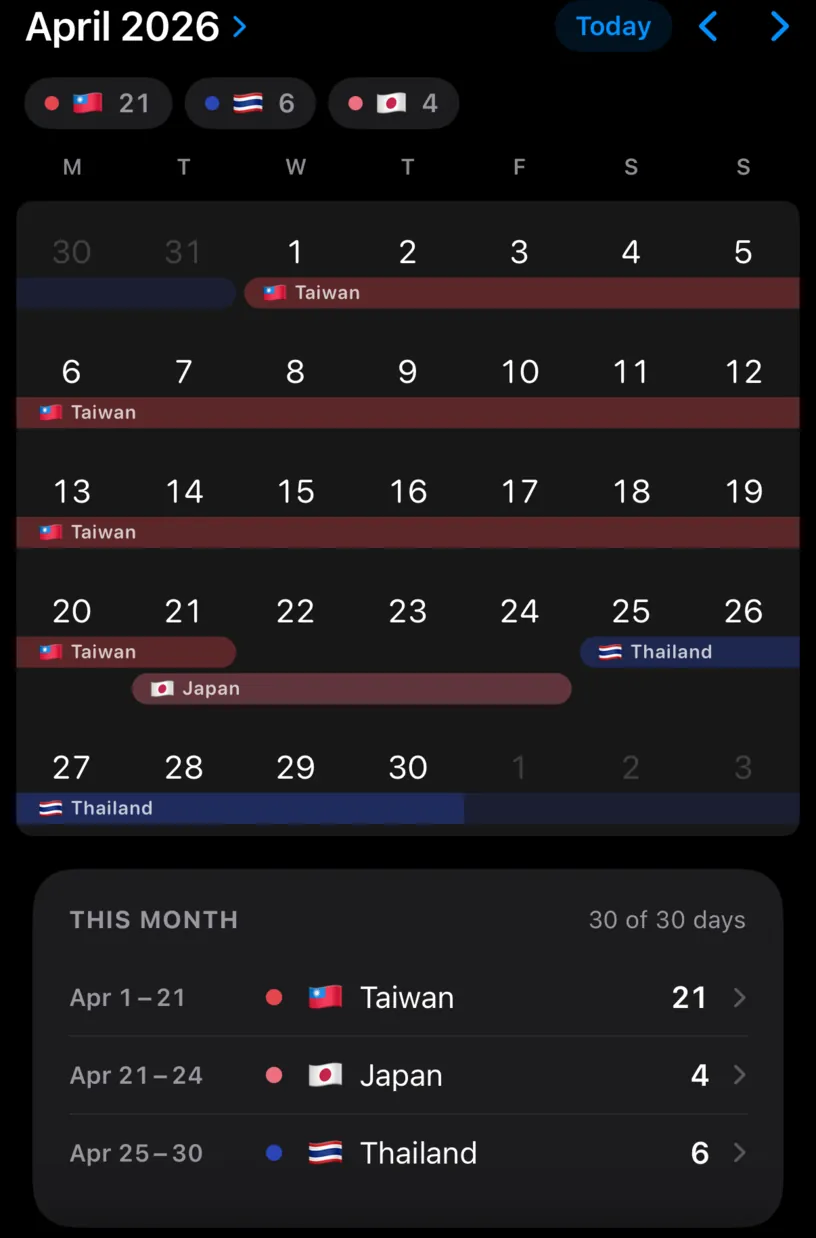
The month list shows the same thing in words: Taiwan now runs to 21 April and Japan still starts on 21 April. The two ranges overlap by exactly one day, which is the crossing.
The header still reads 30 of 30 days. You did not gain a day; one day is now claimed by two countries.
Check your result
Open the Dashboard tab and read Year Distribution.
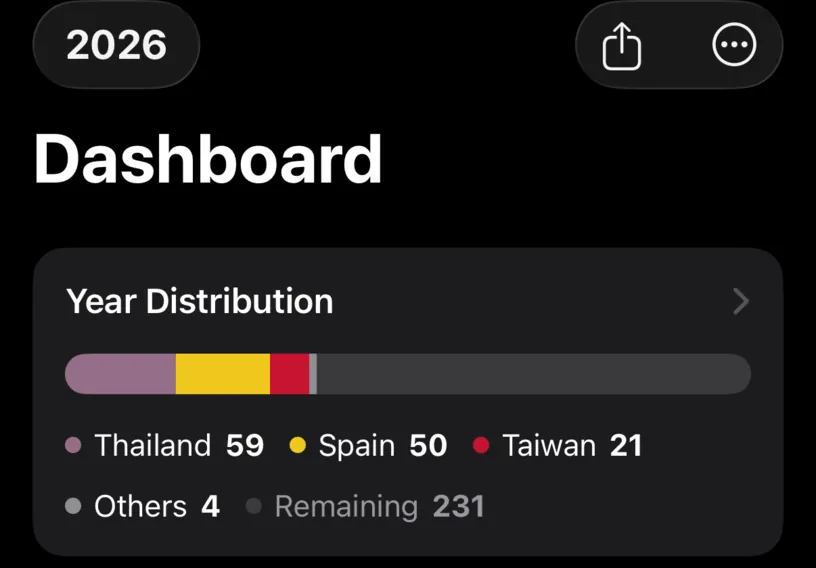
The country totals add up to one more than days logged, and that is the point. Each country counts the crossing, because each of them would count it if it audited you.
Scroll to the country cards to see it applied to the limits you actually care about.
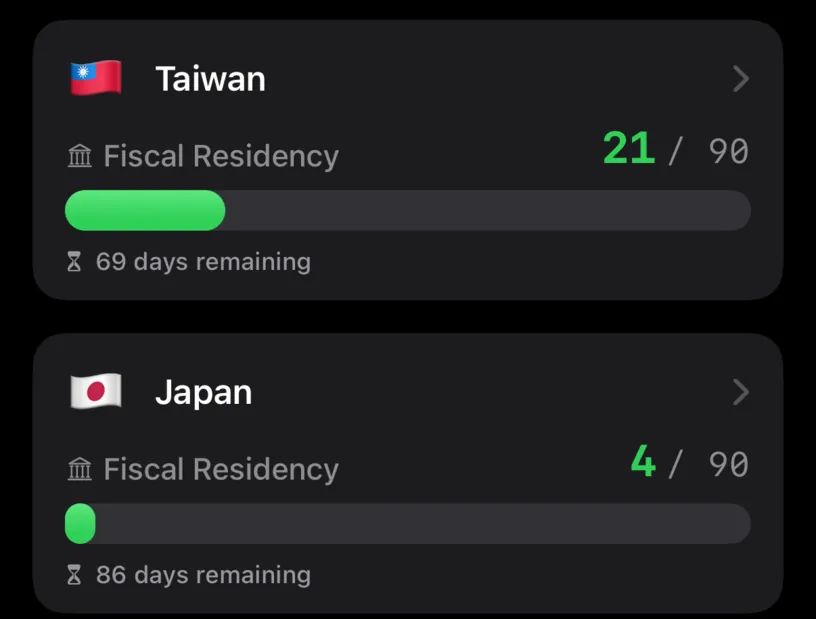
Both cards moved. Fiscal thresholds, visa limits, runway and Schengen all read the day the same way: present in both.
If something looks different
Add Country is dimmed and you need a third. A day holds two countries at most. Three countries in one day is a transit, and a plane change is not usually a stay. Log the two ends of the journey and leave the middle out.
The band covers the whole stay instead of one day. You used Edit Entire Stay. Open the day again, choose Edit This Day Only, and remove the country you did not want on the other days.
The month list shows two ranges instead of one crossing. That is the crossing. Taiwan ends on the 21st and Japan starts on the 21st, so the two ranges share a day rather than meeting between days.
The counters look one day too generous. They are counting the way most rules do, with the travel day on both sides. If a rule you follow counts a departure day only for the country you left, log that day with one country instead.
The app already did it for you. With automatic tracking on, a day where GPS saw two countries is logged with both, without asking. Nothing needs adding; check it and move on.
Next steps
Correct a country or date in your history covers removing the second country if you change your mind.
Read your Schengen day counter explains how the 90/180 rule treats entry and exit days.
Read your dashboard at a glance is the tour of the counters this change just moved.